


Introduction
For modern organizations, understanding what employees, customers, and partners think is a strategic necessity. Surveys help uncover opinions, measure satisfaction, and reveal hidden issues in processes. The insights gained from them drive stronger engagement, and a more resilient company culture.
However, traditional survey tools and basic online forms are no longer enough for enterprises. When your organization spans multiple countries, departments, and compliance policies, you need solutions that can scale, protect sensitive data, and integrate with your existing tools. That’s where enterprise survey software steps in.
This article explores what enterprise survey tools are, how to choose the right one, which solutions dominate the market, and how to successfully roll out such a system within your company. Whether you’re an HR professional, internal communications specialist, or IT manager, you’ll gain a clear understanding of how to transform surveys from simple questionnaires into powerful instruments of insights.
What Is Enterprise Survey Software?
1.1 Core Concept and Key Features
Enterprise survey software is a specialized platform designed to plan, distribute, and analyze surveys across large organizations. Unlike standalone forms or one-off questionnaires, these systems are built to handle complex, large-scale interactions — from employee engagement surveys to customer feedback loops or partner satisfaction assessments across regions and teams.
But what exactly makes an enterprise survey different from a regular one? The answer lies in automation, data protection, and organizational reach. Enterprise-grade tools usually include advanced logic, workflow automation, and role-based access that ensure the right people see the right questions — all while maintaining confidentiality and compliance.
Modern enterprise survey applications must meet several essential criteria:
- Scalability: The ability to reach hundreds or even thousands of participants simultaneously without performance issues.
- Security: Robust data protection, encryption, and adherence to corporate privacy standards like SSO or GDPR compliance.
- Advanced Analytics: Built-in dashboards, customizable filters, and segmentation features that turn raw responses into actionable insights.
- Integration: Smooth compatibility with enterprise ecosystems such as Microsoft 365, Teams, or business applications like CRM and HRM systems.
Beyond these basics, top-tier systems support recurring surveys, automated notifications, and personalized experiences based on role or audience type. This level of sophistication allows organizations to move from reactive feedback collection to proactive, data-driven decision-making.
1.2 How Enterprise Survey Software Works
To understand the real value of enterprise survey software, it helps to look at how these platforms actually function — from building surveys to analyzing results and reporting trends.
Creating Surveys
Modern enterprise survey tools come equipped with ready-made templates for a variety of use cases — employee engagement, post-training feedback, customer satisfaction (CSAT), Net Promoter Score (NPS), and many others. Users can quickly customize these templates or build surveys from scratch using flexible question types such as rating scales, multiple choice, open-ended responses, or matrix grids.
Most enterprise survey software also support conditional logic, allowing the survey to adapt dynamically to each respondent’s input. This smart branching keeps the experience relevant and short, while multilingual support ensures employees or customers can respond in their preferred language — an essential feature for global corporations.
Distributing Surveys
Once the survey is ready, it can be distributed through several channels depending on the audience and internal infrastructure. Common options include:
- Email invitations with personalized or secure access links.
- Microsoft Teams integration, enabling surveys to be launched directly within channels and chats. Learn how to create a poll in Teams >>>
- Internal portals such as SharePoint, or through mobile and intranet apps for broader reach.
Access can be either open or restricted — for example, limited by employee ID, company domain, or department — giving organizations full control over participation and data integrity.
Collecting and Analyzing Data
Enterprise survey software goes well beyond simple response collection. Results are processed automatically in real time, giving stakeholders up‑to‑date insights through interactive dashboards. Filters can segment data by department, role, location, or other organizational parameters, helping teams identify specific trends or problem areas.
Reports can be exported into familiar formats such as Power BI, Excel, or PDF for deeper analysis or presentation purposes. Advanced systems also automate report generation, sending periodic summaries to managers and building trend analyses over time — perfect for tracking the impact of regular employee engagement or customer feedback cycles.
Types of Enterprise Survey Software and Their Use Cases
Understanding the different types of enterprise survey tools — and where they’re best applied — is essential for choosing a platform that aligns with your organization’s goals. Enterprise survey software comes in many forms, and each serves a specific business purpose depending on who’s being surveyed, how data is managed, and what insights are expected.
2.1 By Purpose and Application
Employee Engagement Tools
These platforms are designed for HR and People Operations teams to measure engagement, job satisfaction, stress levels, and overall company culture. They play a key role during onboarding, offboarding, organizational changes, and continuous feedback programs.
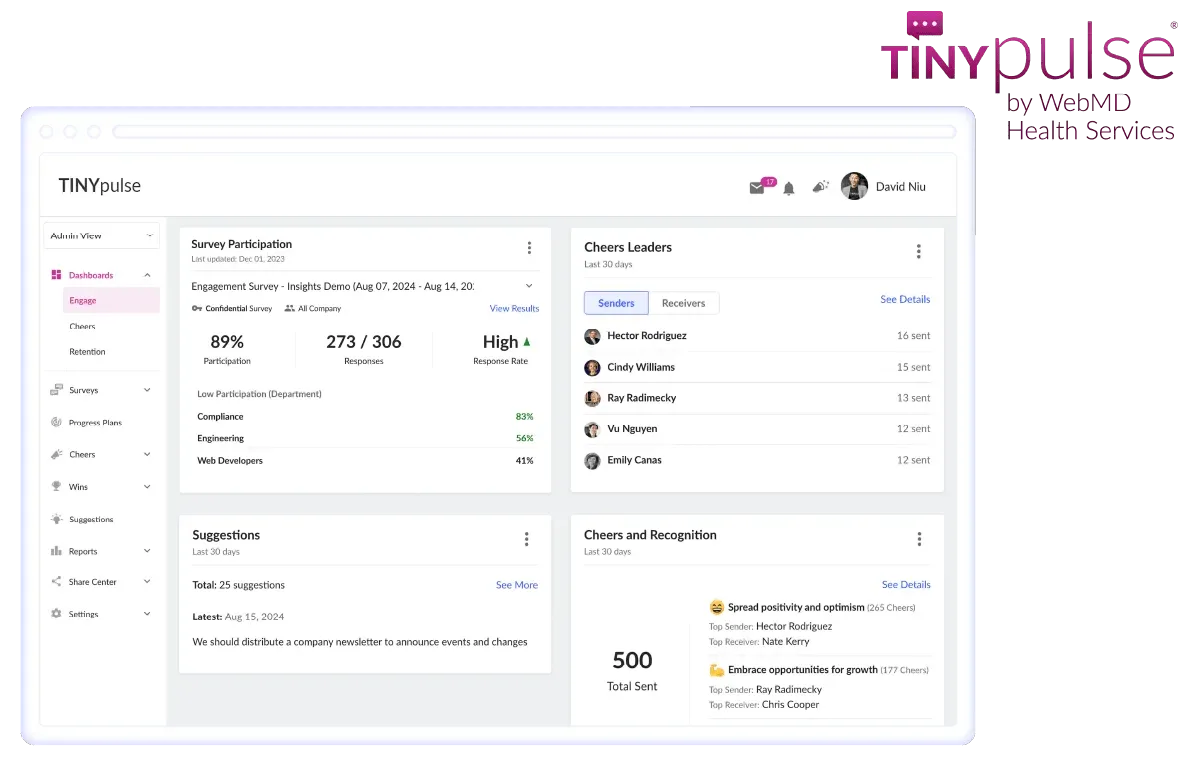
Examples: Microsoft Viva Glint, Qualtrics Employee Experience, TinyPulse.
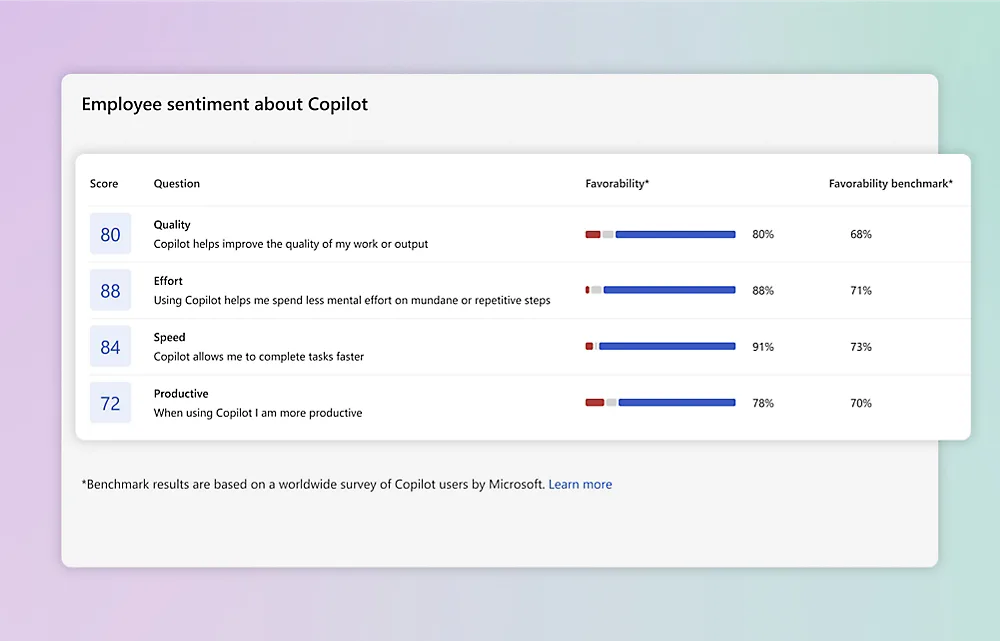
Microsoft Viva Glint. Source: Microsoft
Customer and Partner Feedback Tools
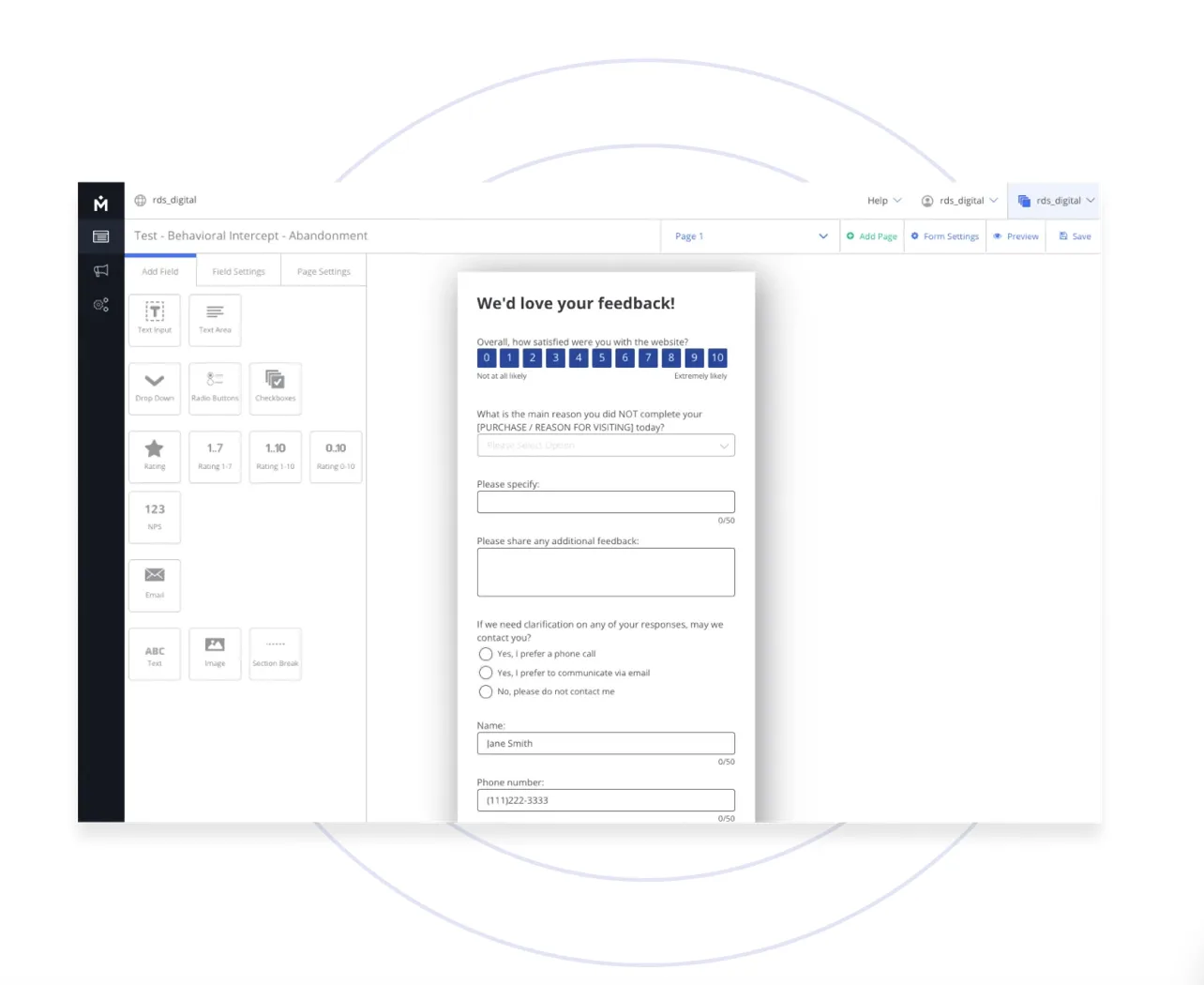
Used primarily by sales, marketing, and customer success teams, these tools measure satisfaction metrics such as NPS (Net Promoter Score) and CSAT (Customer Satisfaction). They help businesses gather actionable insights after service interactions, product delivery, or project completion.
Examples: Medallia, Zoho Survey, SurveyMonkey Enterprise, Delighted.
Assessment and 360° Feedback Tools
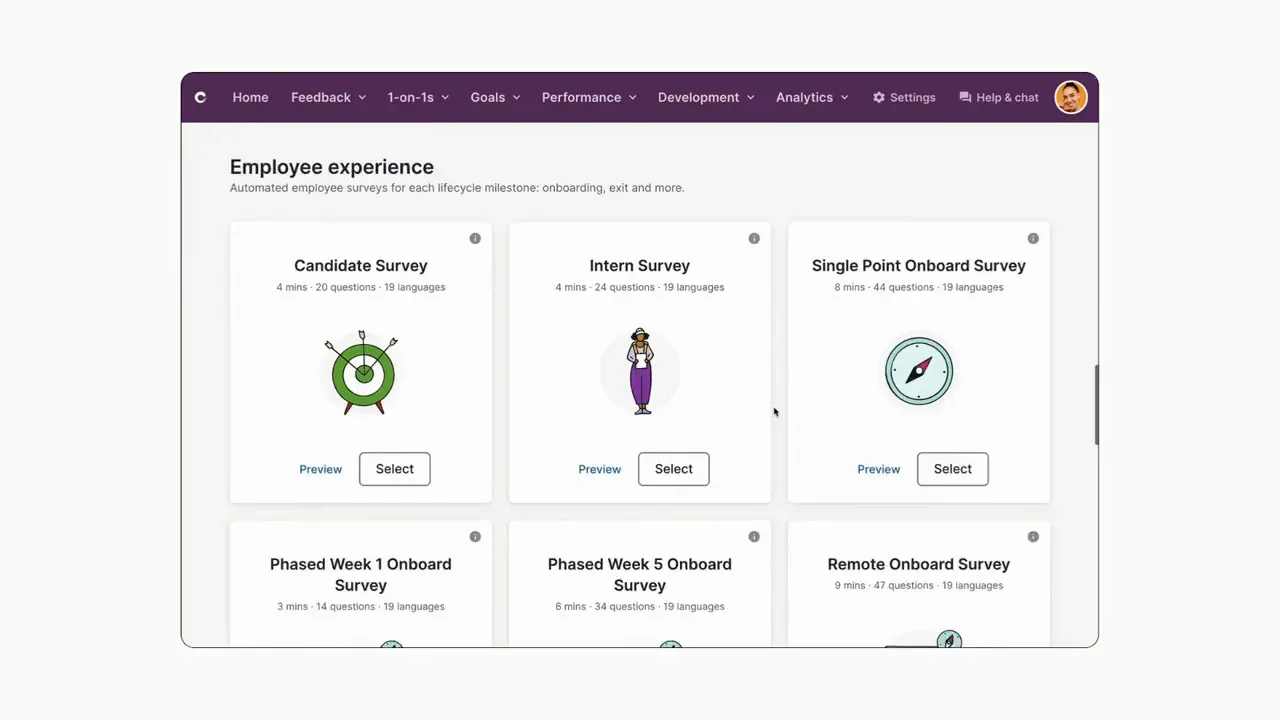
These platforms support regular employee assessments, leadership evaluations, and team‑wide feedback cycles. They help map individual growth, identify leadership potential, and shape development programs.
Examples: Culture Amp, Lattice, Spidergap.
Market Research and Product Feedback Tools
Commonly used by marketing and product management teams, these apps support market analysis, product testing, A/B experiments, and user behavior studies.
Examples: Typeform Enterprise, Alchemer (formerly SurveyGizmo).

Project and Initiative Evaluation Tools
Ideal for gathering feedback on completed projects, pilot programs, trainings, or cross‑departmental initiatives. They help teams assess performance, identify success factors, and summarize lessons learned.
2.2 By Deployment Model
Cloud‑Based (SaaS) Solutions
The majority of enterprise survey software is offered as cloud services. They are popular for their easy setup, flexible scalability, automatic updates, and reduced infrastructure overhead. Many support integration through APIs with CRM systems, Microsoft Teams, and business intelligence platforms.
On‑Premises Solutions
These are preferred by organizations with strict data‑security or compliance requirements, such as governments, financial institutions, or healthcare providers. While offering full control over data storage and security, they require internal IT resources for hosting and maintenance.
2.3 By Level of Specialization
All‑Purpose Platforms
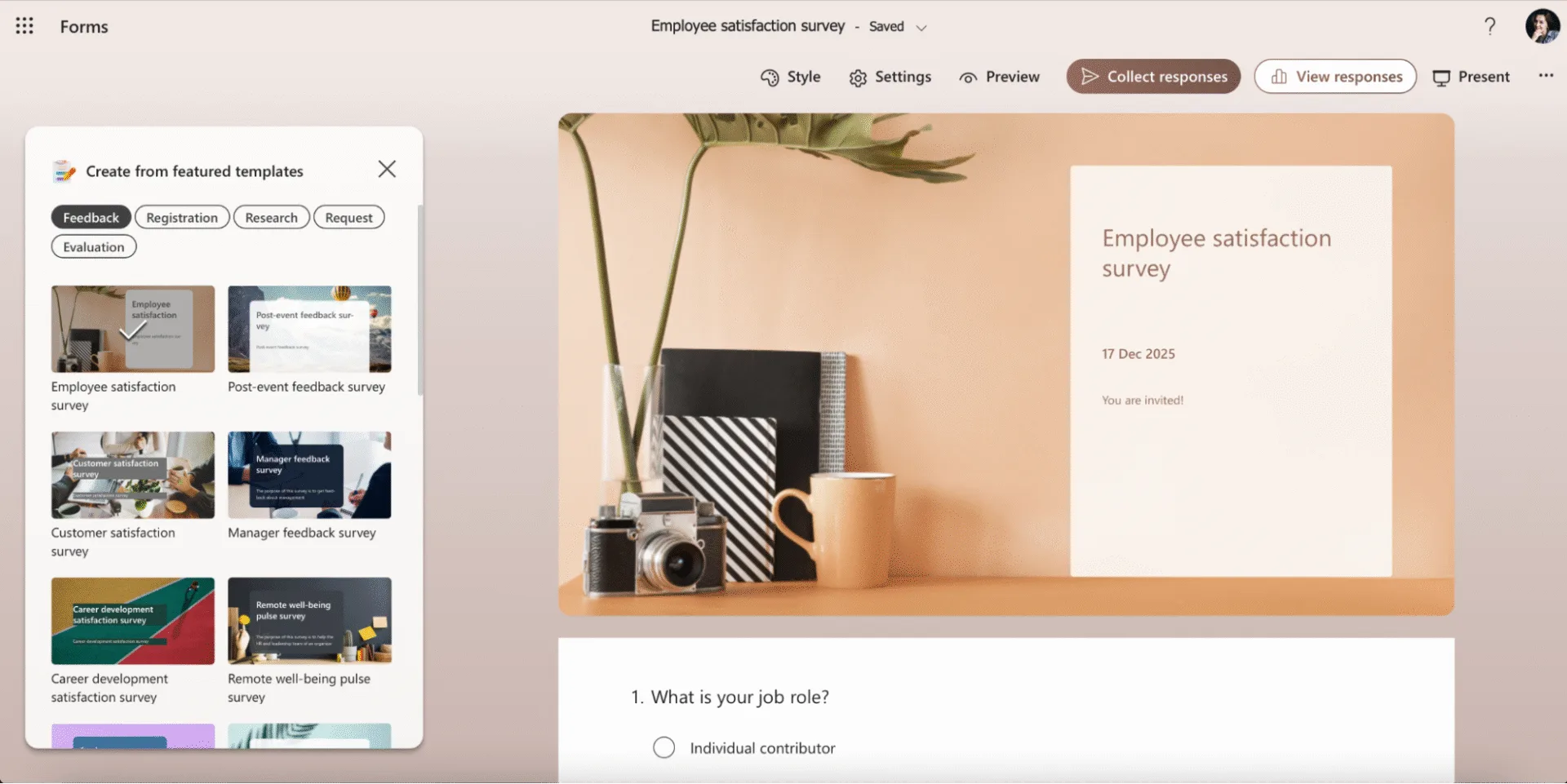
This enterprise survey software supports multiple use cases within one environment — from internal engagement surveys to customer feedback forms — making them ideal for large, multifunctional companies.
Examples: Qualtrics, Microsoft Forms, SurveyMonkey Enterprise.
Niche Solutions
Focused on a single application area, such as employee engagement or customer satisfaction, these platforms deliver more specialized analytics and deeper insights within their domain.
Examples: TinyPulse (HR), Delighted (CX).
By mapping available options against business needs, organizations can quickly define whether they need a versatile survey hub or a focused solution for one specific area of improvement.
How to Choose an Enterprise Survey Tool
Selecting the right enterprise survey software isn’t only about checking features. It’s about finding a solution that fits your organization’s size, structure, and compliance needs while aligning with your existing technology stack. The following criteria will help you evaluate potential tools more effectively.
3.1 Key Selection Criteria
Scalability
Enterprise environments demand platforms that can handle large, distributed audiences. Look for tools that:
- Support simultaneous survey launches across departments, regions, or customer segments.
- Allow multiple user roles (creators, editors, analysts, admins) with controlled access.
- Automate recurring surveys, reminders, and result collection.
- Provide multilingual capabilities to ensure inclusivity for international teams.
Security and Compliance
Data protection should never be an afterthought. A reliable platform should:
- Use encryption during data transmission and storage.
- Provide granular access control so only authorized users can view specific results.
- Comply with global and internal security standards such as GDPR, HIPAA, or ISO.
- Offer audit trails and activity logs for compliance and internal monitoring.
Integration Capabilities
A truly enterprise‑ready system connects seamlessly with other tools you already use. Consider solutions that:
- Integrate with Microsoft 365 applications like Outlook, Teams, and SharePoint.
- Sync with CRM systems (Dynamics 365, Salesforce) for targeting respondents or tracking engagement history.
- Connect to BI platforms like Power BI or Tableau for deeper visualization and analytics.
- Support APIs and webhooks to trigger surveys based on specific business events — for instance, after a sales deal closes or a training session ends.
Ease of Use
Even the most powerful survey system should remain simple to manage. Key usability factors include:
- An intuitive survey builder with templates and conditional logic blocks.
- Quick access to analytics and export features for reporting.
- Dashboard and report sharing according to user roles (e.g., departmental managers, HR leads).
Balancing all these aspects ensures that the chosen solution won’t just collect data but will simplify feedback management across your organization.
3.2 Integration with the Microsoft Ecosystem
For companies already using Microsoft 365, the ecosystem provides several built‑in options that cover both basic and advanced survey needs.
Microsoft Forms
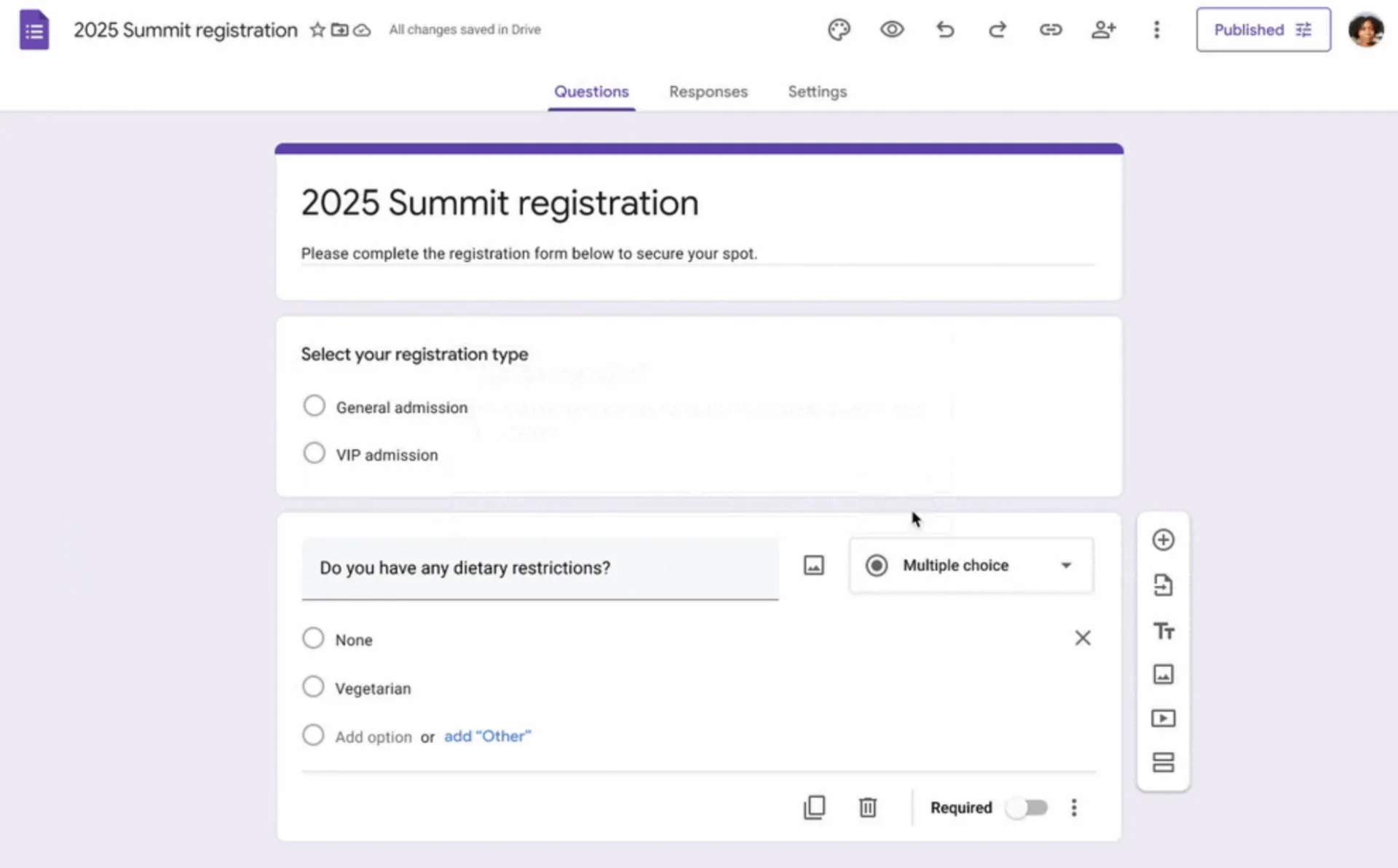
Microsoft Forms allows users to create structured surveys with multiple question types, branching logic, and custom branding. It’s ideal for employee questionnaires, training evaluations, and customer feedback forms. Results can easily be exported to Excel or visualized in Power BI for analysis. Surveys can be shared via direct links, email, SharePoint pages, or Viva Engage (formerly Yammer) communities. Forms works well when branding, flexibility, and enterprise data consistency are priorities.
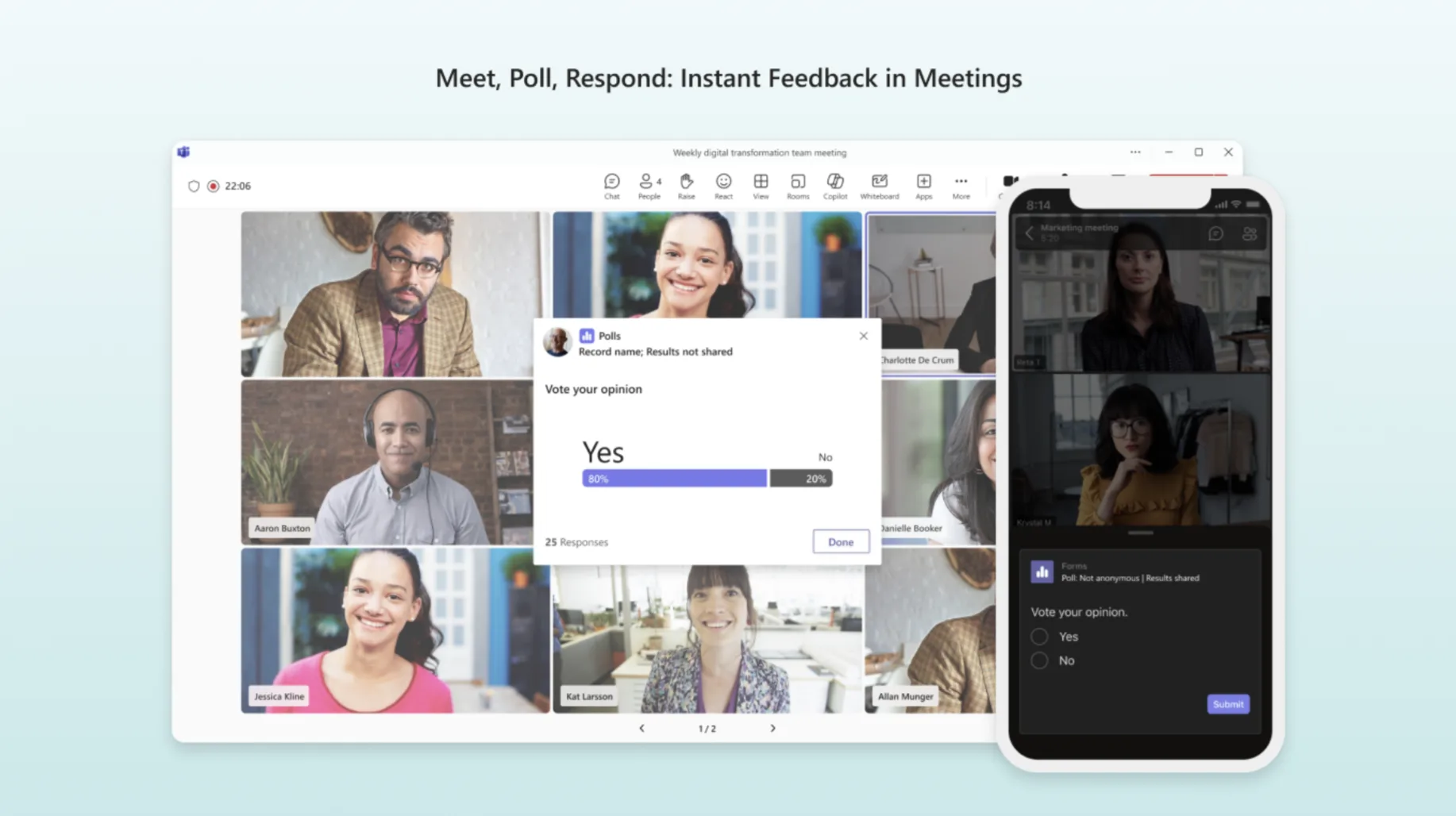
Microsoft Polls
Polls is designed for quick, interactive voting inside Microsoft Teams. It shines in real‑time scenarios such as team meetings or brainstorming sessions, where instant feedback is valuable. Although limited to single‑question formats, it’s highly effective for boosting participation without context switching between apps.
When to Use Each Tool
- Use Microsoft Polls for short, in‑meeting or chat‑based surveys where speed and simplicity matter most.
- Use Microsoft Forms for structured feedback collection — employee engagement surveys, NPS tracking, or training evaluations that require multiple sections and questions.
Together, these tools provide flexibility for organizations at different feedback‑collection stages — from quick team check‑ins to detailed enterprise research.
Overview and Comparison of Popular Enterprise Survey Software
4.1 Popular Platforms
On the market today, several survey platforms are consistently named among the most widely used solutions: Qualtrics, SurveyMonkey Enterprise, Typeform for Teams, Zoho Survey, QuestionPro, Google Forms for Business, Microsoft Forms, and others. These tools differ in depth of analytics, ease of use, pricing, and how well they integrate with existing business systems, which is why they tend to dominate “best survey software” shortlists in professional reviews.
Microsoft Forms deserves special mention because it is available at no additional cost for many organizations already using Microsoft 365, allowing users to create surveys, quizzes, and polls directly within the Microsoft ecosystem. With Forms, companies can design branded surveys, share them via links, email, Teams, or SharePoint, and then analyze responses using built‑in charts or by exporting data to Excel or Power BI.
4.2 Tool Comparison
The table below compares popular tools across key enterprise criteria. It does not cover every feature, but highlights differentiators that can influence a buying decision.
| Tool | Scale & Performance | Security & Compliance | Analytics & Reporting | Templates & UX | Localization & Integrations |
| Qualtrics | Enterprise‑grade, supports complex global programs | Strong enterprise security, compliance features | Advanced dashboards, statistical models, CX/EX analytics | Rich template library, powerful but complex UI | Multilingual, deep CRM/BI integrations (e.g., Salesforce, custom APIs) |
| SurveyMonkey Enterprise | Scales well for teams and multi‑department use | Enterprise controls, SSO, governance options | Robust analytics, benchmarks, role‑based reports | Familiar, easy‑to‑use interface | Integrations with CRM, collaboration, and marketing tools via apps/API |
| Typeform (Teams/Business) | Good for SMB–midmarket, handles high response volume | Standard security with business plans | Real‑time results, exports to other tools | Conversational, one‑question‑at‑a‑time design | Integrations with Google Sheets, Slack, HubSpot, and more via connectors |
| Zoho Survey | Suitable for small to mid‑sized businesses globally | Data centers and features aimed at compliance | Built‑in reports, exports, integration with Zoho BI | Functional UI with strong logic features | Strong multilingual support, native ties to Zoho CRM and e‑commerce tools |
| QuestionPro | Designed to grow from small to advanced use cases | Global data centers and enterprise options | Advanced branching, team collaboration analytics | Clean, flexible builder with many options | Connectors and APIs for CRM, marketing, and analytics platforms |
| Microsoft Forms | Scales well within Microsoft 365 tenants | Uses Microsoft 365 security and compliance stack | Built‑in charts, easy export to Excel and Power BI | Simple UI, supports templates and branching | Deep integration with Teams, SharePoint, Outlook, OneDrive in Microsoft 365 |
| Google Forms (Business) | Handles large volumes for many teams | Benefits from Google Workspace security model | Basic charts with export to Sheets for further analysis | Very simple, minimalistic interface | Integrates natively with Google Sheets and other Workspace apps; fewer enterprise hooks |
Each of these tools has its own sweet spot: some excel at customer‑experience programs, others at employee engagement or simple internal forms for organizations already committed to a specific ecosystem. Understanding where your primary use case sits — CX, EX, product research, or internal operations — helps narrow down the shortlist quickly.
4.3 Practical Recommendations
- For small and mid‑sized businesses already working in Microsoft 365, Microsoft Forms is often the most pragmatic choice: it is included in the subscription, easy to deploy, and integrates natively with Teams, SharePoint, and Excel.
- For customer‑facing surveys in eCommerce and marketing, Typeform works particularly well thanks to its conversational, visually engaging interface and smooth integrations with marketing and automation tools.
- For HR scenarios such as engagement surveys and 360 feedback, specialized platforms like Culture Amp or QuestionPro offer richer people‑analytics features and workflows tailored to talent management.
- For large enterprises that need deep CRM and BI integration plus advanced analytics, platforms like Qualtrics or SurveyMonkey Enterprise are strong candidates, thanks to their mature ecosystem connectors and enterprise‑level feature sets.
- For organizations heavily invested in Google Workspace, Google Forms remains the natural entry‑level option, although its built‑in analytics are basic and typically require Google Sheets or external BI tools for deeper insights.
If you share your target audience (HR, IT, CX, or mixed) and tech stack, the recommendations can be refined even further for your article’s final version.
Implementing Enterprise Survey Software in Your Company
Successful rollout of an enterprise survey tool goes beyond picking the right platform — it requires careful planning, technical setup, and ongoing efforts to boost respondent participation. The following stages outline a systematic approach to turn surveys into a reliable feedback engine for your organization.
5.1 Preparation Stage
Start by defining clear objectives and data policies to ensure surveys deliver measurable value while meeting compliance standards.
- Define Survey Goals: Pinpoint business priorities like boosting employee engagement, gathering client NPS scores, assessing company culture, or monitoring project progress. Set specific KPIs such as participation rates, response times, or target satisfaction levels.
- Select Format and Audience: Decide on anonymous versus named responses, then segment participants by departments, seniority levels, project teams, or external contacts. Choose distribution channels like email, Teams, intranet portals, or mobile push notifications.
- Prepare Templates and Privacy Policies: Build reusable templates for common scenarios (e.g., 360-degree feedback, post-event reviews, team climate checks). Draft clear data-handling notices explaining the survey's purpose, data usage, access rights, and obtain consent where required — especially in regions like the EU with strict data protection laws.
This foundation prevents common pitfalls like low response rates or compliance issues from the outset.
5.2 Automation Stage
Once prepared, leverage automation to make processes repeatable and hands-off, minimizing manual effort.
- Template-Based Survey Creation: Use platform features in tools like Microsoft Forms or Virto Polls for Teams to build surveys from pre-approved templates. Configure branching logic, role-based personalization, and scheduled or event-triggered launches via APIs or CRM integrations.
- Deadline and Reminder Automation: Integrate with Microsoft 365 apps such as Virto Calendar App or Virto Alerts & Reminders App to send automated nudges for unfinished surveys, report deadlines, or response prompts. Set escalating reminders and visualize timelines with calendars or progress charts.
- Real-Time Analysis Dashboards: Monitor responses via built-in dashboards (or Power BI integrations) for live tracking of participation, satisfaction scores, NPS trends, and filters by department, region, or timeframe. Export data to Excel for custom analysis or connect to BI systems for advanced insights.
Automation ensures consistency and frees teams to focus on actioning results rather than administration.
5.3 Boosting Engagement
Even the best enterprise survey software falls flat without motivating people to participate — engagement strategies make the difference.
- Smart Reminder Campaigns: Deploy timed reminder sequences for non-respondents, personalized with names, clear purposes, and impact explanations. Automate via Outlook or Teams based on user preferences.
- Seamless Teams and Outlook Integration: Embed quick polls in Microsoft Teams meetings or channels using Microsoft Polls, or deploy full surveys with Virto Polls for Teams — complete with recurrence, segmentation, and access controls. In Outlook, include survey links or forms directly in invites and follow-ups.
- Segmented Reporting and Action: Break down analytics by business units to spot engagement gaps early. Compare team performance over time and generate manager-specific reports, enabling proactive responses before issues escalate.
By combining these elements, organizations can sustain high participation and turn feedback into tangible improvements. Regular communication about how insights lead to change further reinforces trust and buy-in.
Virto Polls for Teams — Effective Surveys in a Corporate Environment
For organizations deeply integrated with Microsoft Teams, Virto Polls for Teams stands out as a powerful, native solution that embeds surveys directly into team channels and chats. This enterprise survey software eliminates the need to switch between platforms, keeping feedback collection seamless within daily workflows.
Key advantages include:
- In-Channel Surveys: Launch polls instantly in Teams conversations, meetings, or channels for real-time responses without disrupting productivity.
- Enterprise Security: Full compliance with corporate policies through role-based access controls, data encryption, and audit trails.
- Flexible Visibility Options: Configure polls as anonymous, personalized, or team-specific to suit privacy needs and encourage honest input.
- Recurring Polls: Schedule regular surveys for ongoing metrics like NPS, employee engagement pulses, or post-project reviews, automating long-term tracking.
Virto Polls for Teams boosts employee participation by making feedback feel natural and immediate.
Conclusion
Enterprise survey software goes far beyond basic forms; they are comprehensive platforms for gathering, analyzing, and acting on feedback at scale. The right choice hinges on your business goals, company size, and how well the solution integrates with your existing IT infrastructure.
Microsoft 365 tools like Forms and Polls, enhanced by apps such as Virto Polls for Teams, excel in automation, seamless integrations, and visualization — streamlining surveys from creation to reporting. Test Virto Polls for Teams in your Teams environment to experience how it can transform feedback into a competitive advantage.