


If you’ve ever worked in a legal department, you know how much time routine work can take. Drafting standard contracts, checking endless clauses, waiting for approvals, and chasing the right version of a document can quickly fill your day. Add tight deadlines, compliance requirements, and the high cost of mistakes, and it is easy to see why legal teams feel stretched thin. Manual work often leads to delays, lower motivation, and a higher risk of missing important details.
Automating repetitive legal processes helps teams move faster, reduce errors, and focus on what truly matters—strategic work that supports business growth. With the right legal workflow automation software, law firms and corporate legal departments can streamline document management, contract approval, and compliance tracking without compromising quality.
In this article, we’ll take a closer look at what legal workflow automation means, why it’s worth implementing, and how it can transform your day-to-day operations. You’ll also find practical examples, implementation tips, and insights into the best legal workflow tools available today.
What is a legal workflow?
Before diving into software, it’s important to understand what a legal workflow is. A legal workflow is a step-by-step, repeatable sequence of actions required to complete a specific legal task. That could mean registering a new case, drafting a contract, or approving an internal document. Each process follows a similar pattern—creating, reviewing, approving, filing, and tracking compliance. Together, these actions form a legal workflow that defines how work moves through a legal department or law firm.
What is a legal workflow automation?
Legal workflow automation takes this concept a step further. It uses specialized software to structure and automatically execute routine legal activities according to predefined business rules. Instead of manually routing documents or tracking deadlines, legal workflow automation software handles those repetitive tasks in the background, reducing administrative burden and human error.
Modern legal workflow management software helps teams accelerate tasks such as contract registration, counterparty verification, litigation management, and compliance monitoring. When automating these processes, law firms and corporate legal departments maintain accuracy, meet deadlines more easily, and give attorneys more time to focus on analytical work.
In a nutshell, legal workflow automation transforms traditional legal process management into a transparent and data-driven operation that improves both efficiency and compliance.
Key Benefits of Legal Workflow Automation
Automation is no longer a luxury for modern legal departments—it’s becoming a necessity. Legal workflow automation brings improvements across speed, accuracy, compliance, and scalability. Let’s take a closer look at the main advantages of implementing legal workflow automation software in daily operations.
Faster processes and higher efficiency
One of the most visible benefits of legal workflow automation is speed. Automated task routing and instant approval cycles can shorten document processing time by 50–70%. For example, an incoming contract request is automatically assigned to the right specialist, reducing idle time and ensuring the work progresses without unnecessary delays. This helps legal teams complete more tasks in less time while maintaining quality standards.
Greater accuracy and reduced operational risks
When workflows rely on manual input, errors are often inevitable. Legal workflow management software helps eliminate these risks by following predefined rules and validation steps. The system never skips mandatory stages or misses deadlines. As a result, legal teams minimize costly mistakes, protect the business from compliance issues, and maintain a consistent process quality.
Total transparency, control, and compliance
Legal workflow automation also improves regulatory compliance. Every action—approval, change, or comment—is automatically recorded in the system, creating a full audit trail. This immutable log shows who approved what and when, providing full visibility for audits and internal reviews. With automated compliance tracking, legal teams can meet regulatory standards effortlessly and keep management informed through real-time reporting.
Cost optimization and scalability
Legal departments often need to handle growing volumes of work without increasing staff. Legal process automation helps achieve exactly that. By automating document reviews, approvals, and data entry, teams can redirect valuable time toward strategic tasks. The result is scalable legal operation that grows without a proportional rise in costs.
Centralized document management
Another advantage is the ability to manage all legal documents in a centralized workspace. Legal workflow management systems store every version, approval record, and comment in a single place. This eliminates document loss, duplication of work, and confusion over the latest file versions. With clear visibility into document histories, legal professionals gain better control in every step of the process.
Practical Examples and Strategies for Legal Workflow Automation
Legal workflow automation can improve almost every part of legal operations, from contract management to compliance monitoring. Below are several typical examples that show how automation transforms daily routines into traceable and error-free processes.
What are examples of legal workflow automation?
- Contract management. Legal workflow automation software can automatically generate standard contracts based on entered data, initiate multi-level approval cycles, and send alerts about renewal deadlines. This allows contracts to move smoothly from draft to execution without delays.
- Request processing. Incoming legal requests—such as “check this advertisement for compliance”—are automatically registered in the system, assigned to the right specialist, and tracked until completion. Everyone involved can see the task’s real-time progress and avoid miscommunication.
- Policy and regulation management. Legal workflow management systems can automate notifications when internal policies need review or update. The system tracks approval stages, so that all stakeholders can review and confirm new document versions.
- Counterparty due diligence. Automation tools can collect and analyze data about new partners or clients, reducing time spent on manual research and minimizing business risk.
- Litigation management. Legal process automation structures case tracking, task distribution, and reporting for litigation teams. All case-related data and documents remain centrally stored and accessible.
- Compliance monitoring. Legal workflow management software can track legislative changes automatically, alerting compliance officers to potential policy updates.
👉 Check out HR compliance calendar »>
Strategy for successful legal workflow automation
Implementing automation in the legal environment requires careful planning. Below is a practical step-by-step approach that helps with a smooth transition.
- Step 1: Audit current processes and set priorities. Identify three to five routine, high-volume, or time-consuming processes that would benefit most from automation.
- Step 2: Map and model workflows. Clearly document each step of these processes to visualize how tasks move from initiation to completion. This model becomes the blueprint for your legal workflow automation design.
- Step 3: Select and configure the right software. Choose legal workflow management software that fits your department’s size, goals, and specific tasks. Adapt it to reflect your internal rules, document templates, and approval hierarchies.
- Step 4: Train your team. Comprehensive user training ensures that lawyers and administrative staff understand how to work with automated workflows effectively.
- Step 5: Start with a pilot project. Choose one straightforward process as a pilot. Measure results such as time savings, error reduction, and user satisfaction before scaling further.
- Step 6: Scale gradually. Once the pilot proves successful, expand automation to additional workflows throughout the legal department.
- Step 7: Monitor and optimize. Continuously analyze workflow performance, gather user feedback, and refine automation rules to achieve ongoing improvement.
Common mistakes to avoid
Even the best technology won’t help if the implementation strategy is flawed. Here are some typical mistakes legal teams should avoid when automating their workflows:
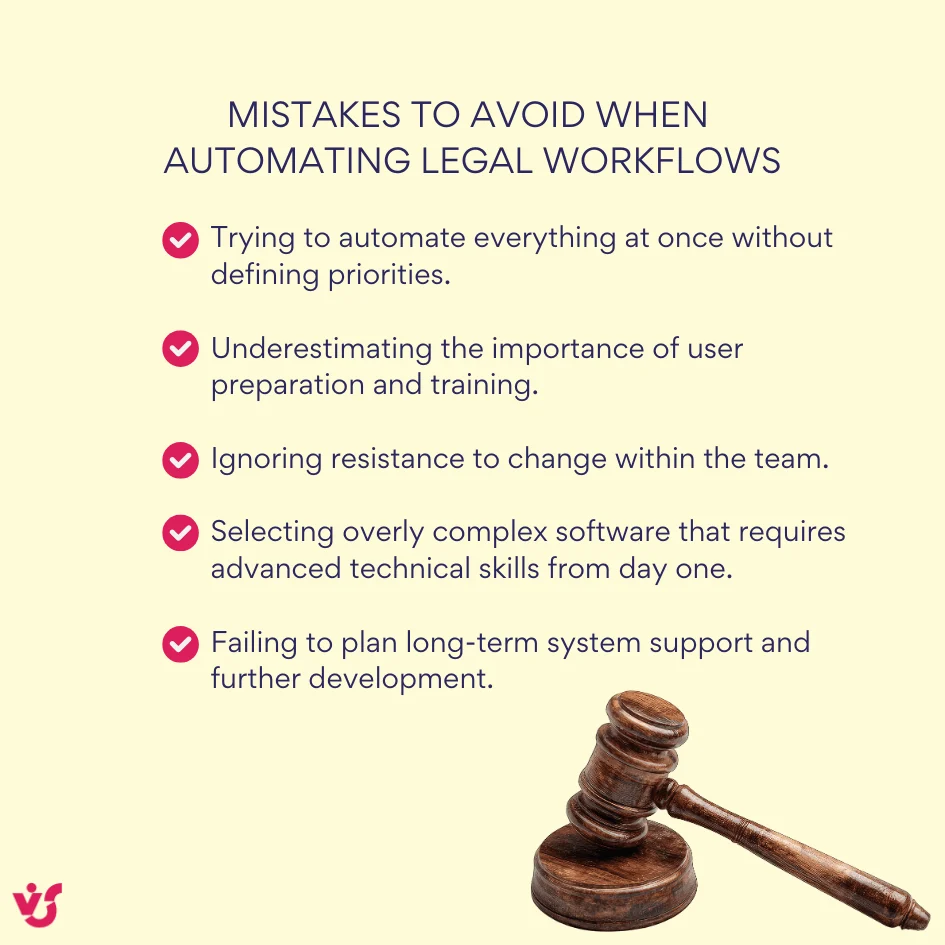
This way law firms and in-house legal departments can build effective and scalable legal workflow solutions that improve both efficiency and quality of work.
Legal Workflow Automation Software
Selecting the right legal workflow automation software is one of the most important steps in building an efficient and compliant legal operation. Solutions on the market range from niche legal tools focused on contracts or case management to flexible enterprise platforms suitable for various document and approval workflows.
👉 Learn about Enterprise workflow automation »>
Specialized Legal Solutions and General Workflow Platforms
Legal workflow automation tools can be divided into two main categories: specialized legal systems and general workflow automation platforms. Both have their advantages, depending on the organization’s size, structure, and digital ecosystem.
Specialized legal workflow software focuses on legal processes specifically and usually includes:
- Contract automation platforms that generate templates, manage approvals, and track deadlines automatically.
- Case and matter management systems designed for organizing litigation, claims, and compliance activities.
- Document and approval automation tools that route legal documents through multi-level review processes.
- E-signature and digital signing systems that integrate seamlessly into contract or document workflows.
- Universal workflow platforms that support legal departments as part of broader corporate automation strategies.
Specialized legal workflow management systems are tailored for the unique needs of legal professionals for built-in compliance tracking, version control, and legal templates. However, more general workflow automation platforms (for example, those built on Microsoft 365) offer flexibility, scalability, and integration across departments. Many organizations combine both—using a general platform for core operations and specialized tools for tasks like contract lifecycle management or litigation tracking.
👉 Discover Legal scheduling software »>
Legal Workflow Automation in SharePoint
Many organizations already operate within Microsoft 365 or SharePoint environments and prefer to integrate legal workflow automation directly into their existing infrastructure. SharePoint offers a strong foundation for building automated legal workflows, combining document collaboration, task management, and compliance into one secure platform.
The main advantages of using SharePoint for legal process automation include:
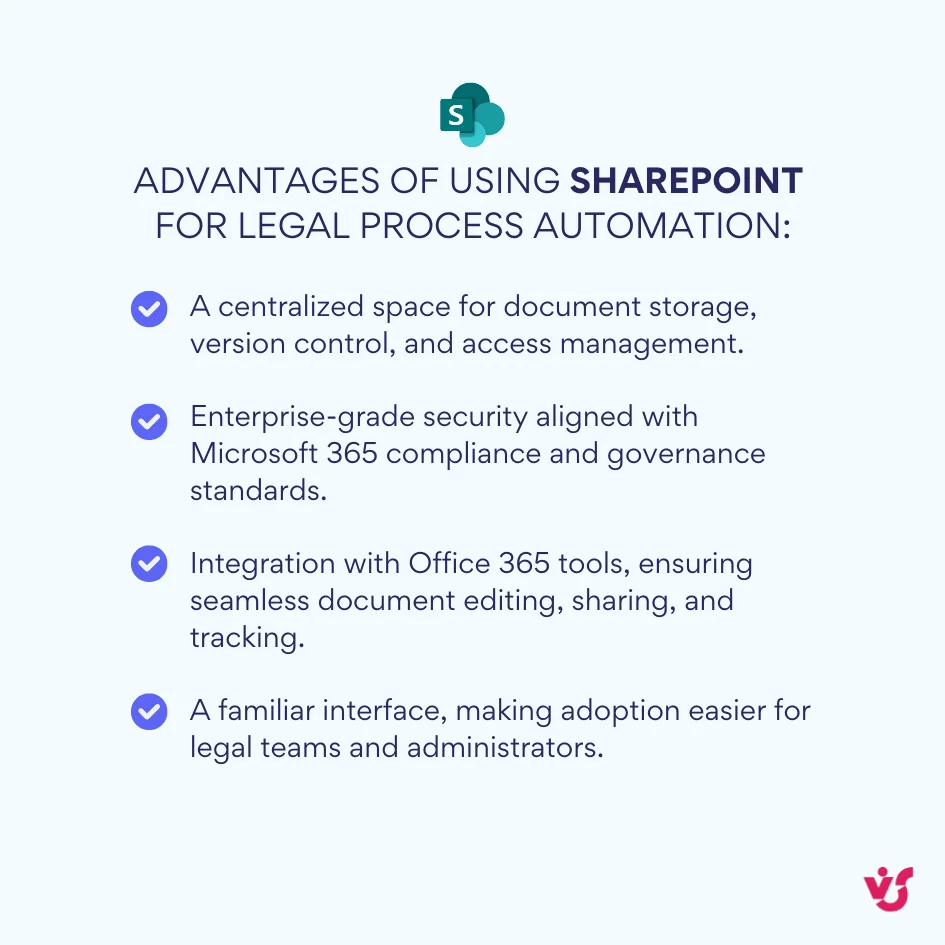
Legal workflow automation in SharePoint can be implemented using Power Automate, document libraries, and SharePoint lists. This combination allows teams to assign tasks automatically, trigger approval workflows upon document upload, and monitor progress through dashboards.
👉 Learn more about SharePoint workflows »>
Virto Solutions for Legal Workflow Automation
Where SharePoint runs decides the tool. In SharePoint Online and Microsoft 365, Microsoft’s Power Automate carries legal workflows; on SharePoint Server, Virto extends the native workflow capabilities with tools that legal departments use for approvals, deadlines, and control.
In SharePoint Online, Power Automate offers:
- Approval routes built from conditions and parallel branches without coding.
- Approval initiation when a document is added to a SharePoint document library.
- Scheduled checks of critical legal deadlines (like limitation periods or claim response dates) with escalation alerts.
- Connectors to e-signature services for legally binding document approval.
- Approvals answered in Microsoft Teams or Outlook, with a run history for each flow.
For organizations that operate in a local infrastructure, Virto Workflow Activities Kit for SharePoint On-Premises provides robust functionality and full control:
- Operation within a secure on-premises environment, supporting sensitive local databases.
- Advanced workflow capabilities for complex legal processes.
- Complete control over data and process governance.
- Compliance with strict internal and regulatory information security standards.
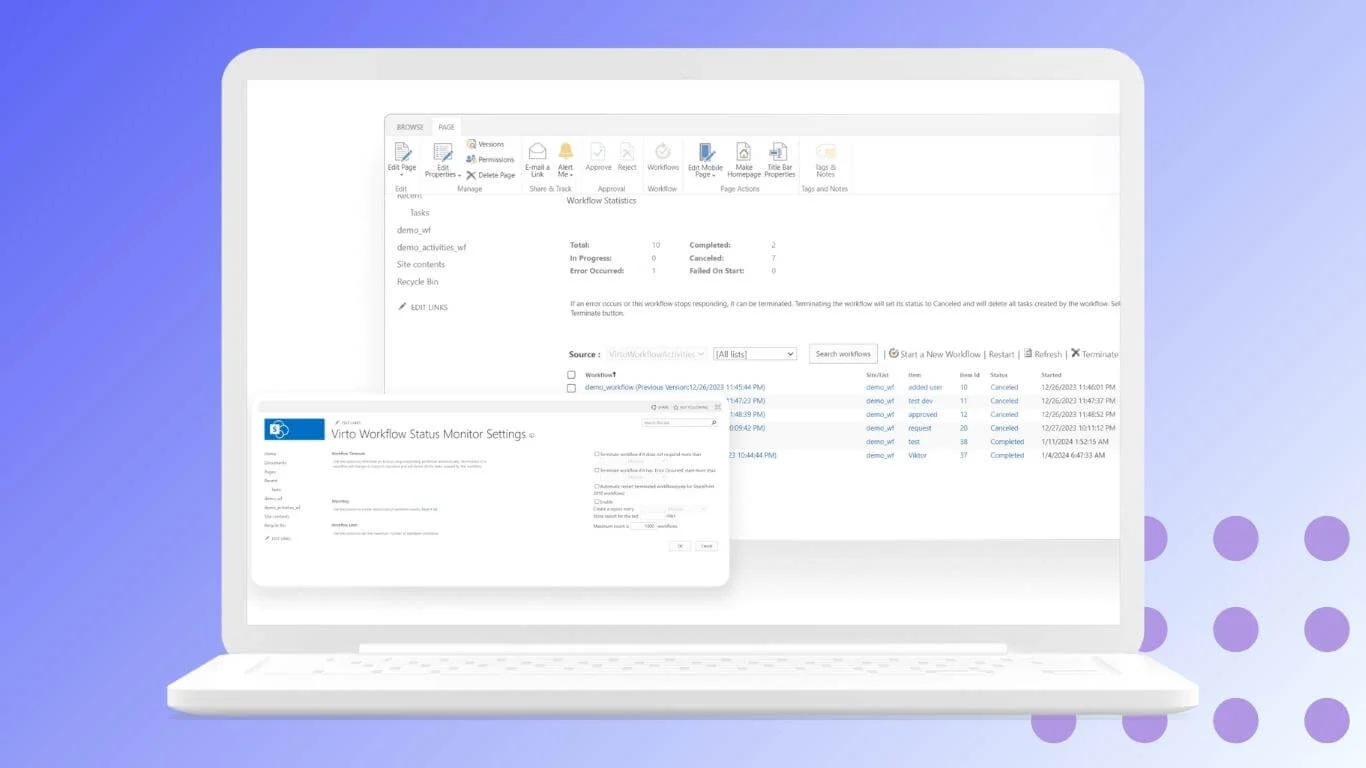
Example use cases of Virto solutions in legal workflow automation include:
- Automating multi-department contract approval workflows directly in SharePoint.
- Tracking litigation deadlines with automated reminders and escalations.
- Managing corporate policy updates with version control, e-signature validation, and audit logging.
- Integrating document storage, legal requests, and compliance records into one cohesive system.
By building legal workflow management on the Microsoft 365 and SharePoint foundation with tools like VirtoSoftware, organizations can automate legal workflows while maintaining full transparency and security across all processes.
How to Choose Legal Workflow Automation Software
Choosing the right legal workflow automation software is crucial for long-term efficiency and compliance. Start by focusing on criteria that match your department’s specific needs and operational goals.
Key Selection Criteria
Alignment with legal department requirements: Select software that includes specialized templates for legal documents, supports contract automation, and manages all key dates and deadlines. Integration with e-signature platforms is essential for speeding up approvals and maintaining legal validity.
Integration capabilities: The tool should connect easily with existing document management systems, office suites (like Microsoft 365 and Google Workspace), support API connections to corporate systems, and comply with legal industry standards.
Security and compliance: Look for solutions certified to international standards with strong encryption (in-transit and at rest), support for on-premises deployment, and complete audit trails. Security should be robust enough for sensitive casework and regulatory demands.
Customization and flexibility: Good legal workflow management software allows for easy customization of processes, modification of workflow templates, creation of user-specific fields and statuses, and adaptation of the user interface for different roles—all without heavy developer involvement.
Ease of use and training: Intuitive interfaces, built-in user guides, short onboarding cycles, mobile access, and responsive technical support help legal teams get value out of automation quickly.
Comparative Table: Legal Workflow Automation Solution Types
| Criteria | Specialized Legal Systems | Universal Workflow Platforms | VirtoSoftware for SharePoint |
|---|---|---|---|
| Ready-to-use legal templates | Yes | Sometimes | Yes (Highly Customizable) |
| Implementation cost | Higher | Moderate to low | Moderate |
| Setup time | Moderate to high | Moderate | Low–moderate |
| Microsoft 365 integration | Usually limited | Usually strong | Full |
| Data security/local deployment | Advanced legal-grade options | Varies (cloud/on-premise) | Both (on-prem/online) |
| E-signature integration | Built-in or via partners | Via connectors | Direct & integrated |
| Custom process modeling | Yes (often complex) | Yes (drag and drop/no code) | Yes (drag and drop/no code) |
| Audit logging/compliance | Comprehensive | Good to excellent | Enhanced audit support |
| Mobile access | Usually available | Available | Native via M365 |
| Support and documentation | Extensive, legal-focused | Extensive, business-focused | Strong, SharePoint-centric |
| Scalability | Suited for growing cases | Scales across departments | Scales with M365 ecosystem |
The Role of AI in Modern Legal Workflow Automation
The legal automation market in 2025 is rapidly evolving, with artificial intelligence (AI) playing a pivotal role in reshaping how law firms and legal departments work. Current trends highlight several key developments:
- AI integration for document analysis and predictive analytics: AI tools can analyze vast volumes of contracts, case files, and legal documents quickly and accurately, drawing insights that help lawyers anticipate risks and outcomes.
- Growth of mobile solutions: Increasingly, legal teams require secure, efficient remote work options enhanced by AI-driven document management and workflow tools.
- Rising demand for cloud solutions with enhanced security: Cloud-based legal tech platforms offer scalability and robust data protection, crucial for sensitive legal information.
- Popularity of low-code platforms: These enable rapid deployment and customization of legal workflow automation without needing deep technical expertise.
Is there AI for legal workflow?
Absolutely. AI is indeed transforming legal workflow automation by adding intelligent data processing and decision-making capabilities. Here are some leading examples of AI-powered legal workflow tools in 2025, showing how AI enhances legal automation:
- LEGALFLY Built for in-house legal, compliance, and procurement teams, LEGALFLY combines explainable AI with workflow automation to streamline contract review, drafting, and compliance monitoring. It integrates tightly with Microsoft 365 and automates tasks like contract redlining, multi-document comparison, and jurisdictional compliance monitoring. Its AI-powered workflows help reduce cycle times and errors while allowing legal teams to focus on strategic work.
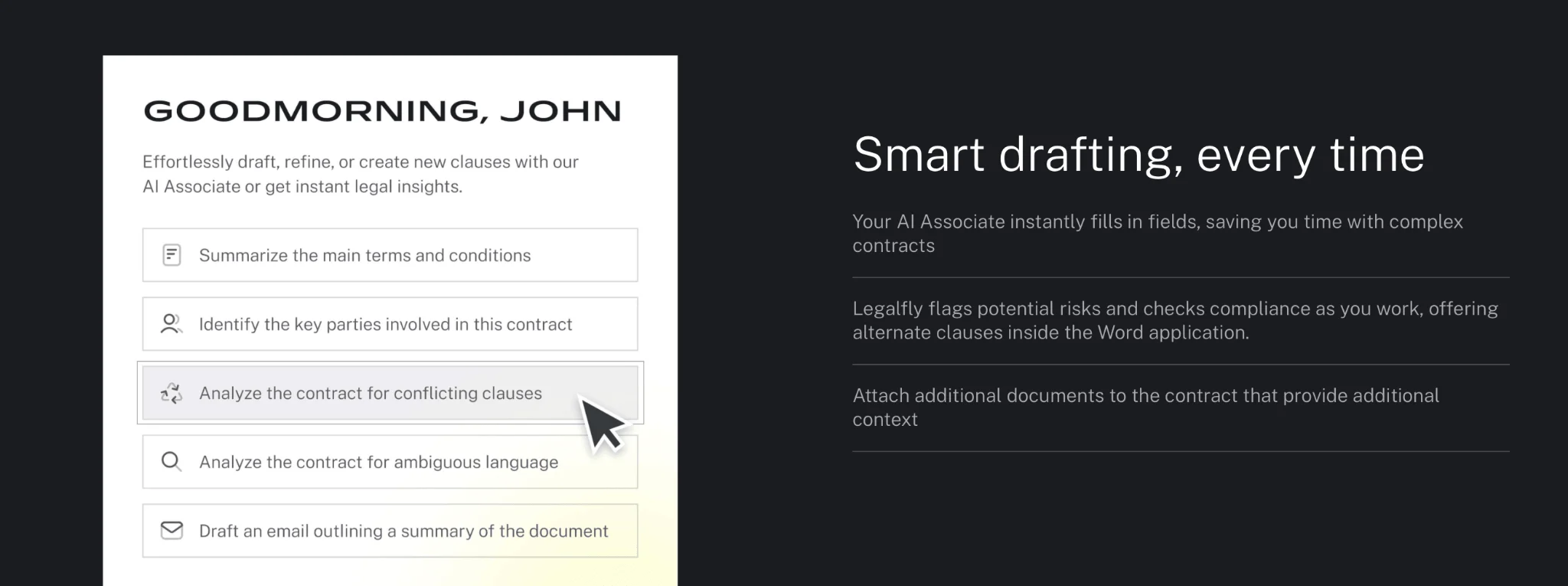
Source: https://www.legalfly.com/
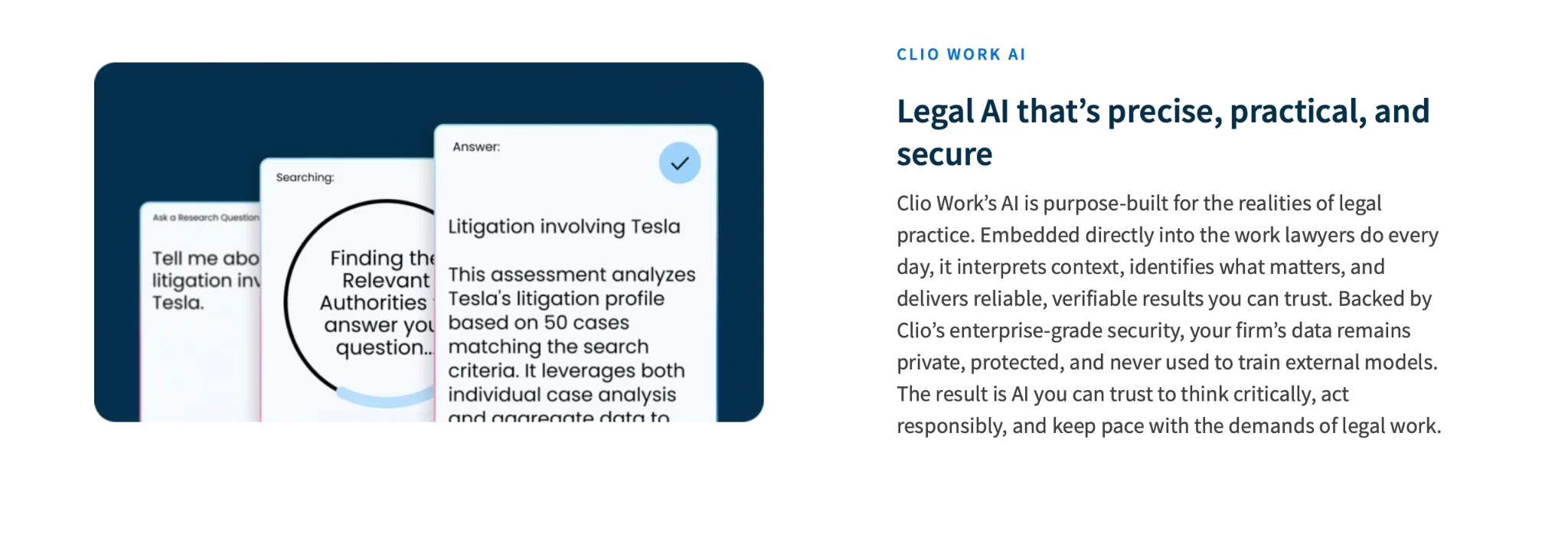
- Clio Popular legal practice management platforms offering AI-assisted case workflows. Features include automatic extraction of insights from case files, draft document generation, and billing suggestions. Clio integrates AI to reduce administrative burdens on law firms of all sizes.
Source: https://www.clio.com/work/
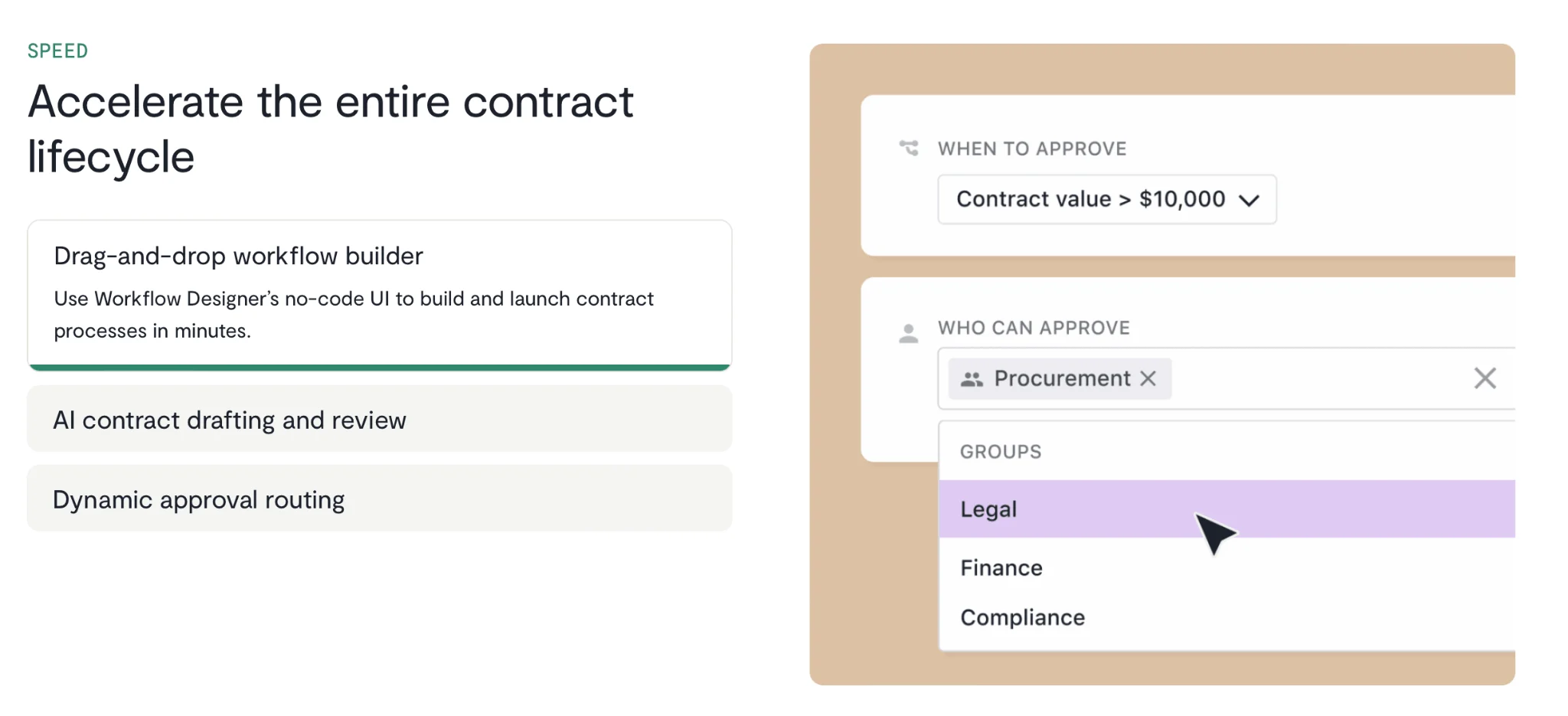
- Ironclad An enterprise contract lifecycle management tool using AI for contract analysis, approval routing, and risk detection. It gives legal teams real-time visibility into contract pipelines and flags risky contract clauses for review, enhancing operational control and compliance.
Source: https://ironcladapp.com/
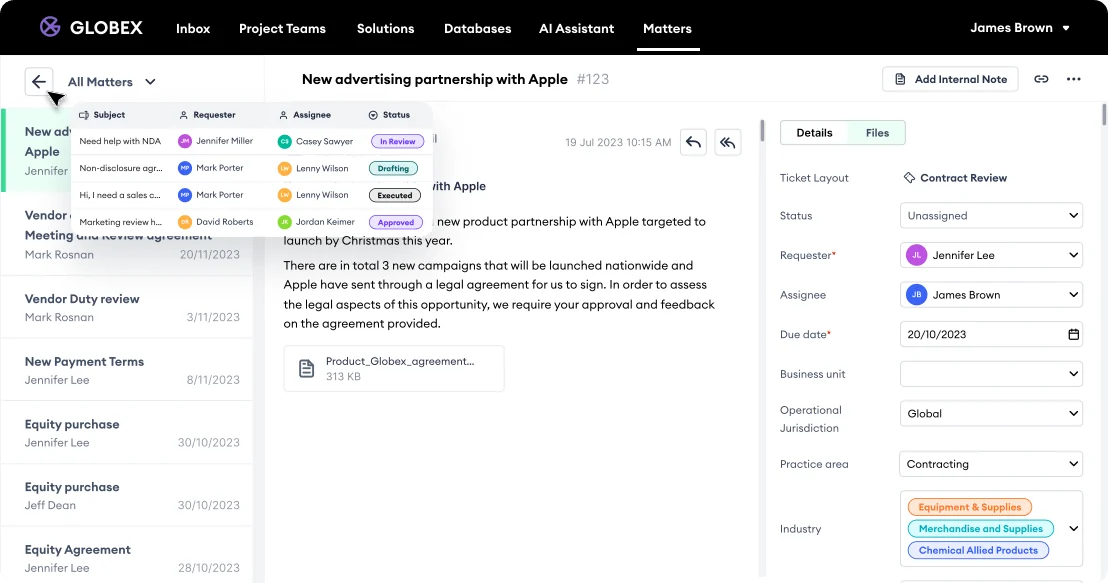
- Checkbox AI An AI-driven legal work management platform focusing on centralizing intake, triage, matter tracking, and reporting. Checkbox uses intelligent chat-style intake, smart routing, and auto-generated summaries to optimize workload and workflow management for legal teams.
Source: https://www.checkbox.ai/
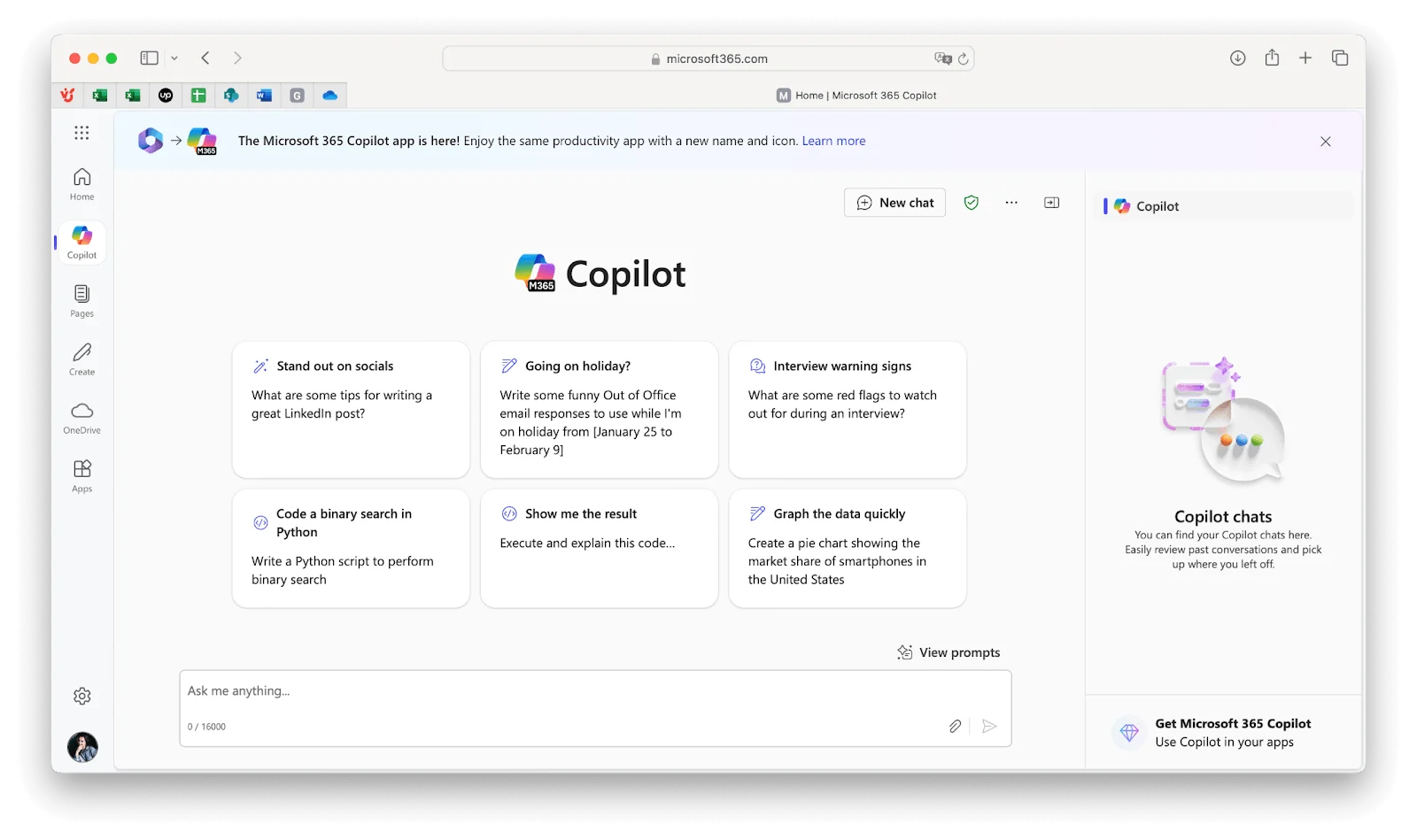
- Microsoft 365 Copilot Embedded within Microsoft Office apps, Copilot offers AI support for summarizing correspondence, drafting contract clauses, and extracting data from spreadsheets. Although not legal-specific, it provides valuable AI assistance within familiar tools.
How AI enhances legal workflow automation
- Automatic data extraction: AI scans legal documents to automatically identify and extract key contract terms—such as parties involved, payment amounts, and contract durations—and populates these into centralized registries.
- Intelligent classification and routing: AI analyzes incoming legal documents (e.g., emails, scanned files) to classify their type (contract, inquiry, litigation) and triggers the appropriate workflow automatically, speeding up task assignment.
- Risk analysis: AI compares new contract drafts against historical documents, highlighting potentially risky or unusual clauses for review—helping mitigate costly legal errors.
- Predictive litigation analytics: By analyzing past court cases and outcomes, AI forecasts the likelihood of success and estimates potential litigation costs and timelines, supporting better-informed legal strategies.
- Compliance checks: AI reviews contract language or policy texts against regulatory requirements and corporate rules, detecting inconsistencies or gaps, ensuring legal and regulatory compliance dynamically.
AI-powered legal workflow automation tools thus help legal professionals to focus more on strategic, analytical work while routine and complex data-driven tasks are handled efficiently and accurately by intelligent systems.
Conclusion
Automating legal workflows is no longer optional for modern legal departments—it has become a necessity. The complexity and volume of legal tasks demand solutions that boost efficiency, reduce errors, and ensure compliance with high standards of data security.
Choosing the right legal workflow automation software is key to unlocking these benefits quickly and sustainably. Well-chosen tools enable faster document processing, improve accuracy, and enforce regulatory requirements without burdening legal staff with additional manual work.
For companies using Microsoft SharePoint, solutions from VirtoSoftware represent an optimal foundation for legal workflow management. By using familiar Microsoft 365 infrastructure enhanced with Virto’s ready-made apps and powerful workflow customization capabilities, legal teams can accelerate automation adoption, safeguard sensitive data, and build scalable, transparent legal processes.
Integrating Virtosoftware’s tools with SharePoint and Microsoft Teams creates a seamless hub for document management, collaboration, and automated legal workflows—helping legal professionals focus on strategic work and deliver greater value to their organizations.