Virto Forms Designer Appfor SharePoint Online & Microsoft 365
Rebuild the New, Edit and Display forms of SharePoint lists and libraries in a drag-and-drop designer, including list forms your teams built in InfoPath. No code.
Key features:

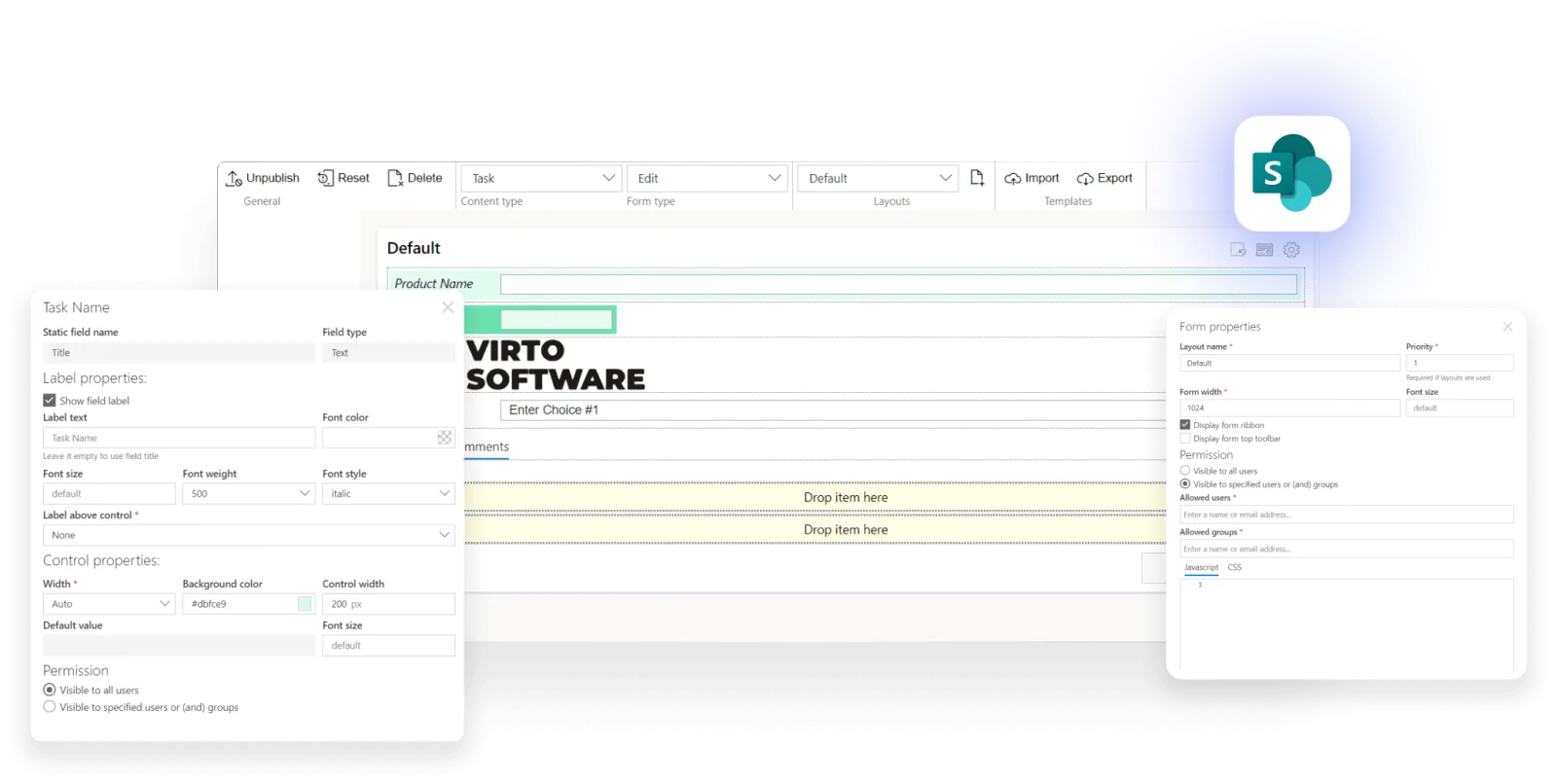
No-Code Forms Designer
Create forms from SharePoint lists and document libraries with a simple drag-and-drop.

Advanced Layout Builder
Customize your forms with images, lookup columns, buttons, links, and more.

Customization and Variety
Access three types of forms (display, edit, new) based on content type in the same SharePoint list.
Trusted by Industry Leaders












and over 8,000 businesses worldwide
Deploy VirtoSoftware Apps in Your
Microsoft 365 Environment
Complete Control Over Your Infrastructure
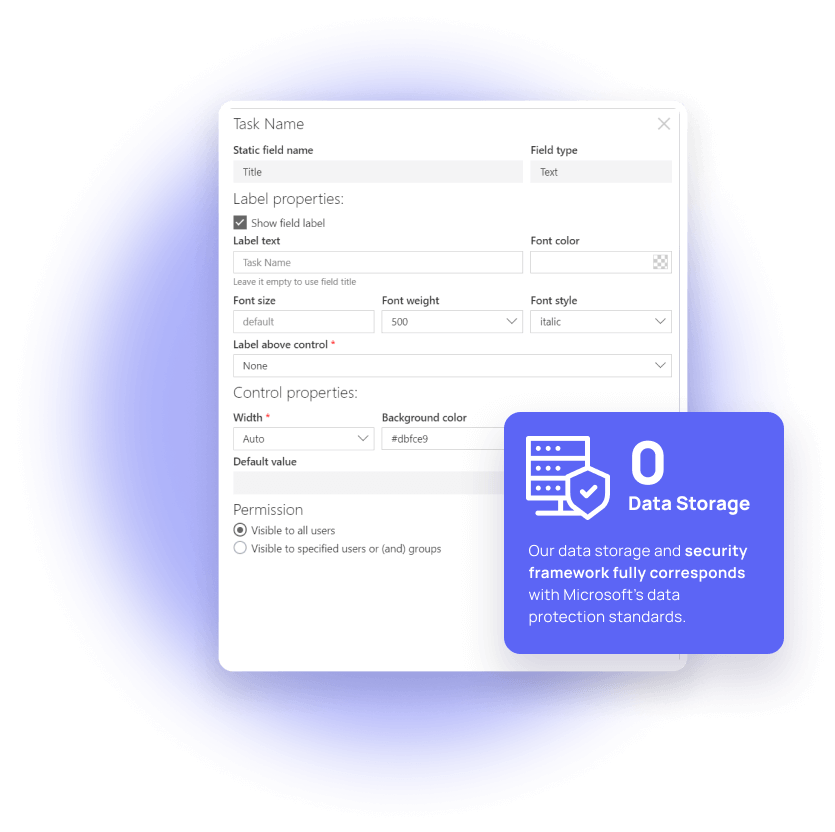
VirtoSoftware apps can be deployed directly within your existing Azure subscription linked to Microsoft 365, giving your organization full control over the application environment and data storage. Your data stays entirely within your infrastructure, ensuring compliance and data security.
Install into your AzureHow it works
Seamless Creation and Customization
Start with a simple drag-and-drop interface to design your forms, then enhance them with advanced layout options and text controls.
Effortless Template Sharing
Simplify your workflow by sharing form templates across projects or teams within SharePoint.
Embedded Forms and Advanced Security
Embed your custom forms directly on the SharePoint site, benefitting from security and permissions to control field visibility among users.
One license for all platforms
Get SharePoint and Azure license at once without any additional purchase.


How to install?
Your 24/7 library from our technical support team. Video guides, FAQs, troubleshooting articles, and more.
Switching from InfoPath
Microsoft's InfoPath era is over: after July 14, 2026 InfoPath Forms Services is removed from SharePoint Online for every tenant — including GCC and DoD — with no option to extend, on the same date the InfoPath 2013 client reached the end of extended support. If your team built list forms in InfoPath — the classic "customize the New, Edit, and Display forms for a SharePoint list" workflow — that customization needs a new home now, not at some future deadline. Virto Forms Designer App picks up exactly that job for SharePoint Online and Microsoft 365: a drag-and-drop designer that rebuilds a list or library's New, Edit, and Display forms without InfoPath-style code. It fits teams migrating:
- InfoPath-customized New, Edit, and Display forms on a SharePoint list or document library — the same three form types InfoPath let you customize, now rebuilt with drag-and-drop
- Simple data-collection forms — requests, surveys, intake forms — that don’t need custom code
- Forms with lookup columns, images, buttons, and links pulled from existing SharePoint list data
- One form template reused across multiple sites or teams, instead of rebuilding it in every list
- Forms where different users should see different fields, enforced through SharePoint’s own security and permissions
Start your 30-day trial. Or subscribe now

Talk to our team
Need clarity on our app's suitability for you? Set up a quick call with us or chat via Microsoft Teams chat to explore its potential for your needs.
Sized to fit your business
Choose the perfect plan to match your business needs.
Business
Billed yearly
Purchase now ›For organizations that build custom forms for their SharePoint lists and libraries.
- Enterprise-grade security
- Help & learning content
- Global web ticketing support
- Up to 48 hours of response time
- Technical account manager
- Enhanced support
Enterprise

For large organizations needing advanced features and enterprise-grade security and controls.
- All Business plan features
- Advanced enterprise-grade security
- Unlimited support
- Up to 24 hours of response time
- Microsoft Teams support sessions
- Live setup training
- Priority support
- Customer success manager
- Consulting sessions

Purchase Info & Discounts
When you buy online, you are forwarded to the secure checkout of our payment partner 2Checkout, where you select the quantity and additional services and finish the order.

Educational & Non-profit Discounts
We are glad to offer a set of special 15% discounts for schools, colleges, universities, hospitals and charity organizations. Please contact our sales department for more information.

Contact Sales for Corporate Quotes
Looking for a tailored solution for your business? Our Sales team is ready to work with you to understand your company's unique needs and provide a custom quote.
The pricing outlined herein is valid only as to new purchases occurring on or after June 1, 2024. VirtoSoftware reserves the right to adjust its packaging and pricing at any time.
Migrating from InfoPath — FAQ
For the SharePoint list-form use case — customizing a list's New, Edit, and Display forms — yes. Virto Forms Designer App rebuilds those three form types with drag-and-drop instead of InfoPath's own designer, and runs natively in SharePoint Online and Microsoft 365, where InfoPath Forms Services has reached full removal, not just an end of support.
Microsoft removed InfoPath Forms Services from SharePoint Online for every tenant, including GCC and DoD, after July 14, 2026, with no option to extend. A form still built on InfoPath can stop working at any moment as the removal rolls out, so site owners need a rebuilt, non-InfoPath form in place now.
No — but the safety margin is gone: Microsoft's July 14, 2026 removal date has passed, and publishing new or updated InfoPath forms was blocked even earlier. Rebuilding a list form with a drag-and-drop designer needs no code, so the fastest path is to rebuild the forms your team still uses and retire the rest.