


Microsoft Teams Calendar Appfor Smarter Team Scheduling
Empower your organization with an enterprise-grade Microsoft Teams Calendar App that unifies personal, team, and project schedules in one view. Manage events across channels, departments, and Microsoft 365 groups — all within Teams.
Key features:

Overlay Unlimited Calendars
Manage unlimited Microsoft 365 and web calendars like Google, iOS in Microsoft Teams.

Effortless Categorization
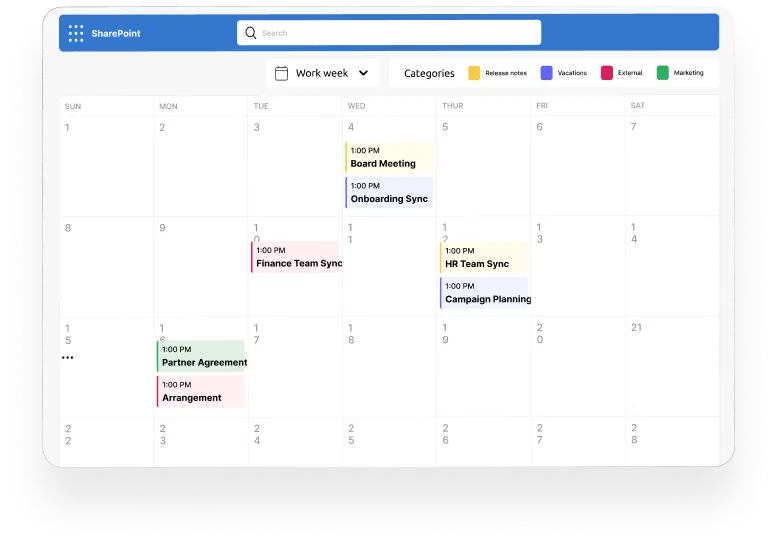
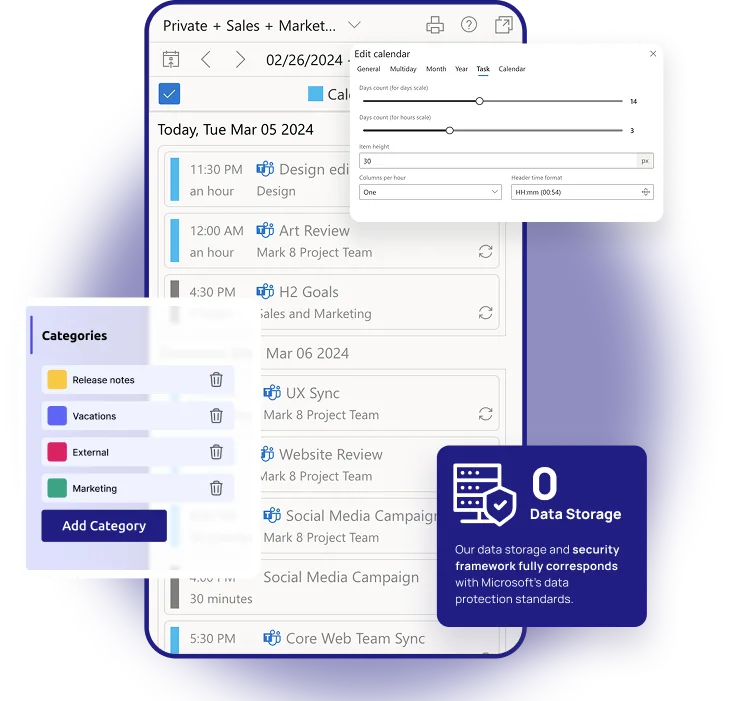
Categorize events for calendar sources and events by user friendly color-coding options.

Diverse calendar views
Choose from a variety of calendar views, such as Day, Year, Month, Week, Task, and multi-source.
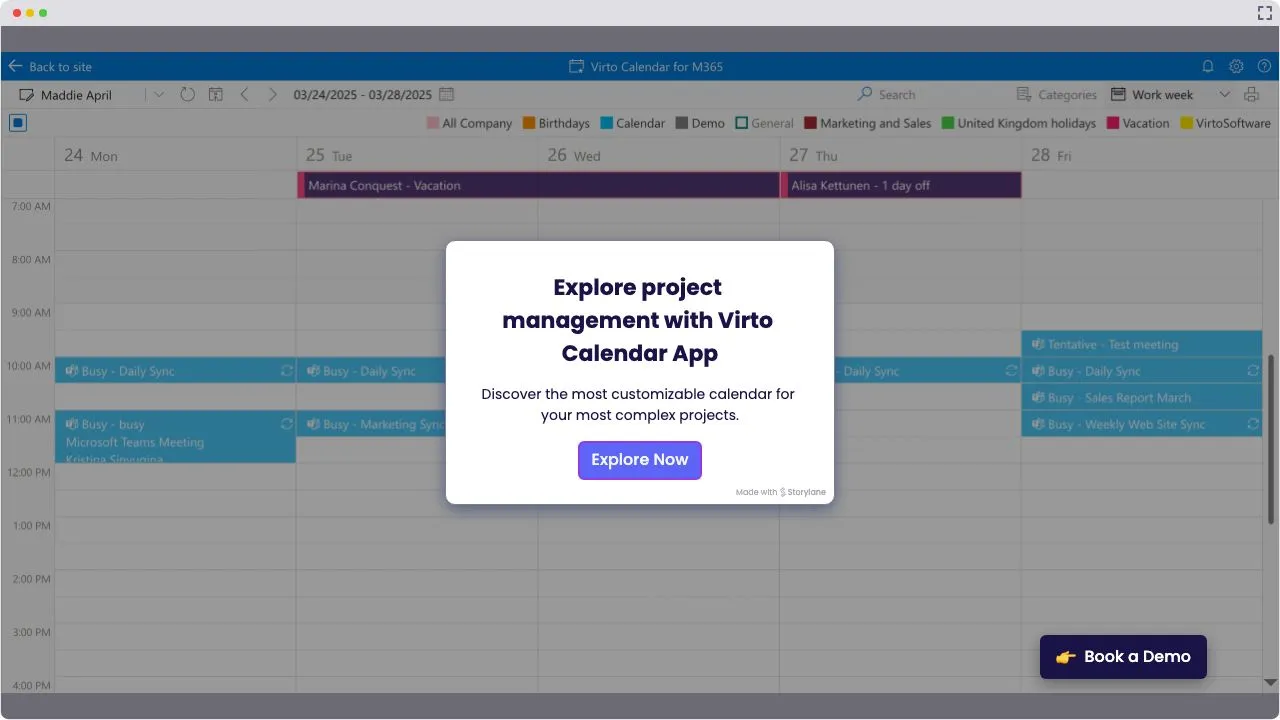
Launch Interactive Demo
Trusted by Industry Leaders












and over 8,000 businesses worldwide
What is Virto Calendar App for Microsoft Teams?
Virto Calendar App for Microsoft Teams is an enterprise calendar solution that improves native Teams scheduling. It merges multiple calendars across Teams channels, SharePoint, Exchange, and the internet, enabling unified and flexible planning for individuals and teams.
Core Use Cases
Personal and Team Planning
Organize your individual and group tasks in a few clicks. Toggle between personal and shared schedules directly in Microsoft Teams, so that every team member stays aligned.
Channel Calendars
Add structured event calendars to specific Teams channels. Easily track project milestones, meetings, or shift rotations at the channel tab level.
Cross-Team Visibility
Gain a consolidated view of all company events — from department meetings to company-wide activities — accessible in one pane of glass within Teams.
Comparison: Virto Calendar vs. Microsoft Teams Native Calendar
Choose the perfect plan to match your business needs.
 Microsoft 365 / SharePoint Calendar
 Virto Calendar App
Virto Calendar turns the basic Teams Calendar into a scalable enterprise scheduling system.
Get the App for TeamsOne license for all platforms
Get SharePoint, Microsoft Teams and Azure license at once without any additional purchase.


How to install?
Your 24/7 library from our technical support team. Video guides, FAQs, troubleshooting articles, and more.
Deploy VirtoSoftware Apps in Your
Microsoft 365 Environment
Complete Control Over Your Infrastructure
VirtoSoftware apps can be deployed directly within your existing Azure subscription linked to Microsoft 365, giving your organization full control over the application environment and data storage. Your data stays entirely within your infrastructure, ensuring compliance and data security.
Install into your AzureIntegrations
Connect to the tools your teams use the most so everyone works seamlessly in one place.







Sized to fit your business
Choose the perfect plan to match your business needs.
Virto Shared Calendar
Simple to Use. Smart to Share. Affordable for Everyone
Discover more about Virto Shared Calendar ›Resources & Guides

Get a complete overview of how Microsoft Teams calendars work
Microsoft Teams Calendar Guide
Learn key differences between personal, channel, and group calendars and discover best practices that help your organization plan efficiently.
Learn more about Get a complete overview of how Microsoft Teams calendars work
Dive deep into the power of channel calendars for structured planning
Teams Channel Calendar
Follow step-by-step guidance on creating, managing, and customizing channel-based scheduling.
Learn more about Dive deep into the power of channel calendars for structured planningReady to unify your enterprise calendars?
Need clarity on whether our app is suitable for you? Set up a quick call with us or chat via Microsoft Teams to explore its potential for your needs.
Related products



FAQ
Microsoft Teams Calendar Management
Add Virto Calendar App as a tab in any Teams channel or chat. The whole team sees one consolidated calendar without leaving Teams — no per-user setup required.
The built-in Teams channel calendar shows only that channel's meetings. Virto Calendar App overlays unlimited calendars — Outlook and Exchange, Microsoft resource calendars, SharePoint, Planner, and iCal feeds — in one color-coded Teams tab.
Outlook and Exchange Online calendars (personal and shared), Microsoft resource calendars (rooms and equipment), SharePoint calendars and lists, Microsoft Planner plans, and any iCal feed.
Yes — Virto Calendar is one product with two surfaces. This page covers the Microsoft Teams app; the Microsoft 365 / SharePoint Online version is available separately.
Your calendar data stays where it already lives, in your own Microsoft 365 tenant (SharePoint lists, Exchange calendars, Planner) or in the internet calendars you connect. The app's backend runs on Microsoft Azure in the US and processes events in memory only; VirtoSoftware never stores your content. For Enterprise-tier customers, custom deployment into your own infrastructure or Microsoft 365 tenant is available.
Virto Calendar App is published in the Microsoft commercial marketplace and has completed Microsoft Publisher Attestation — a detailed security, compliance, and data-handling report submitted to Microsoft.