Hey Virto Calendar fans! We’ve been hard at work to bring you some exciting new features that’ll make your calendar management smoother than ever. No more hassle with permissions, and we’ve even added some cool new views to help you stay on top of your schedule. Ready to check out what’s new? Let’s go!
1. Set Group Member Permissions for Group Calendar
Currently, Group Member permissions for the Group Calendar can only be managed via Exchange PowerShell.
We are adding a feature to set permissions directly in the Virto Calendar App. For example, owners and members can modify and delete events in the Outlook calendar, which may lead to accidental or unauthorized changes, creating confusion, loss of information, or disruption in the schedule. Now, in Virto Calendar, you can prohibit these actions at the interface level.
To find this setting:
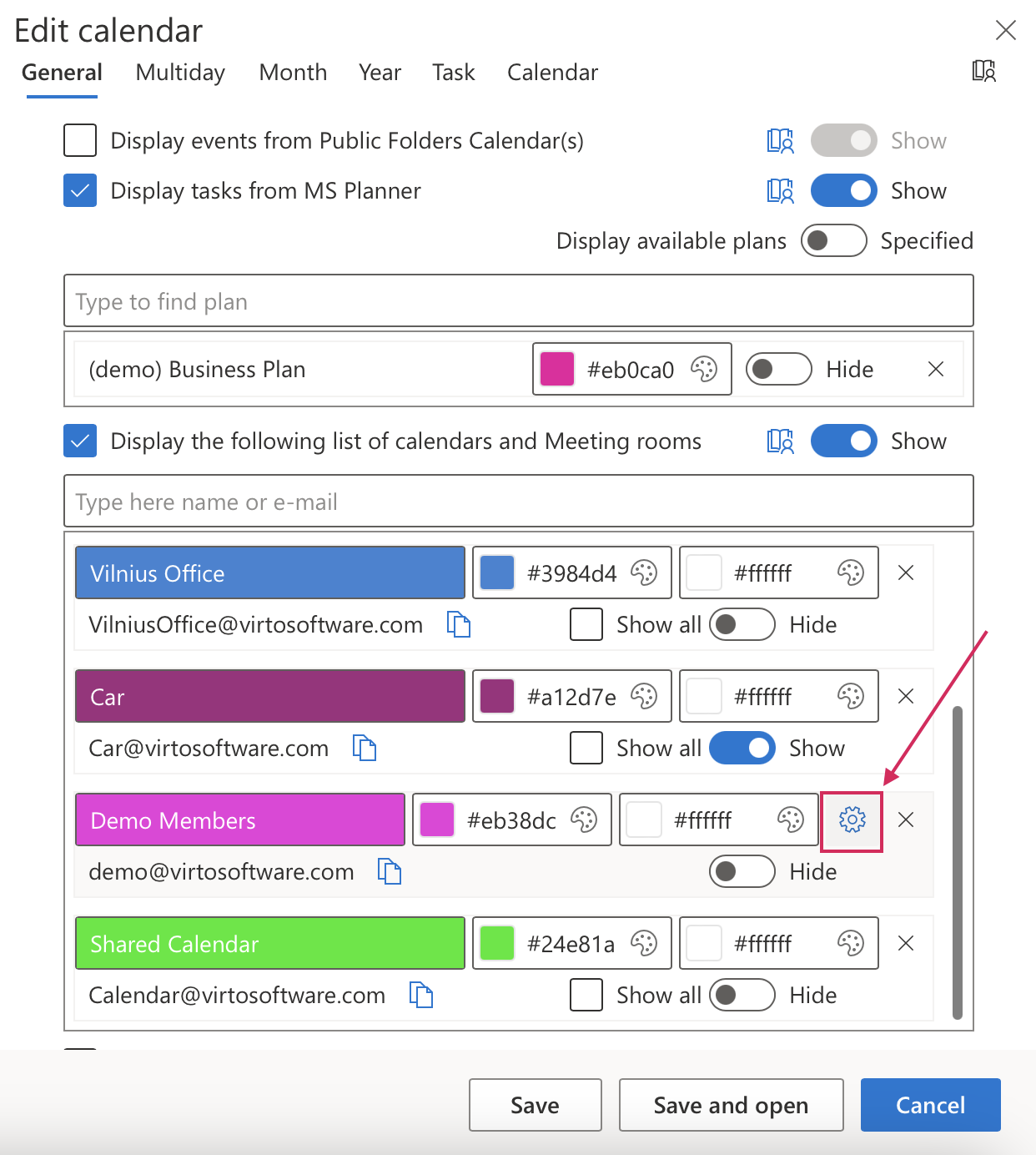
Click the cog icon in the upper right corner.
Locate the calendar you want to modify and click on it.
Navigate to General Settings.
Scroll down to Exchange Settings.
Click the cog next to the calendar for which you want to set permissions.
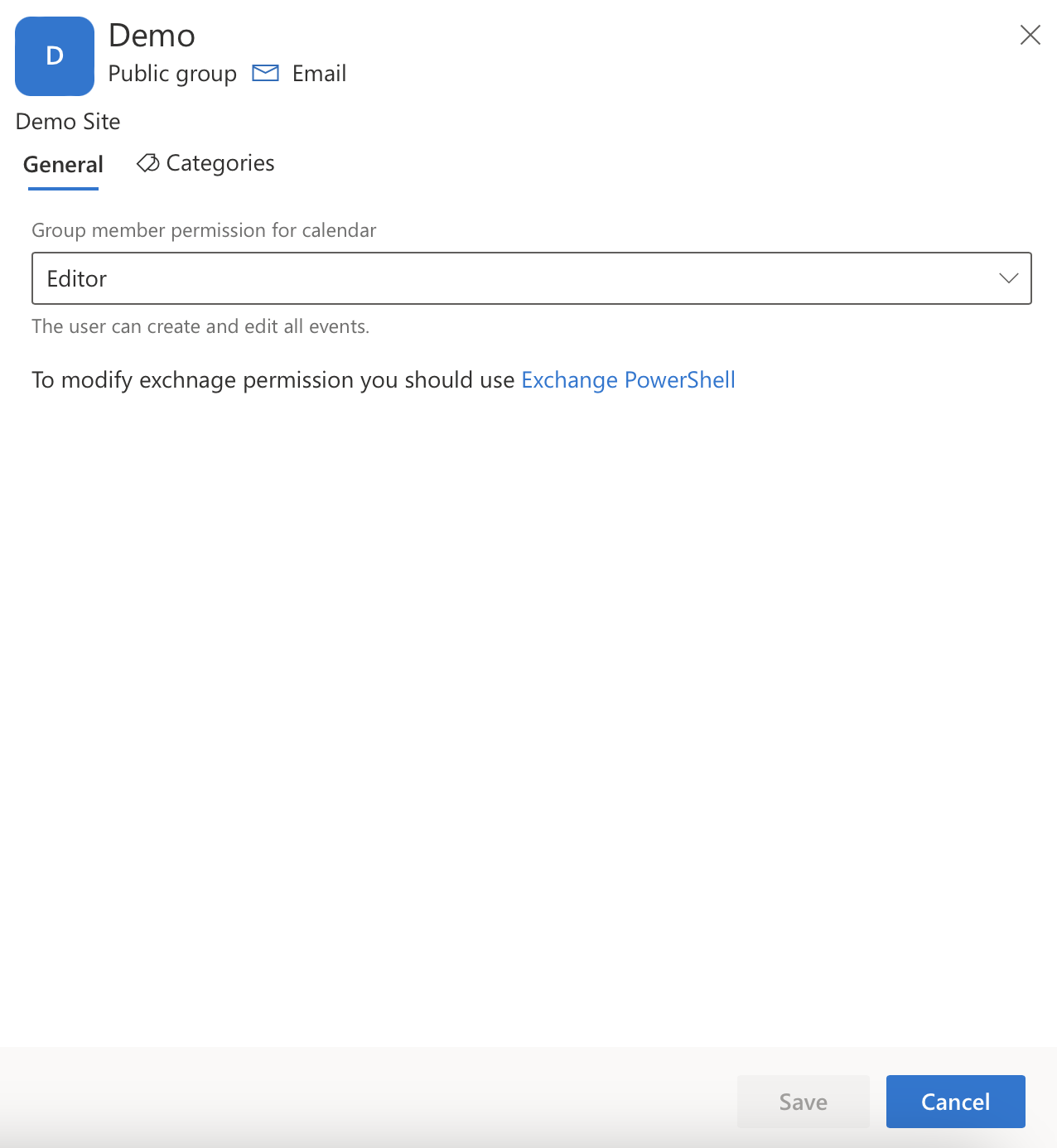
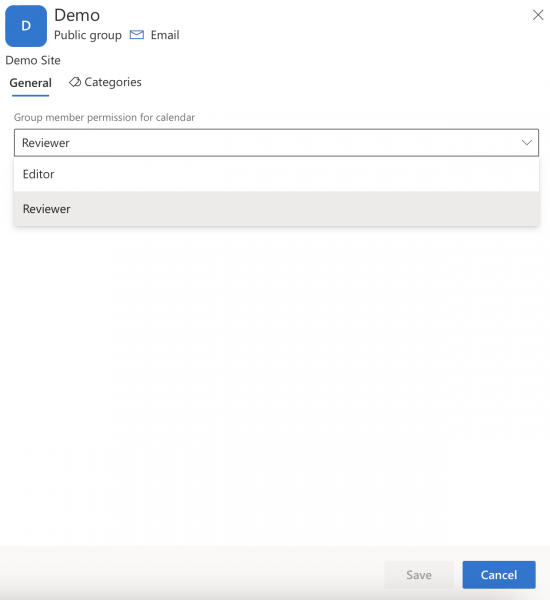
By default, all owners and members of the group are editors.
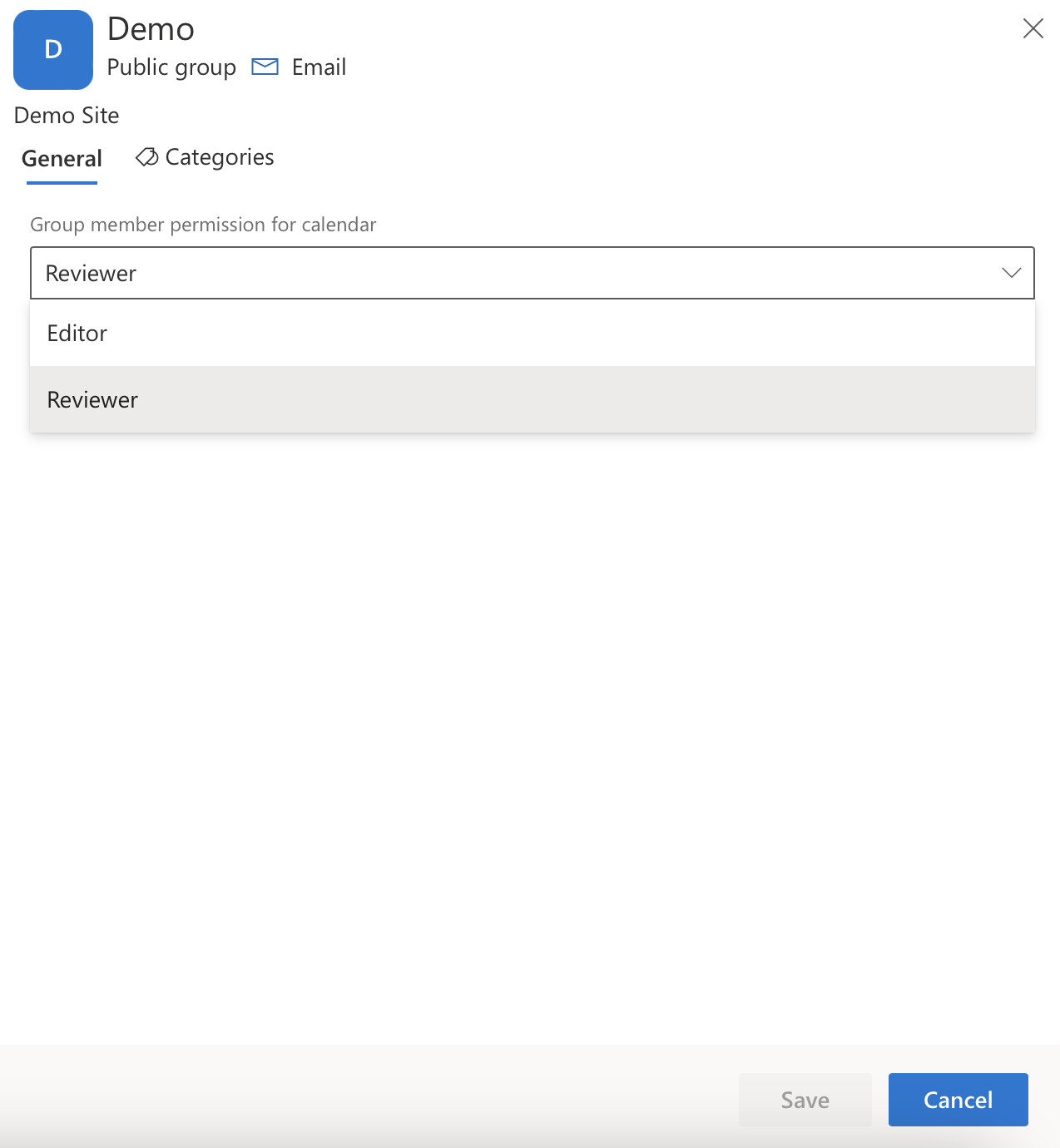
To prevent changes to events, select “Reviewer” and click the Save button.
For managing Group Member permission for the group calendar at the Microsoft 365 level, please refer to your admin. You can find more information here: Exchange PowerShell.
2. Set background and font colors for Group and iCal calendars
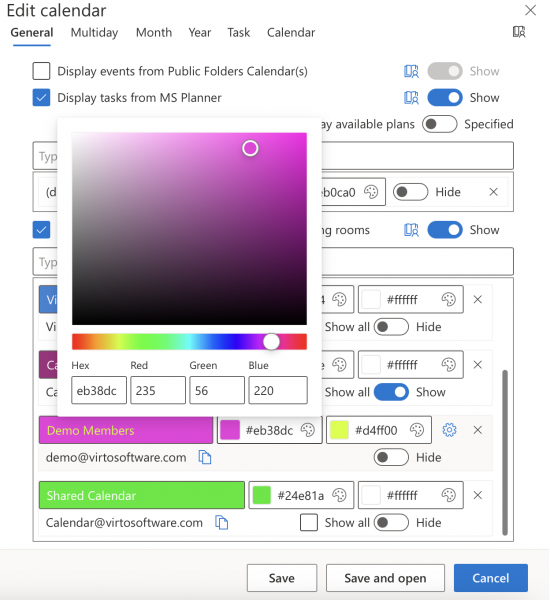
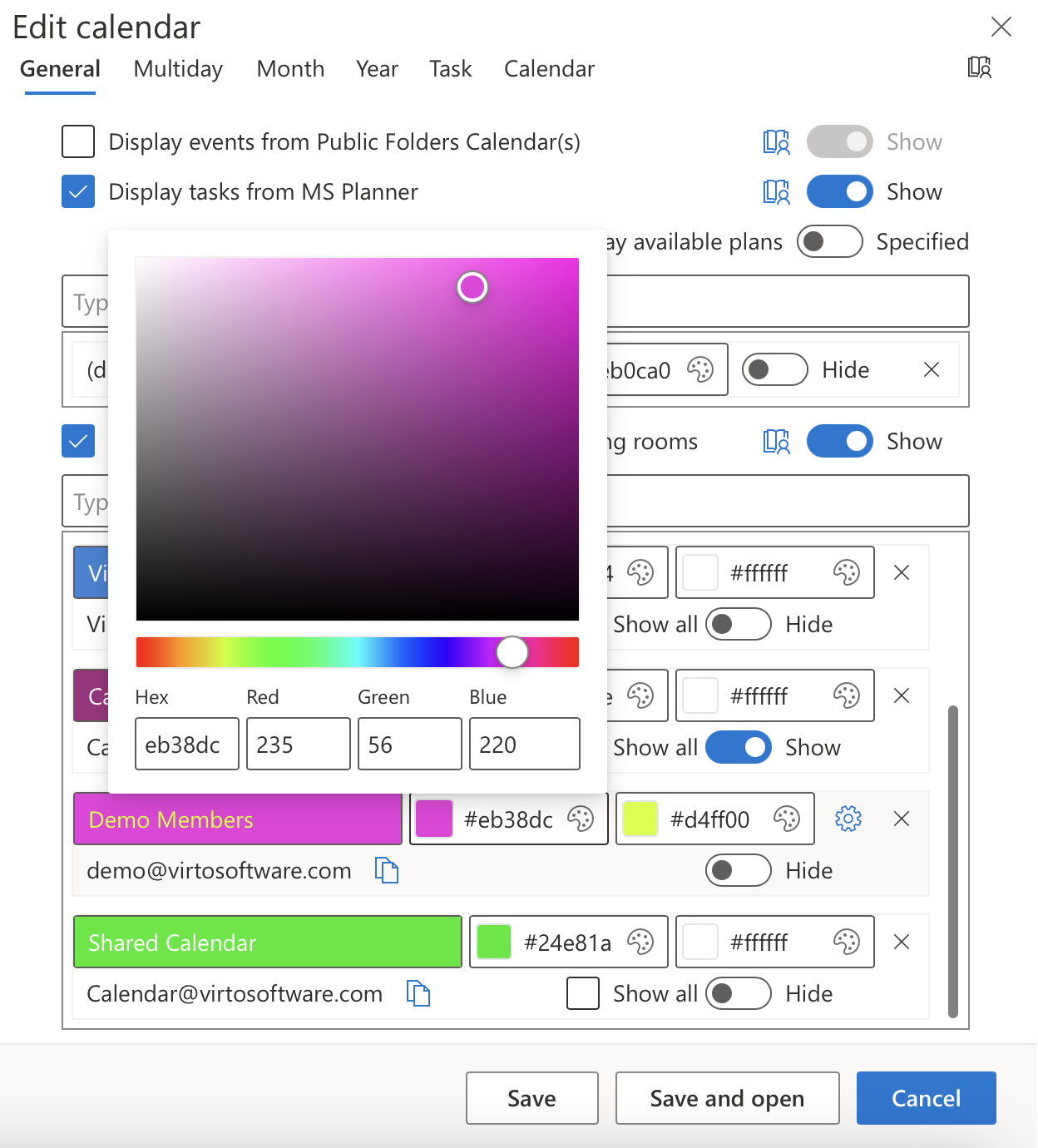
Previously, colors of Group and iCal calendars were sometimes displayed incorrectly. To improve the user experience, we have added this setting to Group and iCal calendars for your convenience. You can set the background color for your events using the color wheel on the left and the font color using the one on the right.
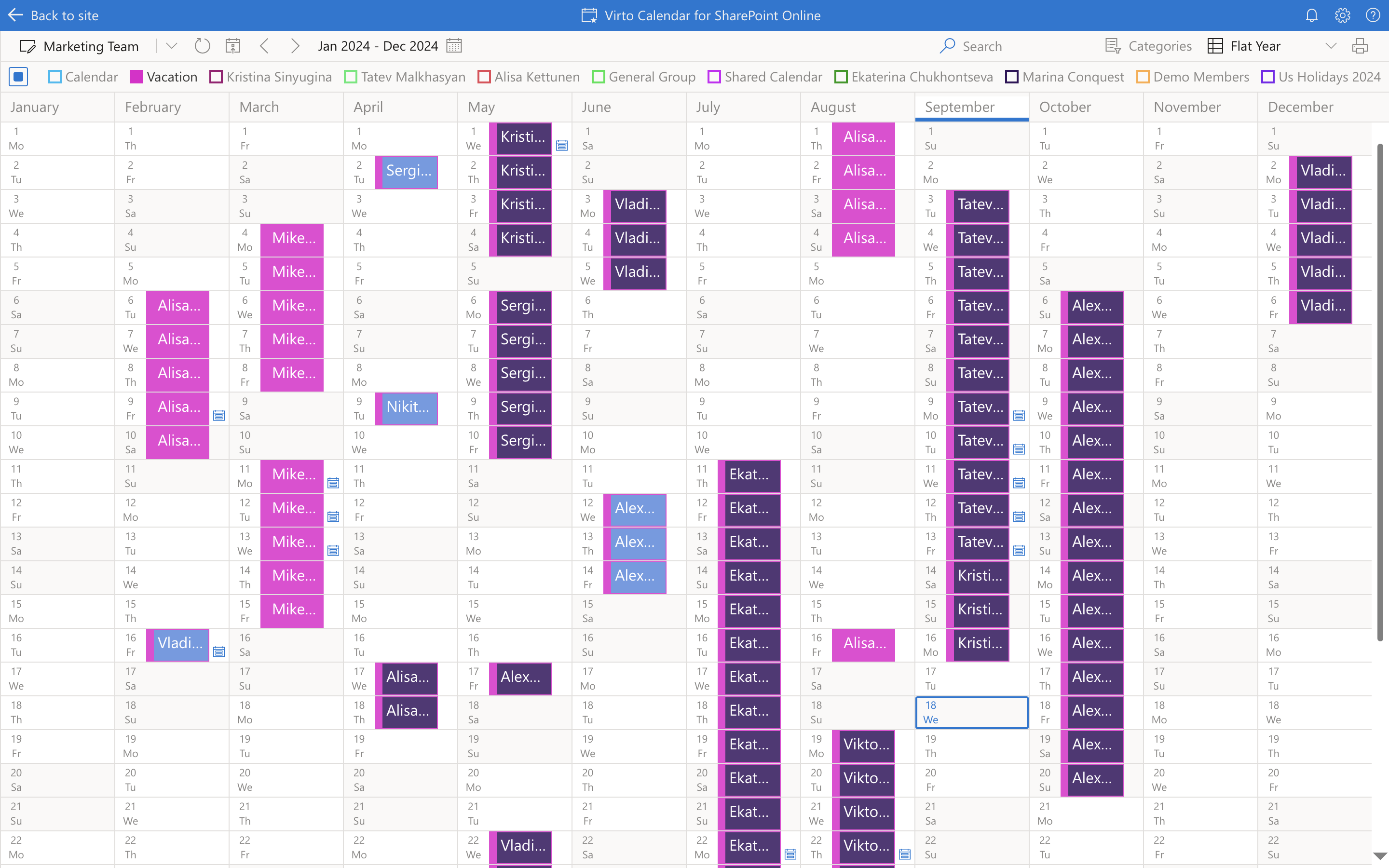
3. New View: Flat Year
The new "Flat Year" view provides a comprehensive overview of the entire year, making it easier to manage long-term planning needs. With this feature, users can quickly assess available time off, coordinate plans, and easily spot long weekends for better scheduling.
Here are some scenarios where you might benefit from a Flat Year View:
Vacation and Holiday Planning: Easily track employee vacation schedules to avoid staffing shortages. Identify long weekends to encourage work-life balance.
Project Timelines: Visualize project deadlines and milestones over the year to better allocate resources and manage workloads.
Performance Reviews: Schedule and manage employee performance reviews and appraisals by visualizing all relevant dates.
Budgeting Cycles: Align budgeting processes with key dates in the calendar year to ensure timely financial planning and approvals.
Compliance Deadlines: Keep track of important compliance deadlines and regulatory requirements that occur throughout the year.
4. New View: Live View
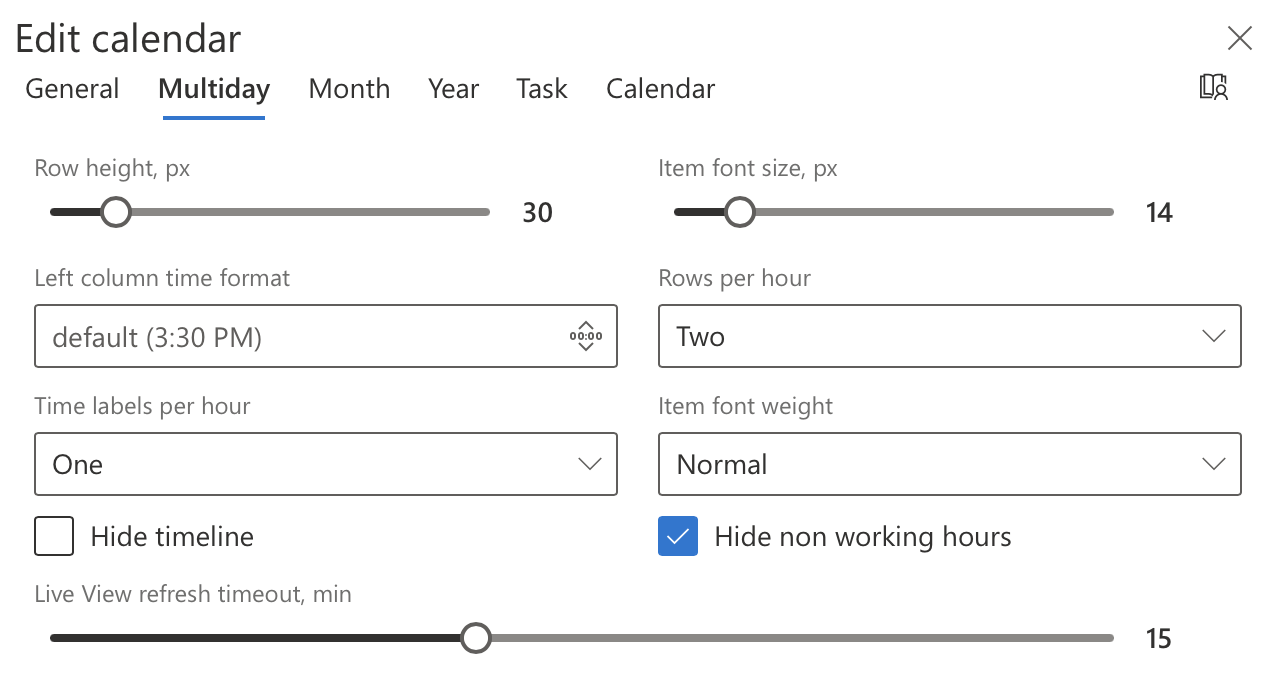
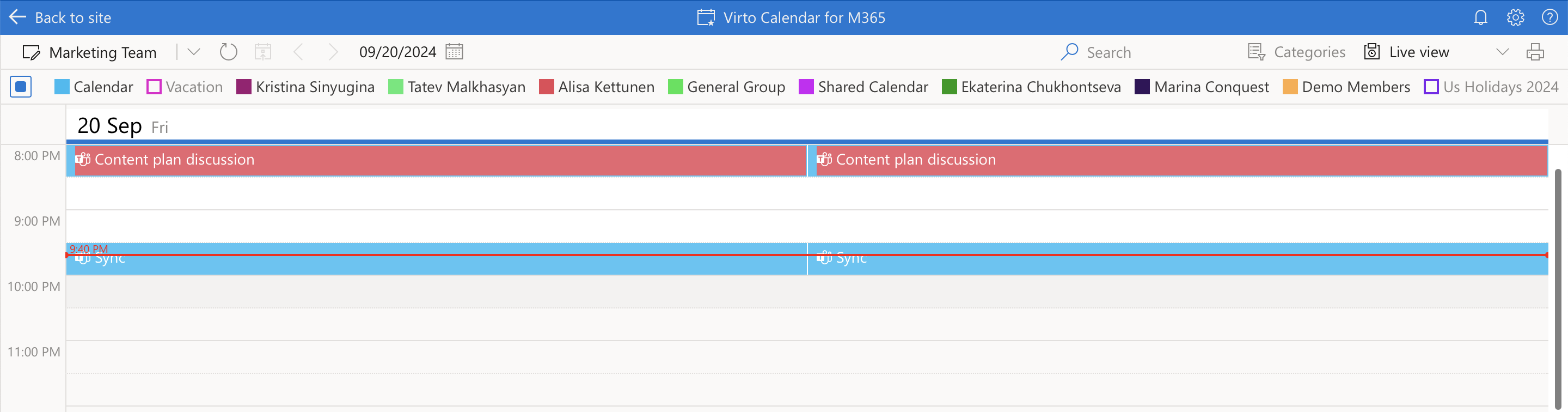
Let us introduce another new view – Live View. When setting up this view, you can choose how often the calendar refreshes in the day view — from 5 to 30 minutes, ensuring you always stay updated.
Day view and Live view settingsLive view
Additionally, you can choose to hide the timeline that shows the current time and hide non-working hours for a cleaner, more focused view.
With these fresh updates, managing your calendar just got a whole lot easier. Whether you need to lock down permissions or keep your long-term plans in sight with the Flat Year and Live View options, we’ve got you covered. Stay tuned – there’s even more good stuff coming your way soon!
[{"cat":"News","date":"July 29, 2026","image":"/images/uploads/2026/07/virto-calendar-app-teams-outlook-microsoft-365-cover.webp","title":"Virto Calendar App now opens right inside Teams, Outlook, and Microsoft 365","url":"/news/virto-calendar-app-teams-outlook-microsoft-365/"},{"cat":"News","date":"June 8, 2026","image":"/images/uploads/2026/06/deploy-virtosoftware-in-own-azure-tenant-cover.webp","title":"How to Deploy VirtoSoftware Apps in Your Own Azure Tenant","url":"/news/deploy-virtosoftware-in-own-azure-tenant/"},{"cat":"News","date":"June 1, 2026","image":"/images/uploads/2026/06/ai-schedule-virto-calendar-color-coding-cover.webp","title":"Build Any Schedule with AI — and See It Color-Coded in Virto Calendar","url":"/news/ai-schedule-virto-calendar-color-coding/"},{"cat":"News","date":"April 28, 2026","image":"/images/uploads/2026/04/zero-trust-microsoft-365-deployment-cover.webp","title":"Compliance Without Compromise: Why a Zero-Trust Deployment Model Beats the SaaS Audit Trap","url":"/news/zero-trust-microsoft-365-deployment/"},{"cat":"News","date":"March 11, 2026","image":"/images/uploads/2026/03/SharePoint-Online-Add-Ins-die-April-2-2026.-2-2.png","title":"SharePoint Online Add-Ins Retired April 2, 2026 — VirtoSoftware Apps Remain Unaffected","url":"/news/sharepoint-online-add-ins-retirement-virto-apps-unaffected/"},{"cat":"News","date":"March 10, 2026","image":"/images/uploads/2026/03/virto-ad-user-manager-2.png","title":"Virto Active Directory User \u0026 Password Manager: Now 5 Tools in One Powerful Solution","url":"/news/virto-ad-user-password-manager/"},{"cat":"News","date":"March 6, 2026","image":"/images/uploads/2026/03/linkedin-post-aws-4-2.png","title":"IT Sovereignty in 2026: Why On-Premise SharePoint Beats Cloud During Geopolitical Crises","url":"/news/it-sovereignty-on-premise-sharepoint-vs-cloud/"},{"cat":"News","date":"February 23, 2026","image":"/images/uploads/2026/02/Multiple-operations-2.png","title":"Virto Multiple Operations for SharePoint Online \u0026 M365 – Now Available!","url":"/news/virto-multiple-operations-m365-launch/"},{"cat":"News","date":"February 12, 2026","image":"/images/uploads/2026/02/virto-alerts-news-3.png","title":"Virto Alerts \u0026 Reminders Gets a Major Update — New Price and Powerful Admin Feature!","url":"/news/virto-alerts-new-price-admin-updates/"},{"cat":"News","date":"February 12, 2026","image":"/images/uploads/2026/02/Multiple-File-Op-web-part-2.png","title":"Virto Multiple File Operations: Now 73% More Affordable!","url":"/news/virto-multiple-file-operations-price-drop/"},{"cat":"News","date":"February 3, 2026","image":"/images/uploads/2026/02/Virto-Shared-Calendar-permissions-3-2.png","title":"New Update: Permissions Now Available in Virto Shared Calendar","url":"/news/new-permissions-virto-shared-calendar/"},{"cat":"News","date":"January 23, 2026","image":"/images/uploads/2026/01/Virto-Calendar-App-4.png","title":"Virto Calendar App Update: Persistent Category Filters Save Your Preferences","url":"/news/virto-calendar-persistent-category-filters/"},{"cat":"News","date":"January 15, 2026","image":"/images/uploads/2026/01/Alerts-new-3-2.png","title":"SharePoint Alerts Retirement: Your Complete Migration Guide for 2026","url":"/news/sharepoint-alerts-retirement-migration-guide/"},{"cat":"News","date":"December 22, 2025","image":"/images/uploads/2025/12/2025-wrap-2.png","title":"VirtoSoftware's 2025: A Year of Game-Changing Launches and Updates in M365 and SharePoint On-Premise","url":"/news/2025-year-in-review/"},{"cat":"News","date":"December 15, 2025","image":"/images/uploads/2025/12/secure-deployment-2.jpg","title":"When Security Comes First: Deploy VirtoSoftware Apps in Your Own Microsoft 365 Environment","url":"/news/deploy-virto-in-your-m365-environment/"},{"cat":"News","date":"November 26, 2025","image":"/images/uploads/2025/11/Product-Overview-Virto-Workflow-Automation-2.png","title":"Product Overview: Virto Workflow Automation","url":"/news/virto-workflow-automation-sharepoint-onpremises/"},{"cat":"News","date":"September 22, 2025","image":"/images/uploads/2025/09/sharepoint-classic-alerts-retirement-virto-alternatives.jpeg","title":"Classic SharePoint Alerts Are Retiring—Virto Alerts Has You Covered","url":"/news/sharepoint-classic-alerts-retirement-virto-alternatives/"},{"cat":"News","date":"September 15, 2025","image":"/images/uploads/2025/09/virto-multiple-file-operations-cross-site.jpeg","title":"Virto Multiple File Operations: Copy \u0026 Move Across Site Collections","url":"/news/virto-multiple-file-operations-cross-site/"},{"cat":"News","date":"September 7, 2025","image":"/images/uploads/2025/09/Image-12.jpeg","title":"Virto Calendar: Smoother Mobile Editing Experience","url":"/news/virto-calendar-mobile-editing-update/"},{"cat":"News","date":"August 27, 2025","image":"/images/uploads/2025/09/virto-shared-calendar-ics-support.jpeg","title":"Virto Shared Calendar Update: Full .ICS \u0026 iCalendar Feed Support!","url":"/news/virto-shared-calendar-ics-support/"},{"cat":"News","date":"May 21, 2025","image":"/images/uploads/2025/05/Virto-Shared-Calendar-2.png","title":"Introducing Virto Shared Calendar: Effortless Scheduling for Teams, Clients, and Beyond","url":"/news/virto-shared-calendar-launch/"},{"cat":"News","date":"May 6, 2025","image":"/images/uploads/2025/05/News-4.jpg","title":"Welcome Skype Users to Microsoft Teams: Tips \u0026 Tools to Get You Started","url":"/news/welcome-skype-users-to-teams/"},{"cat":"News","date":"April 21, 2025","image":"/images/uploads/2025/04/News-alerts-2.jpg","title":"Virto Alerts \u0026 Reminder App Is Back and Fully Functional — Get Notified Seamlessly!","url":"/news/virto-alerts-reminder-app-is-back-and-fully-functional/"},{"cat":"News","date":"March 20, 2025","image":"/images/uploads/2025/03/News-3-2.jpg","title":"Supercharge Your SharePoint On-Premises: Introducing Virto Multiple File Operations","url":"/news/multiple-file-operations-sharepoint-on-premise/"},{"cat":"News","date":"February 14, 2025","image":"/images/uploads/2025/02/Microsoft-Teams-update-2.jpg","title":"Teams Update Causes Virto Calendar App Issues: Here's How to Fix It","url":"/news/virto-calendar-workaround-teams/"},{"cat":"News","date":"February 7, 2025","image":"/images/uploads/2025/02/News-2.jpg","title":"What's New in Virto Calendar? Optional Attendees, Agenda Printing, and More!","url":"/news/virto-calendar-forms-slideshow-updates/"},{"cat":"News","date":"January 27, 2025","image":"/images/uploads/2025/01/Virto-Cal-News-4-2.jpg","title":"What’s New in Virto Calendar? Approvals, Planner Management, and More! ","url":"/news/virto-calendar-news-approvals-ms-planner/"},{"cat":"News","date":"November 7, 2024","image":"/images/uploads/2024/11/updates.webp","title":"Virto Calendar Update: iCal Flexibility, Multisource View, Dark Mode \u0026 More!","url":"/news/virto-calendar-updates-nov-2024/"},{"cat":"News","date":"July 10, 2024","image":"/images/uploads/2024/07/New-Website-1920x1080-1.png","title":"VirtoSoftware's Website Makeover: Sleek Design \u0026 Performance","url":"/news/virtosoftware-website-makeover/"},{"cat":"News","date":"May 17, 2024","image":"/images/uploads/2024/06/Virto-Calendar-App-Update_-Enhanced-Note-Functionality.jpg","title":"Virto Calendar App Update: Enhanced Note Functionality","url":"/news/enhanced-note-functionality/"},{"cat":"News","date":"April 18, 2024","image":"/images/uploads/2024/06/New-Virto-Calendar-is-out.jpg","title":"New Virto Calendar is out!","url":"/news/new-virto-calendar-is-out/"},{"cat":"News","date":"March 20, 2024","image":"/images/uploads/2024/06/First-to-Witness_-The-New-Virto-Calendar-and-Its-Fresh-Features.jpg","title":"First to Witness: The New Virto Calendar and Its Fresh Features","url":"/news/first-to-witness-the-new-virto-calendar-and-its-fresh-features/"},{"cat":"News","date":"March 14, 2023","image":"/images/uploads/2024/06/Kanban-Board-Pro_-New-Notification-System.jpg","title":"Kanban Board Pro: New Notification System","url":"/news/new-notification-system-in-kanban-board-pro/"},{"cat":"News","date":"December 31, 2022","image":"/images/uploads/2024/06/Explore-VirtoSoftwares-2022-Archive-of-News-and-Product-Updates.jpg","title":"Explore VirtoSoftware’s 2022 Archive of News and Product Updates","url":"/news/2022/"},{"cat":"News","date":"September 21, 2022","image":"/images/uploads/2022/09/Kanban-Board-Pro-by-Virto_-New-Authorization-Process.jpg","title":"Kanban Board Pro by Virto: New Authorization Process","url":"/news/kanban-app-new-authorization-process/"},{"cat":"News","date":"August 24, 2022","image":"/images/uploads/2024/06/Calendar-Overlay-Pro-Update_-New-Authorization-Process.jpg","title":"Calendar Overlay Pro Update: New Authorization Process","url":"/news/calendar-app-new-authorization-process/"},{"cat":"News","date":"August 19, 2022","image":"/images/uploads/2024/06/New-Authorization-Process-for-Calendar-App.jpg","title":"New Authorization Process for Calendar App","url":"/news/new-authorization-process-for-calendar-app/"},{"cat":"News","date":"June 7, 2022","image":"/images/uploads/2024/03/20-Off-for-All-Virto-One-Bundles.jpg","title":"20% Off for All Virto One Bundles","url":"/news/20-discount-virtoone-june/"},{"cat":"News","date":"December 31, 2021","image":"/images/uploads/2024/06/Explore-VirtoSoftwares-2021-Archive-of-News-and-Product-Updates.jpg","title":"Explore VirtoSoftware’s 2021 Archive of News and Product Updates","url":"/news/2021/"},{"cat":"News","date":"April 7, 2021","image":"/images/uploads/2024/06/Bulk-File-Copy-Move_-April-Update.jpg","title":"Bulk File Copy Move: April Update","url":"/news/bulk-file-copy-move-april-update/"},{"cat":"News","date":"March 17, 2021","image":"/images/uploads/2024/06/Calendar-Overlay-Pro-Update_-New-Views-Navigational-Options.jpg","title":"Bulk File Downloader Update","url":"/news/bulk-file-downloader-update-mar21/"},{"cat":"News","date":"December 31, 2020","image":"/images/uploads/2024/06/Explore-VirtoSoftwares-2022-Archive-of-News-and-Product-Updates.jpg","title":"Explore VirtoSoftware’s 2020 Archive of News and Product Updates","url":"/news/2020/"},{"cat":"News","date":"December 31, 2019","image":"/images/uploads/2024/06/Explore-VirtoSoftwares-2022-Archive-of-News-and-Product-Updates.jpg","title":"Explore VirtoSoftware’s 2019-2012 Archive of News and Product Updates","url":"/news/2019-2012/"},{"cat":"News","date":"March 26, 2018","image":"/images/uploads/2024/06/Office-365-Forms-Designer-has-a-new-management-feature.jpg","title":"Office 365 Forms Designer has a new management feature","url":"/news/office-365-forms-designer-has-a-new-management-feature/"}]