


How does an AI scheduling assistant work? [Quick Answer]
AI scheduling assistants combine machine learning, natural language processing, and calendar integrations to automate scheduling. Here’s how to choose and use one:
- Identify your scheduling need: personal productivity (Motion, Reclaim, Clockwise) OR industry-specific (school timetables, nurse shifts, conference agendas, court deadlines).
- Pick the right tool category: dedicated AI assistants for solo professionals; free AI tools (ChatGPT, Claude, Copilot, Gemini) for industry-specific workflows.
- Provide your constraints: availability, priorities, rules, and dependencies.
- Review and iterate: check the AI-generated schedule and refine it to fix conflicts.
- Distribute the schedule: via Microsoft 365 + Virto Calendar App (enterprises) or sync to personal calendars (individuals).
Best AI scheduling assistants in 2026:
- For personal productivity: Motion, Reclaim.ai, Clockwise, Microsoft Scheduler (M365), Google Duet AI.
- For industry-specific scheduling: ChatGPT, Claude, Microsoft Copilot, Gemini + Virto Calendar App for Microsoft 365 distribution.
Managing a calendar used to mean endless emails, sticky notes, and “can we reschedule?” messages. Today an AI scheduling assistant — also called an AI schedule maker or AI calendar assistant — does the heavy lifting. This guide covers two audiences: individuals who want a smarter personal calendar, and teams and enterprises that need industry-specific scheduling for schools, hospitals, shift work, conferences, and law firms. We’ll explain what these tools are, how they work, the best options in 2026, and how to put them to work inside Microsoft 365.
What Is an AI Scheduling Assistant?
An AI scheduling assistant is a smart digital helper that takes the pain out of planning. You’ve probably heard the buzzwords — AI scheduler, AI schedule maker, AI calendar assistant — but they all point to the same idea: a tool that understands time management and acts on it. Instead of you shuffling tasks and meetings around manually, it figures out the best slots automatically, weighing your priorities, your teammates’ availability, time zones, working hours, and personal preferences.
Unlike a regular calendar, it understands the bigger picture: deadlines, task importance, meeting lengths, and your focus patterns. An AI schedule planner can build an entire workweek — spreading tasks by priority, reserving focus blocks for deep work, and leaving room for last-minute calls. And it doesn’t wait for you to fill every box yourself; it proposes, you approve, and it keeps the plan current as things change.
Why does this matter now? Three forces are pushing AI scheduling from nice-to-have to essential: professionals are overloaded with meetings and tasks that manual planning can’t keep up with; distributed and hybrid teams make “find a time that works” nearly impossible across time zones; and every organization is under pressure to do more with less. Automating routine scheduling frees people to focus on the actual work.
Core features
- Automatic planning across time zones and priorities — scans everyone’s calendars and proposes the most logical slot, no email chains required.
- Productivity-pattern optimization — protects your peak-focus hours for deep work and pushes meetings into lower-energy windows.
- Integration with calendars, email, and chat — connects with Outlook, Google Calendar, Teams, and Slack to send invites, reminders, and updates.
- Predictive scheduling — spots recurring tasks and weekly syncs so the schedule practically writes itself.
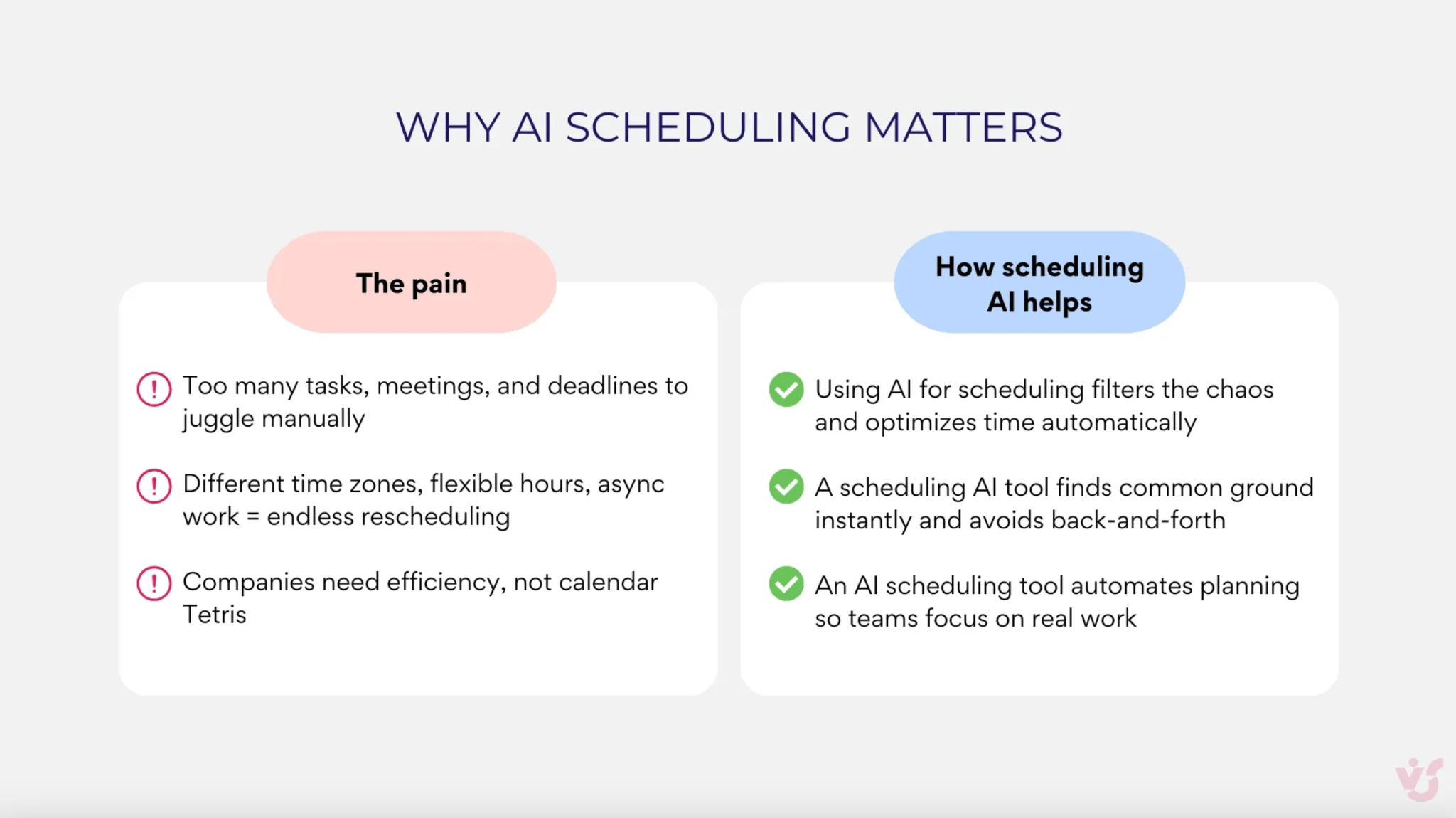
Pic. 1 — Why AI scheduling matters
How an AI Scheduling Assistant Works
These tools combine machine learning, natural language processing, and behavioral analytics to make scheduling smarter and faster.
- Machine learning — learns from your past meetings and preferences, sharpening its recommendations the more you use it.
- Natural language processing — understands plain requests like “Schedule a call with Anna next Thursday” and turns them into calendar actions.
- Contextual analysis — weighs task importance, dependencies, deadlines, and your behavior instead of just filling open slots.
The payoff: routine admin work disappears. The assistant compares calendars, books the best time, sends invites, and handles rescheduling, reminders, and updates automatically — from individual workdays to full project and shift schedules.
What you can automate
- Meetings, calls, and team events — the assistant negotiates the time, sends invites, and handles notifications.
- Project and shift schedules — generate timelines, distribute tasks across teammates, and factor in vacations and workload.
- Rescheduling when things change — if deadlines shift or someone’s out, the tool instantly suggests an updated plan.
- Reminders and alerts — from missed deadlines to last-minute changes, nothing slips through the cracks.
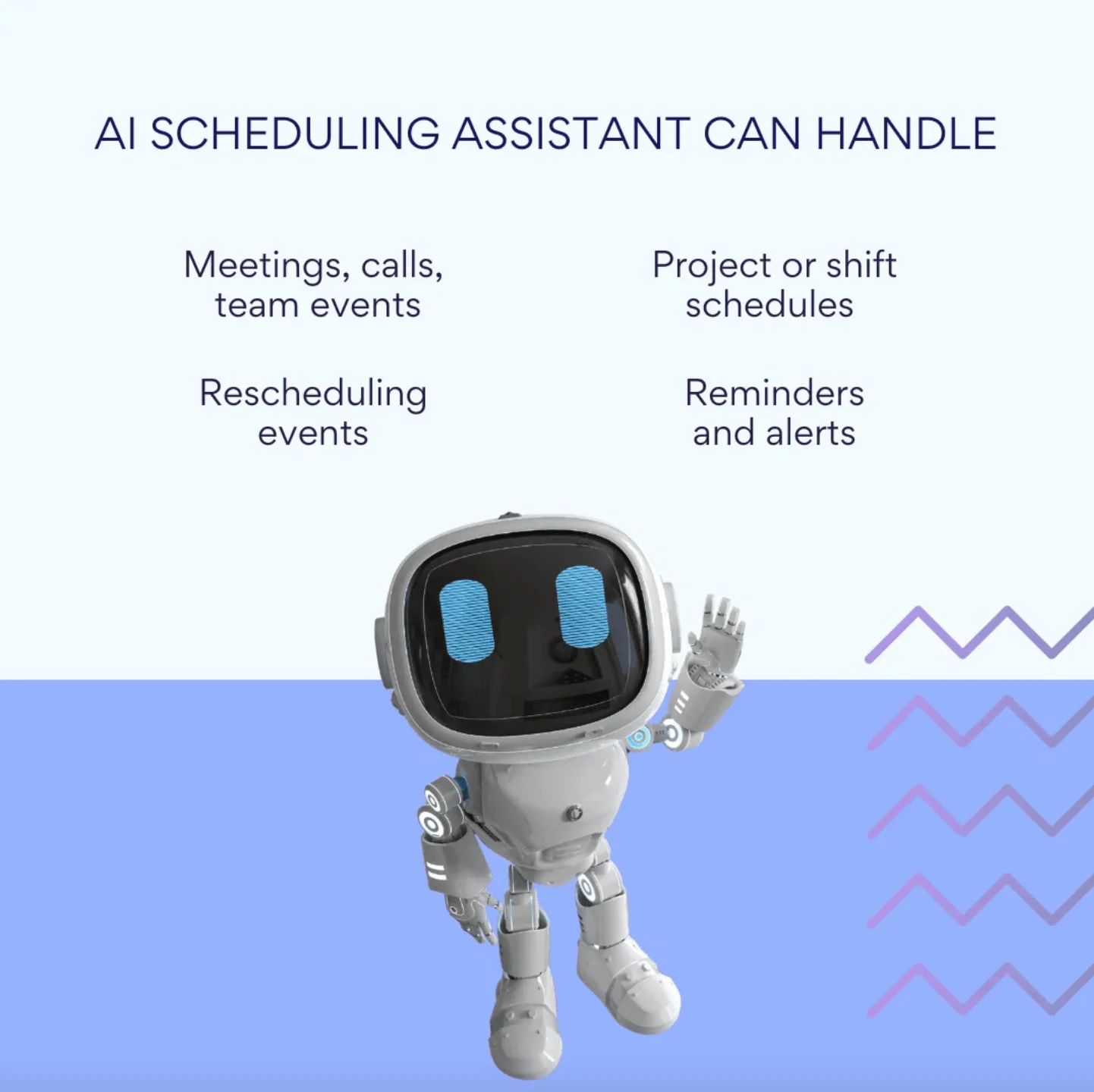
Pic. 2 — Tasks you can automate with scheduling AI
AI Schedule Makers by Industry
General-purpose AI scheduling assistants (Motion, Reclaim, etc.) work well for personal productivity. But industry-specific scheduling — nurse rosters with certification constraints, school timetables with prerequisite chains, conference agendas with parallel tracks, court deadlines with statute rules — needs a different approach: free AI tools (ChatGPT, Claude, Copilot, Gemini) + industry-specific prompts + Microsoft 365 integration. Below, find the dedicated guide for your vertical.
Education — AI School Timetable Maker
School administrators face complex constraints: teacher availability, classroom assignments, prerequisite chains, and multi-class period rotations. Our school timetable AI guide provides 5+ ready-to-use prompts for ChatGPT, Claude, Copilot, and Gemini, plus the Excel-to-Microsoft-365 import workflow for institutions. Works for K-12 schools and tuition centers.
→ Read our complete AI School Timetable Maker Guide
Higher Education — AI College Schedule Maker
The college schedule maker works for both administrators building department schedules AND students building personal weekly schedules. Our college schedule guide has separate prompt sets for both audiences, covering registrar workflows (semester schedules, prerequisite chains, multi-campus) and student workflows (course catalog → optimal schedule).
→ Read our AI College Schedule Maker Guide
Healthcare — AI Nurse Schedule Maker
Nurse scheduling has unique constraints: 12-hour shifts, RN-to-patient ratios, ICU specialty certifications, and weekend rotation fairness. Our nurse schedule guide provides 4 ready-to-use prompts (Med-Surg basic, ICU with certifications, ER with float pool, self-scheduling) plus HIPAA-compliant Microsoft 365 deployment via the Virto Calendar App.
→ Read our AI Nurse Schedule Maker Guide
Manufacturing & Retail — AI Shift Schedule Maker
Shift scheduling for manufacturing, retail, and hospitality requires balancing rotating shifts, seniority preferences, union rules, fatigue management, and certifications. Our shift schedule guide covers 4 industry scenarios (24/7 manufacturing, retail with peak demand, hotel front desk, self-scheduling) with prompts compatible with all free AI tools.
→ Read our AI Shift Schedule Maker Guide
Events — AI Conference Schedule Maker
Multi-track conferences are a classic constraint-satisfaction problem: parallel sessions, speaker availability, room capacities, A/V transitions, and recording priority. Our conference schedule guide handles corporate conferences, academic symposia, hybrid events, and complex speaker-conflict scenarios. Plus a unique attendee-distribution workflow using Virto Shared Calendar (free, anonymous link, no Microsoft account required for attendees).
→ Read our AI Conference Schedule Maker Guide
Legal — AI Court Calendar Calculator
Court deadline calculation requires precise rule application: FRCP Rule 6, state-specific procedure (CCP Section 12, TRCP 99(b)), business days vs. calendar days, service-method add-ons, and holiday exclusions. Our court calendar guide includes 4 prompts (federal civil, California state, Texas family law, multi-step appeal deadlines) plus attorney reviewer guidance.
→ Read our AI Court Calendar Calculator Guide
Best AI Scheduling Assistants for Personal Productivity
For solo professionals, these five dedicated tools lead the field in 2026.
Motion
An AI schedule maker that builds daily plans automatically. Best for individuals who want a hyper-structured calendar without micromanaging it. Strong at task prioritization and auto-rescheduling; can feel rigid if you prefer loose plans.
Reclaim.ai
Balances tasks, habits, and meetings inside Google Calendar. Best for knowledge workers protecting focus time. Smart habit tracking and a clean UI; works best if you live in Google’s ecosystem. Free tier available.
Clockwise
Optimizes your calendar around focus blocks. Best for teams battling meeting overload. Great at reducing calendar chaos; best results require the whole team to adopt it. Free version for teams.
Microsoft Scheduler (Microsoft 365)
A built-in assistant tightly integrated with Microsoft’s suite. Best for enterprise teams already on M365. Native integration, enterprise security, familiar interface; limited outside the Microsoft ecosystem. Included with M365 subscriptions.
Google Duet AI
Google’s native scheduling, upgraded with Duet AI. Best for anyone already in Google Workspace. Easy adoption and a free version; lighter than dedicated assistants like Motion or Reclaim.
Comparison of personal-productivity AI schedulers
| Tool | Best for | Strengths | Free tier |
|---|---|---|---|
| Motion | Solo professionals | Auto daily planning, task prioritization | No |
| Reclaim.ai | Google-based knowledge workers | Habit tracking, focus protection | Yes |
| Clockwise | Meeting-heavy teams | Focus blocks, team optimization | Yes |
| MS Scheduler | Microsoft 365 enterprises | Native M365, enterprise security | With M365 |
| Google Duet AI | Google Workspace users | Easy adoption, native calendar | Yes |
For AI features inside calendar apps specifically, see our AI Calendar features overview.
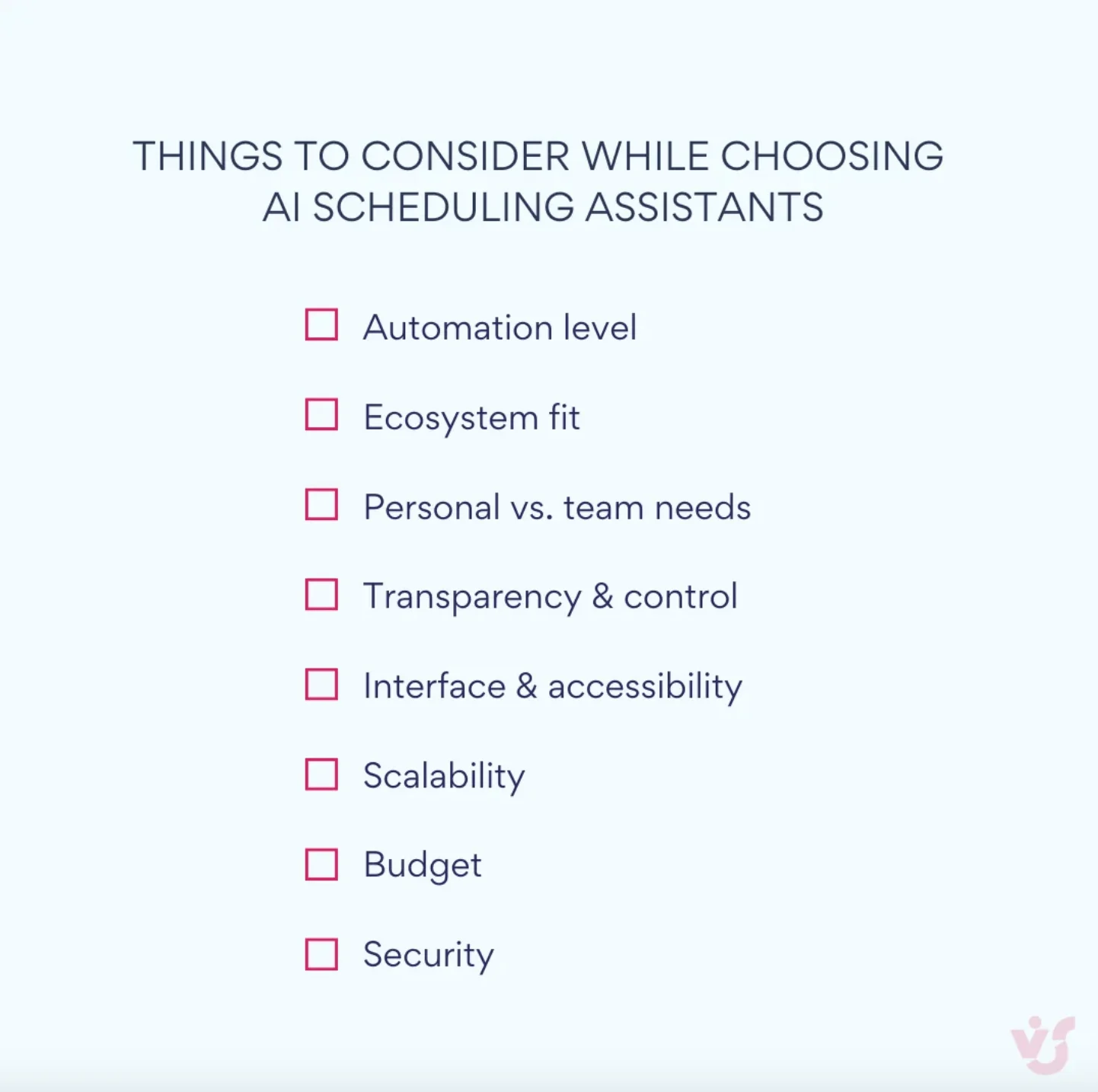
Pic. 3 — Things to consider when choosing AI scheduling assistants
Best AI Scheduling for Microsoft 365 Enterprises: Virto + AI Tools
If you’re a solo professional, Motion or Reclaim is the right answer. But if you’re an enterprise on Microsoft 365 — a hospital, a university, a manufacturing plant, a law firm — the playbook is different. The dedicated AI scheduling tools above don’t connect to your SharePoint, don’t respect your compliance posture, and don’t share schedules with your team in Microsoft Teams. The smarter approach pairs two pieces you may already have: free AI tools to do the scheduling logic, and the Virto Calendar App to distribute the result across your tenant. You get AI-grade planning without sending sensitive roster data to a third-party SaaS, and without buying yet another subscription.
How the Virto + AI workflow works
- Use ChatGPT, Claude, Microsoft Copilot, or Gemini to generate the schedule.
- Export it as a .xlsx file.
- Import the .xlsx into SharePoint as a list.
- Display it in the Virto Calendar App (free 30-day trial).
- Distribute to your team via SharePoint pages, Outlook, or Microsoft Teams.
- Pair with the Virto Alerts & Reminders App for automated lead-time notifications.
Why this approach works for enterprises
- Compliance-friendly: data stays in your Azure tenant (HIPAA-relevant for hospitals, GDPR-relevant for EU).
- No new subscription required: AI tools have free tiers, and the Virto Calendar App is free to try for 30 days.
- Integrates with tools you already have: SharePoint, Outlook, Teams, and Power Automate.
- Industry-specific: works for nurse rosters, school timetables, shift schedules, conference agendas, and court deadlines (see the industry section above).
- Scalable: from 5 users to 50,000+ across an enterprise.
When to use what
| Your situation | Recommended path | Why |
|---|---|---|
| Solo professional | Motion / Reclaim.ai | Personal calendar optimization around your focus time |
| Hospital IT / university admin / large enterprise | Virto Calendar App for SharePoint — free for 30 days | Compliance-friendly distribution inside your Microsoft 365 tenant |
| Event teams / public conference agendas | Virto Shared Calendar — free for 15 entries, anonymous sharing | Attendees need no Microsoft account to view the agenda |
| Mid-size org on Teams | Virto Calendar App for Teams | Shared team scheduling directly inside Microsoft Teams |
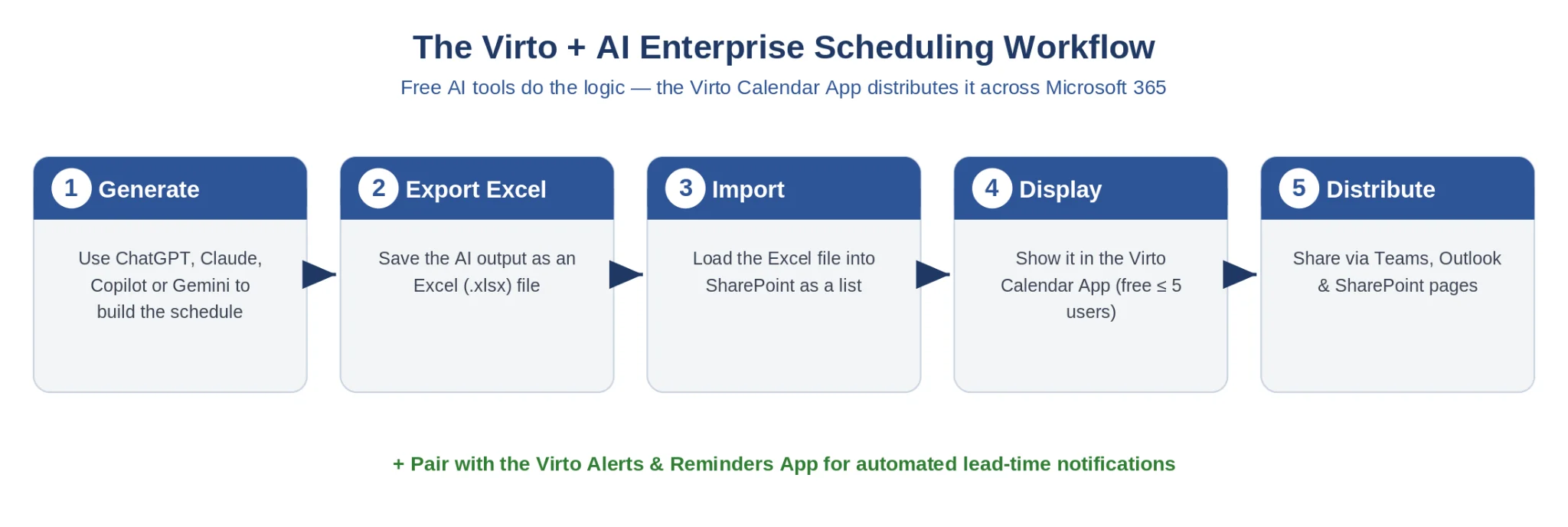
Fig. 1. The Virto + AI enterprise scheduling workflow (5 steps)
Pros and Cons of AI Scheduling Assistants
| Advantages | Limitations |
|---|---|
| Saves time and frees mental energy by automating calendar busywork | Weak results when the tool can’t access enough calendar or task data |
| Adapts instantly when meetings, deadlines, or availability change | Integration gaps with Outlook, Google, Teams, or Slack cause friction |
| Helps overloaded teams with async updates and smart rescheduling | Setup isn’t “set and forget” — permissions, hours, and roles must be configured |
| Plans across time zones, work rhythms, task importance, and habits | Some users distrust automation; the best tools stay explainable and editable |
Real-Life Use Cases
Beyond the buzzwords, these tools solve very practical problems — from a personal calendar to complex team workflows.
Personal productivity
An AI schedule maker arranges your daily tasks by deadline and peak-productivity hours, automates recurring blocks like weekly standups and reporting, and guards your deep-work time from meeting creep. Think of it as a personal AI schedule planner that knows when you’re sharpest and keeps that time protected — so your calendar finally has guardrails instead of being a free-for-all.
Team collaboration
Tools like Reclaim and Clockwise align sprint planning, retros, and syncs across distributed teams, while recruiters use AI meeting schedulers to match candidate and interviewer availability in seconds. Marketing teams lean on them to track campaign launches, content approvals, and email drops — when a date moves, the engine instantly adjusts dependent tasks and notifies everyone. For multi-track events specifically, see our AI Conference Schedule Maker Guide.
HR & workforce management
AI-based scheduling builds balanced shift plans around employee preferences, contracts, certifications, and required coverage, manages leave requests and public holidays without double-booking, and reschedules adaptively when shifts change — updating calendars, notifying staff, and keeping compliance intact. For deep dives into the two most constraint-heavy verticals, see our AI Nurse Schedule Maker Guide and AI Shift Schedule Maker Guide.
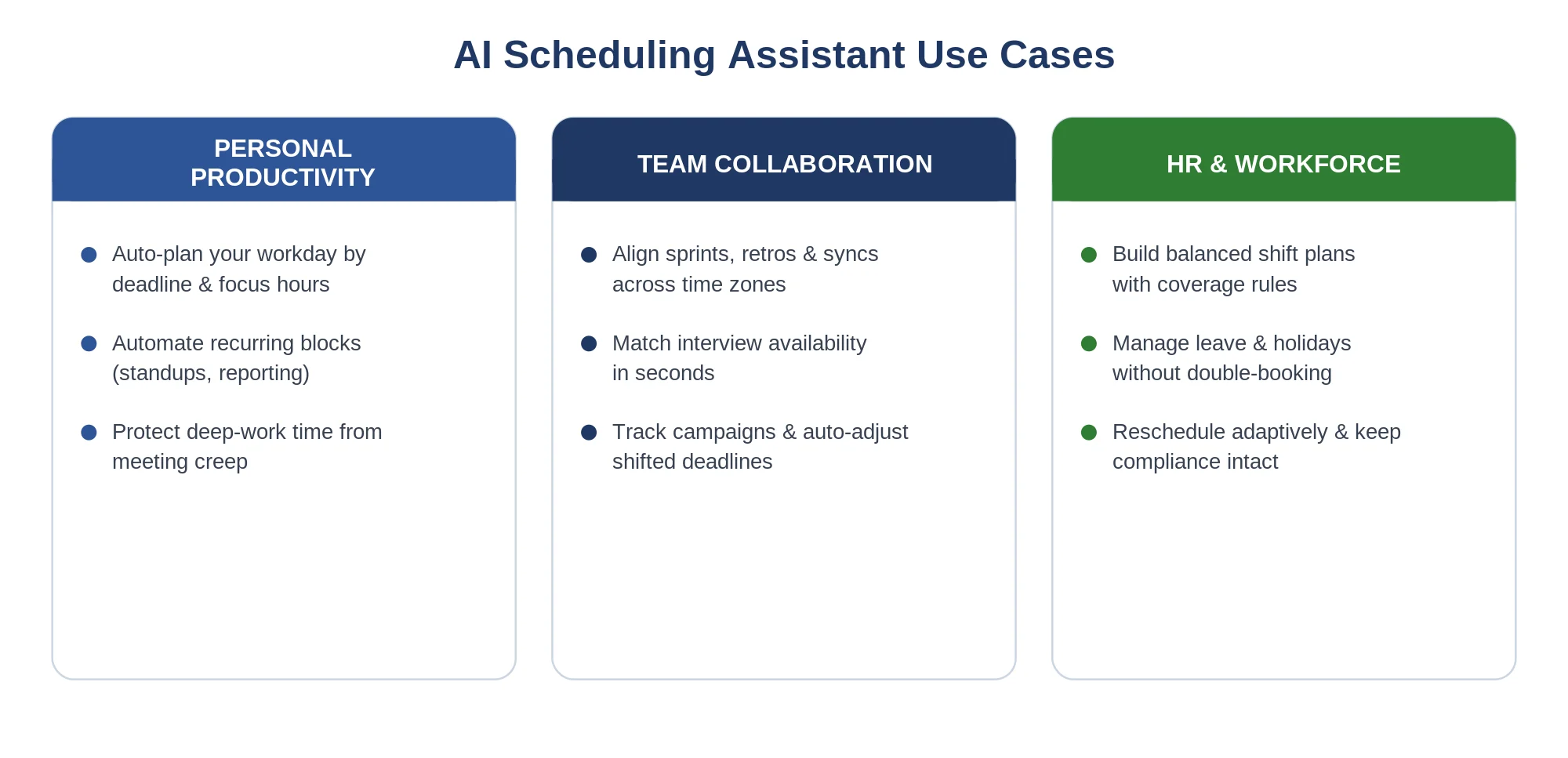
Pic. 4 — AI scheduling assistant use cases
Frequently Asked Questions
What is the best AI scheduling assistant?
There isn’t a single best answer — it depends on your use case. For personal productivity: Motion, Reclaim.ai, or Clockwise. For Microsoft 365 enterprises: Microsoft Scheduler + Copilot built into M365. For industry-specific scheduling (nurse, school, conference, court): free AI tools (ChatGPT, Claude, Copilot, Gemini) combined with the Virto Calendar App for distribution within Microsoft 365. Industry-specific guides are linked in the section above.
Does Microsoft have an AI scheduling assistant?
Yes. Microsoft offers Scheduler for Microsoft 365 (handles meeting coordination via email) and Microsoft Copilot in Outlook (AI-powered scheduling inside the Outlook flow). Both are included with M365 enterprise subscriptions. For more complex scheduling — multi-source overlay, industry-specific rules, custom categories — pair Copilot with the Virto Calendar App for a complete workflow.
Can AI generate a complete work schedule?
Yes. Modern AI tools (ChatGPT, Claude, Microsoft Copilot, Gemini) generate complete work schedules from constraint-rich prompts, handling availability, time zones, dependencies, certifications, and fairness rules. The output is typically a CSV or .xlsx you can import into your calendar system. For industry-specific scheduling — nurse rosters, school timetables, shift schedules, conferences, court deadlines — see the dedicated guides in the industry section above.
Is there a free AI scheduling assistant?
Several. Reclaim.ai has a free tier for individuals. Clockwise offers a free version for teams. Microsoft Scheduler is free with M365 subscriptions. Google Duet AI is free for Google Workspace users. For prompt-based industry scheduling, ChatGPT, Claude, and Gemini all have free tiers, and Microsoft Copilot is free with M365 EDU and other tiers. The Virto Calendar App is free for 30 days for the distribution layer.
What’s the difference between AI scheduling for individuals vs. enterprises?
Individual AI schedulers (Motion, Reclaim, Clockwise) optimize a personal calendar around the user’s productivity patterns, meeting preferences, and focus time. Enterprise AI scheduling (nurse rosters, shift schedules, school timetables) handles multi-person constraint problems: certifications, ratios, rotations, fairness, and compliance. The tool category differs: dedicated SaaS for individuals; free AI tools + Microsoft 365 + the Virto Calendar App for enterprises.
How do I use AI to schedule my work week?
For personal workflow, tools like Motion or Reclaim arrange your tasks around existing meetings, focus-time preferences, and deadlines. For industry-specific work weeks (e.g., a charge nurse planning a unit’s roster), use the 5-step workflow in the Quick Answer above: choose an AI tool, write a constraints prompt, iterate, export a xlsx, and import it into Microsoft 365 via the Virto Calendar App.
Conclusion: From Calendars to AI Scheduling
AI scheduling tools have moved from sci-fi to everyday productivity boosters — learning your priorities, respecting deadlines, and adapting across time zones. Not every organization is ready to go all-in, and that’s fine: the right path depends on who you are.
Individuals: start with Motion, Reclaim, or Clockwise to reclaim your focus time.
Microsoft 365 enterprises: pair free AI tools with the Virto Calendar App (free for 30 days) for compliant, team-wide scheduling — or use Virto Shared Calendar (free for 15 entries) for public event agendas. Match the right industry guide above to your vertical and start today.