


Bring the visual clarity of Kanban into the place your team already works. Below we compare the best Kanban board apps and integrations for Microsoft Teams in 2026 — and show how to add a board to a Teams channel.
Quick answer: Does Microsoft Teams have a Kanban board?
No — Microsoft Teams has no native Kanban board. Planner offers limited, board-style task management built into Teams, but full Kanban functionality comes from third-party apps added as a Teams tab, such as Virto Kanban Board, Trello, or Asana.
So which Kanban board is best for Teams? It depends on your team size and needs. For Microsoft-ecosystem teams, Virto Kanban Board for Microsoft Teams — SharePoint-native, from $2/user/mo, with a 30-day free trial — is the strongest fit. Keep reading for the full comparison.
Microsoft Teams and Kanban: how integration works
Microsoft Teams is the central hub for business communication — chats, calls, files, and meetings all live in one place. Its real strength for project management shows up through third-party integrations. While Teams has no built-in Kanban board, its flexibility lets various Kanban apps slot directly into the Teams environment.
Tabs are the key. You can add a Kanban board as a tab inside any channel, so the whole team can check deadlines and project stages without leaving the conversation. Discussion and visual task management sit side by side — talk and action in the same window.
For a step-by-step walkthrough, see our Microsoft Teams Kanban integration guide.
Planner: the native option (and its limits)
Searching for a Kanban board in Teams, many users land on the built-in tool: Microsoft Planner. Since April 2024 the app formerly called Tasks by Planner and To Do is simply named Planner in Microsoft Teams — it now unifies Microsoft To Do, Planner, and Project for the web in one experience. It is not a full Kanban board, but it borrows the idea — a visual way to manage tasks and projects directly inside Teams.
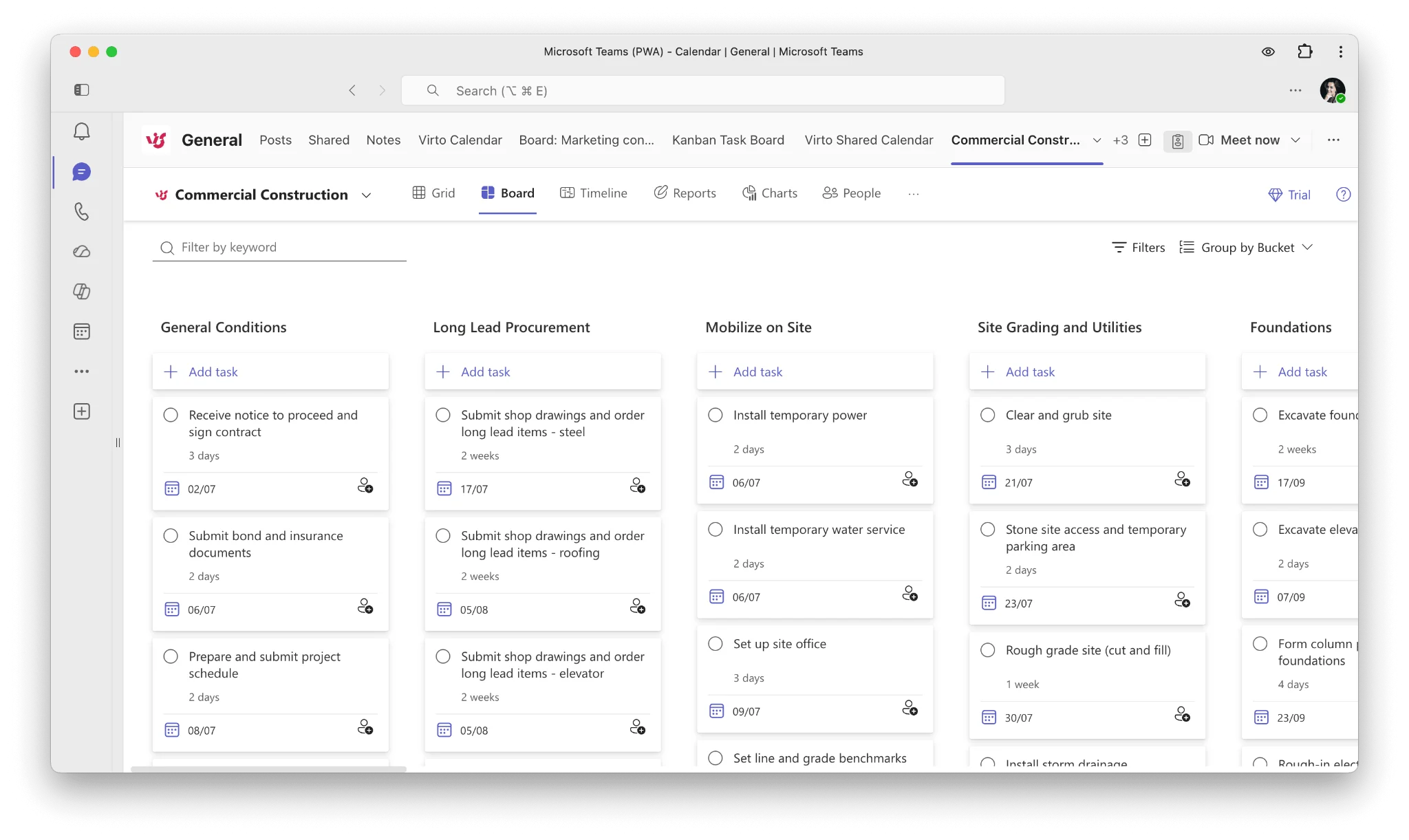
the Planner app in Microsoft Teams
Planner lets you create buckets (columns) with cards, assign tasks, set deadlines, and add labels — all without logging in to a separate app. It is a solid foundation, but it has clear limitations:
- Flexibility: it lacks the customization of dedicated Kanban tools.
- Drag-and-drop: more limited than advanced Kanban platforms, and occasionally unstable on the Mac desktop app.
- Scalability: it can struggle with larger, more complex projects.
- Visuals: basic board views with little advanced visual customization.
- Integration: it doesn’t always mesh seamlessly with other Microsoft 365 apps.
- Advanced features: advanced views like Timeline (Gantt) and capabilities such as custom fields require a premium (Planner Plan 1/3/5) license — they aren’t in the free Microsoft 365 version.
Planner is a great starting point, but seasoned project managers will often want more. We keep the Planner detail light here; for deeper coverage, follow the linked Planner resources above.
Best Kanban board apps for Microsoft Teams
In the search for the best Kanban board for Microsoft Teams, several apps stand out: the Virto Kanban Board app for Microsoft Teams, Trello, Asana, Jira, monday.com, ClickUp, Wrike, MeisterTask, Smartsheet, and Productboard. Each is framed below by how well it integrates with Teams.
Virto Kanban Board App for Microsoft Teams
Virto Kanban Board for Teams supercharges Microsoft Teams for project management. Its standout features make it a strong fit for Microsoft-first teams:
- Teams integration: add a custom Kanban board as a tab in Teams, merging the SharePoint and Teams experience.
- Easy data access: pull data from existing SharePoint lists and libraries and show it in Teams.
- Real-time notifications: get immediate or scheduled task updates in your Teams channels via the bundled Alerts and Reminders tool.
- Adaptable boards: break down large tasks, use swimlanes for categorization, color-code with tags, and resize task cards.
- Efficient filtering: use advanced search and filtering to quickly pinpoint tasks or organize your board.
- Comprehensive reporting: generate status charts, assignee breakdowns, and more; export reports as CSV or save the board as a PDF.
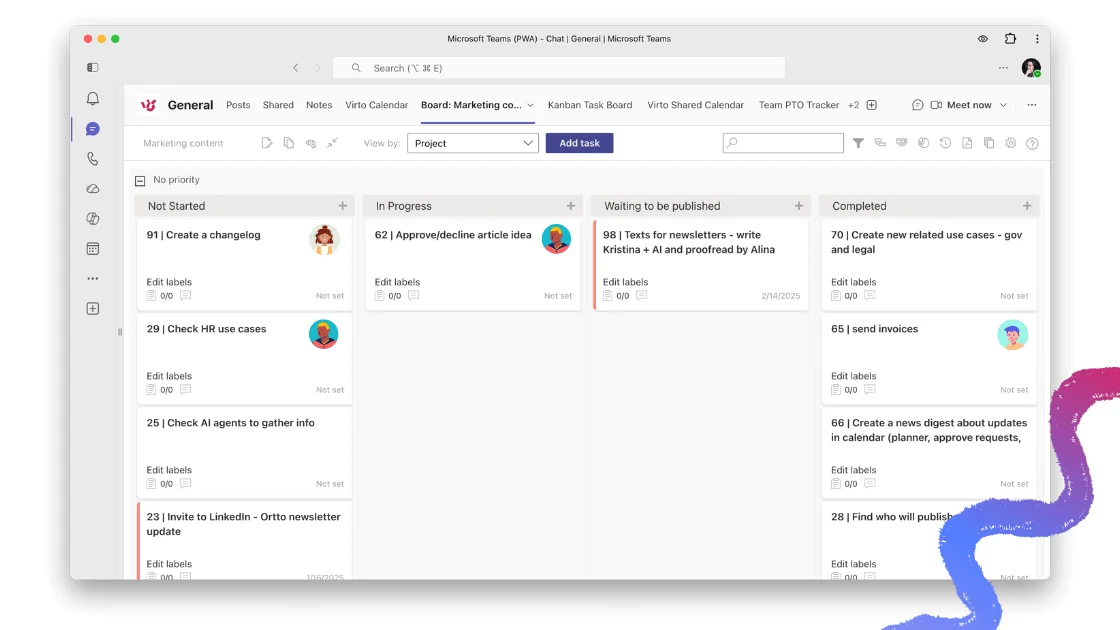
Virto Kanban Board app for Microsoft Teams
Why the Virto + Teams combination works for businesses: a unified workspace that cuts platform-hopping; real-time collaboration with simultaneous updates and instant notifications; deep customization to fit your workflow; integrated reporting you can export without leaving Teams; and consistent security by inheriting SharePoint permissions.
With Virto, your board travels with you across devices. And one license covers Teams, the standalone web app, SharePoint, and Azure. Read Virto Kanban Board’s reviews on G2.
Pricing: from $2/user/mo (Starter, ≤30 users), $3/user/mo (Pro, 31–200 users), Enterprise on request; billed yearly. One license spans SharePoint, Teams, and Azure. Includes a 30-day free trial, with a 15% discount for education and non-profits.
Try Kanban Board for free and step up your project management today.
Trello
A favorite for its simple, visual approach. Inside Teams, Trello offers:
- Unified viewing: access boards, lists, and cards directly within Teams.
- Dynamic task management: create and move cards, set due dates, and complete tasks without leaving Teams.
- In-channel boards: pin a board as a channel tab for quick collaboration.
- Search and share: use the messaging extension to find cards by keyword and share them in conversations.
- Smooth onboarding: a quick start tour gets everyone up to speed.
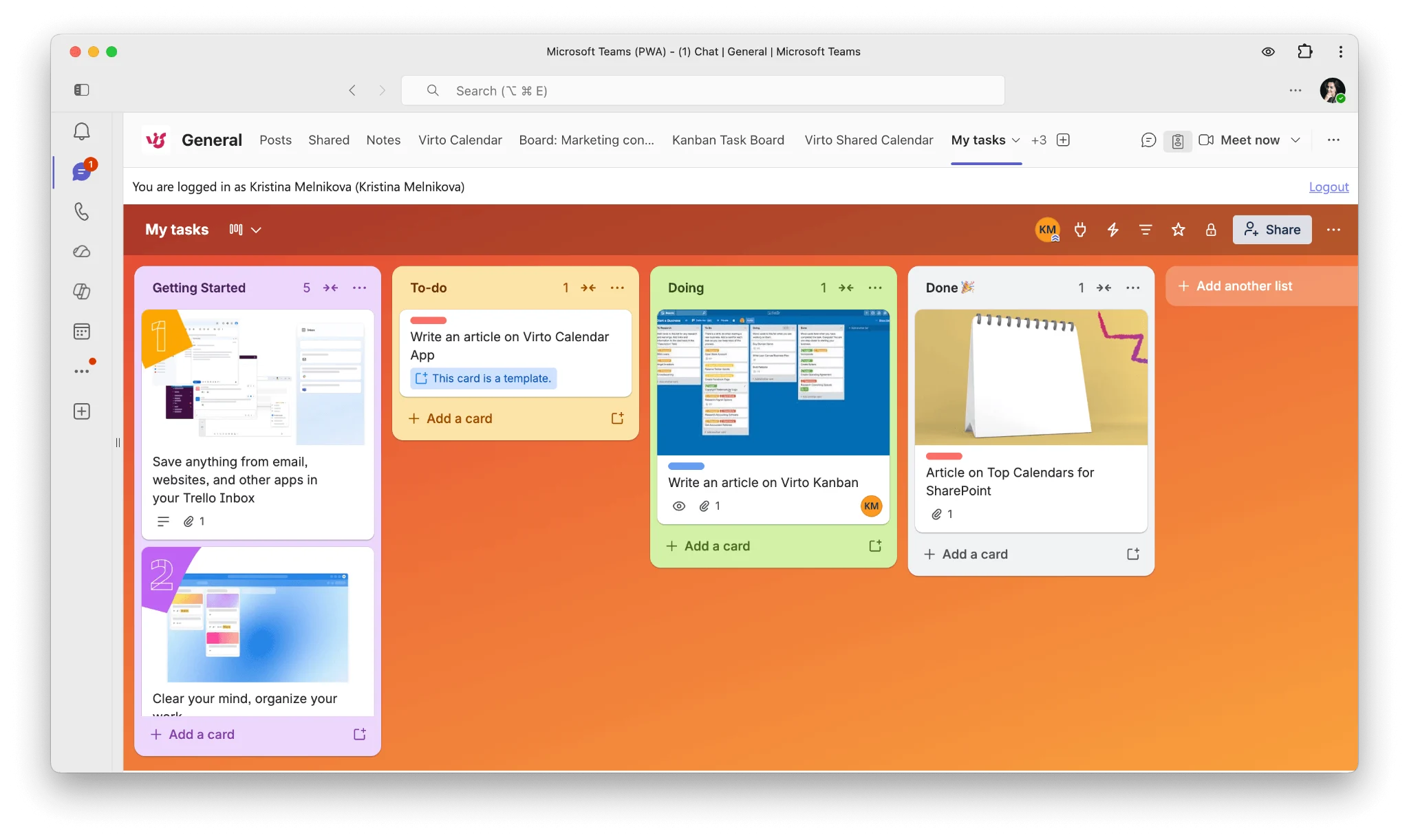
Trello for Microsoft Teams
Asana
A task-management heavyweight woven into Microsoft Teams:
- Turn conversations into tasks: convert Teams discussions into actionable Asana tasks.
- All-in-one view: access tasks, projects, portfolios, and status updates within Teams; unfurl tasks for instant context.
- Stay in the loop: custom per-channel notifications keep you aware of progress.
- Streamlined connection: the Teams integration is available at no extra cost to Asana users.
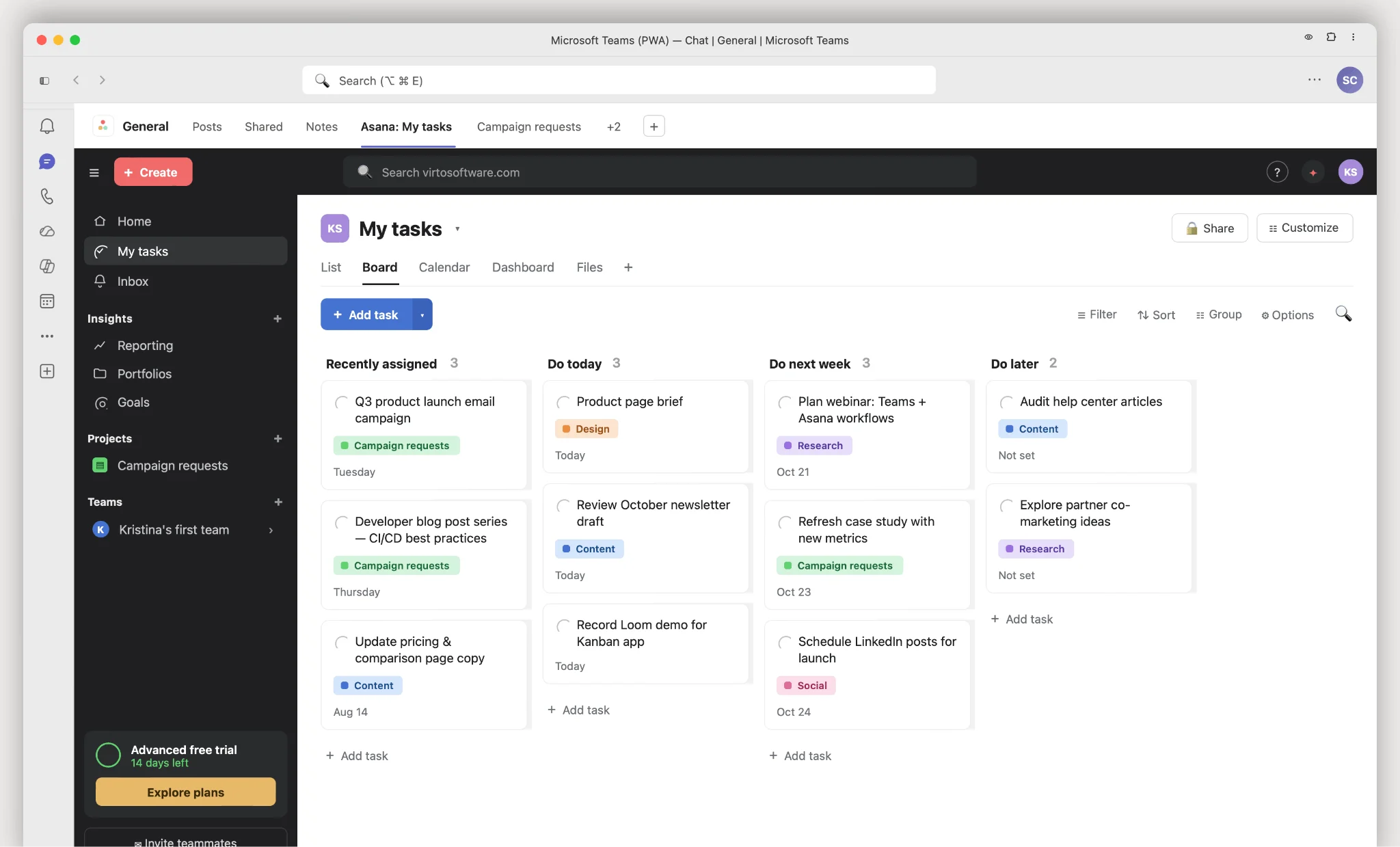
Asana in Microsoft Teams
Jira
Predominantly a developer’s choice, with capabilities that reach beyond code:
- Deep integration: discuss issues, manage the backlog, and stay focused inside Teams.
- Bot interactions: create, assign, edit, and track issues via the bot from your channel.
- Quick searches and actions: look up issues, share them, and create new ones from message text.
- Project backlog accessibility: add your backlog as a channel tab.
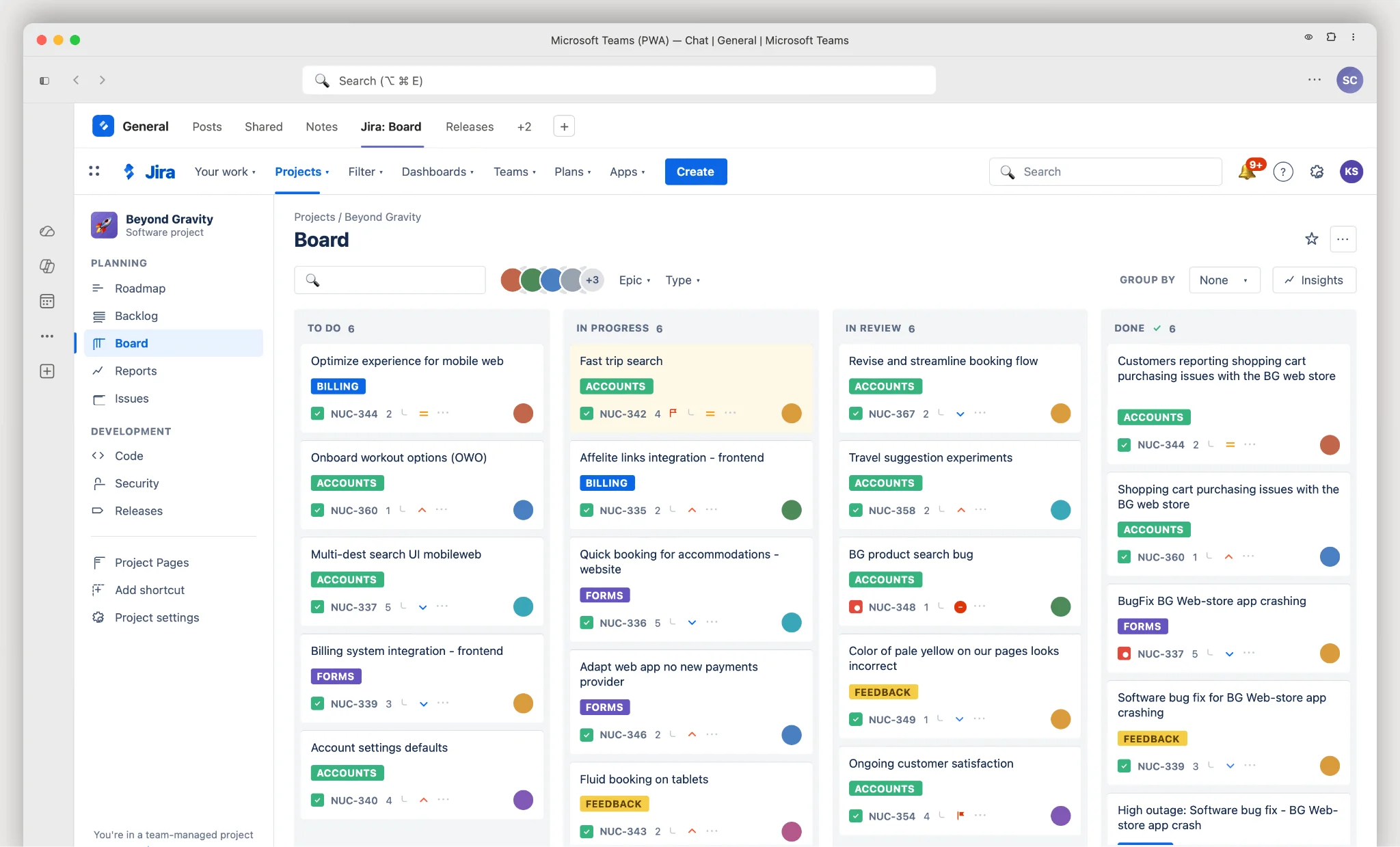
Jira for Microsoft Teams
monday.com
A work operating system that helps teams run projects and workflows:
- Visual workspaces: a clear, collaborative view of all projects in one space.
- Easy integration: embed boards into Teams and create or collaborate on them there.
- Real-time notifications: get board updates and add items via the monday bot.
- Contextual conversations: search and share from boards in your Teams chats.
- Personal productivity: track weekly tasks and your inbox from a personal tab.
Read monday.com’s reviews on G2.
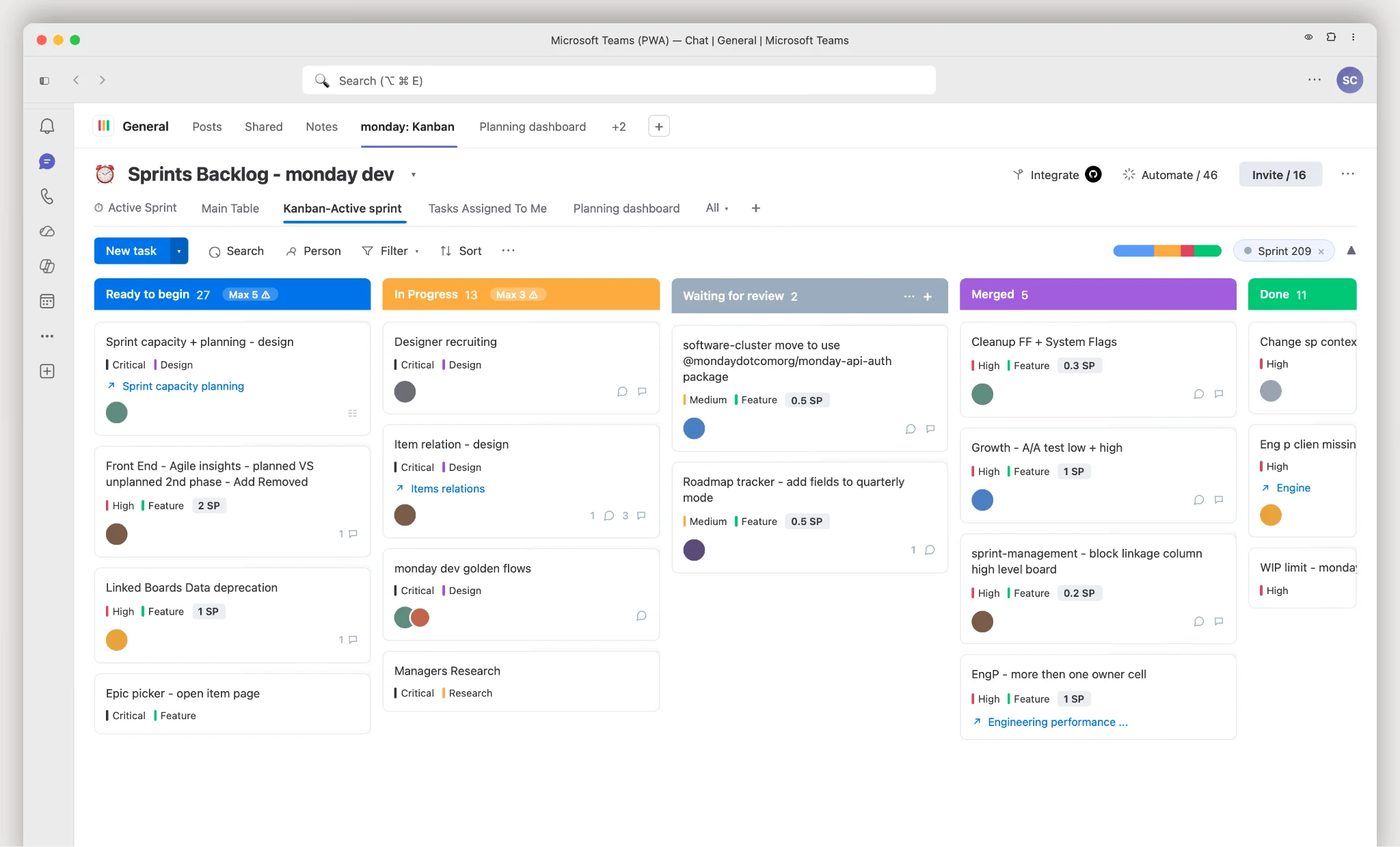
monday.com in Microsoft Teams
ClickUp
ClickUp streamlines communication inside Teams:
- Link unfurling: share a task link and Teams shows the key details automatically.
- Real-time notifications: stay updated on comments, attachments, status changes, and assignee changes.
- Task attachment: pull up and share a task in any Teams discussion.
Note: ClickUp’s Kanban board view does not currently integrate with Teams. Its Microsoft Teams integration is limited to communication and notifications.
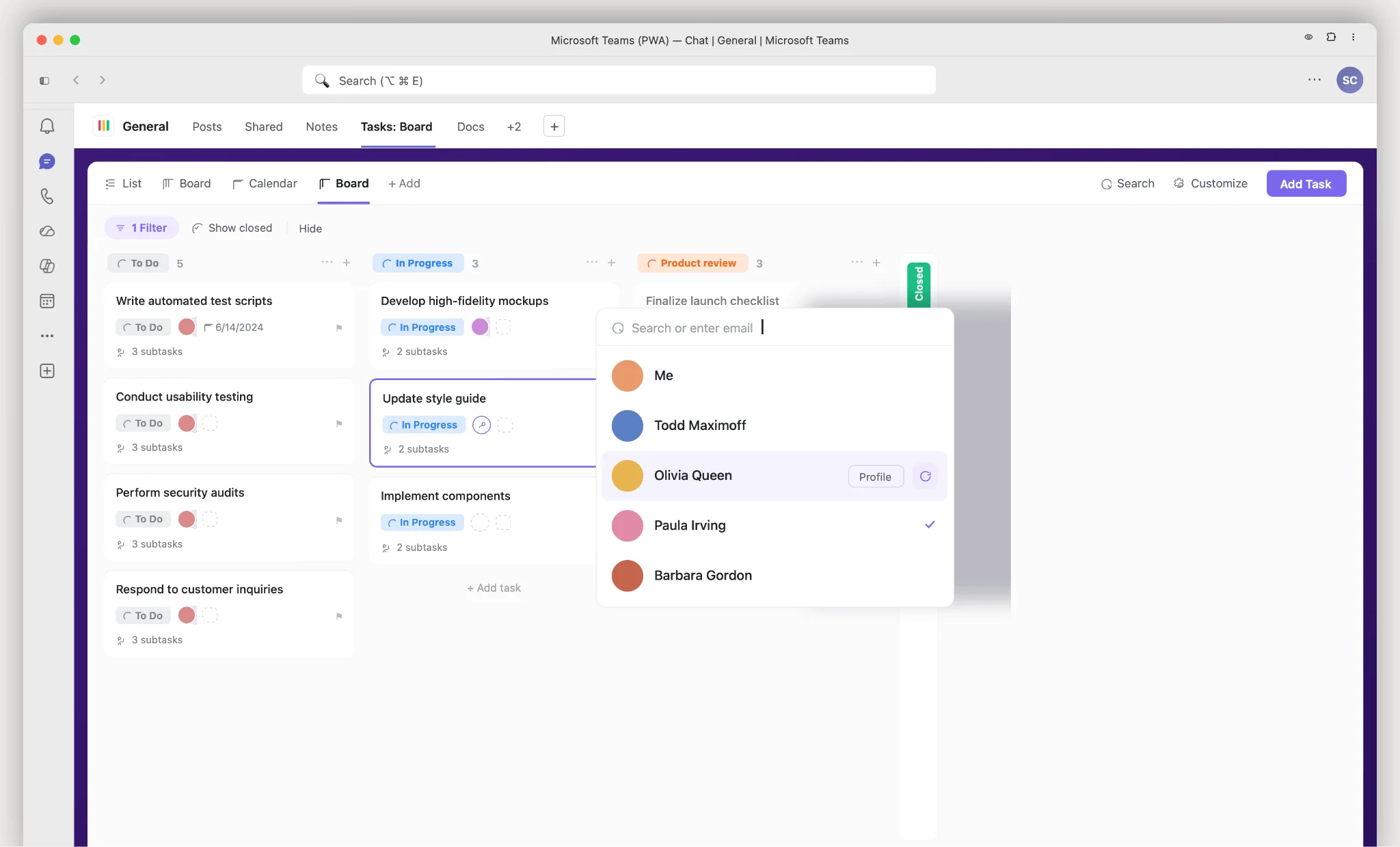
ClickUp in Microsoft Teams
Wrike
Wrike fuses collaboration with powerful project management:
- Integrated tabs: embed Wrike projects in Teams channels and update status, assignees, due dates, and subtasks; optimize planning with Timeline view.
- Messaging enhancement: add task previews to chats and pull details like title and assignee.
- Personal touch: access your own tasks and view all Wrike-integrated projects in one space.
- Stay updated: get notified in Teams when tasks are assigned or you’re mentioned.
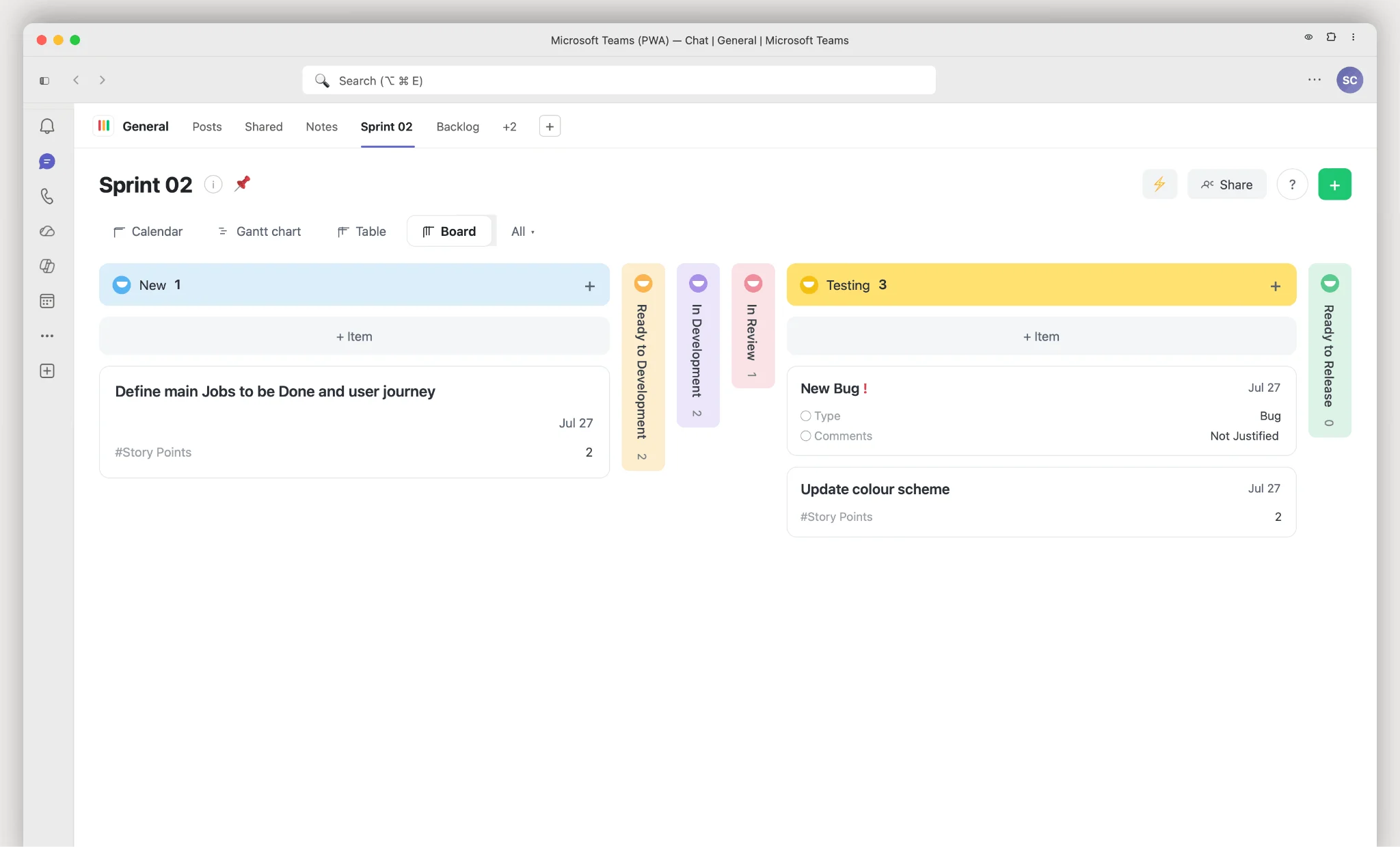
Wrike in Microsoft Teams
MeisterTask
MeisterTask combines function with a visually appealing experience:
- Agile adaptability: set up and adjust boards for sprints and Kanban workflows.
- Comprehensive task features: due dates, attachments, tags, tracked time, and real-time communication in one task.
- Dashboard: a personal view of open tasks, notifications, and tracked time.
- Automate and streamline: automate recurring steps with Section Actions.
- Insights and reporting: built-in time tracking and exportable task reports.
Read MeisterTask’s reviews on G2.
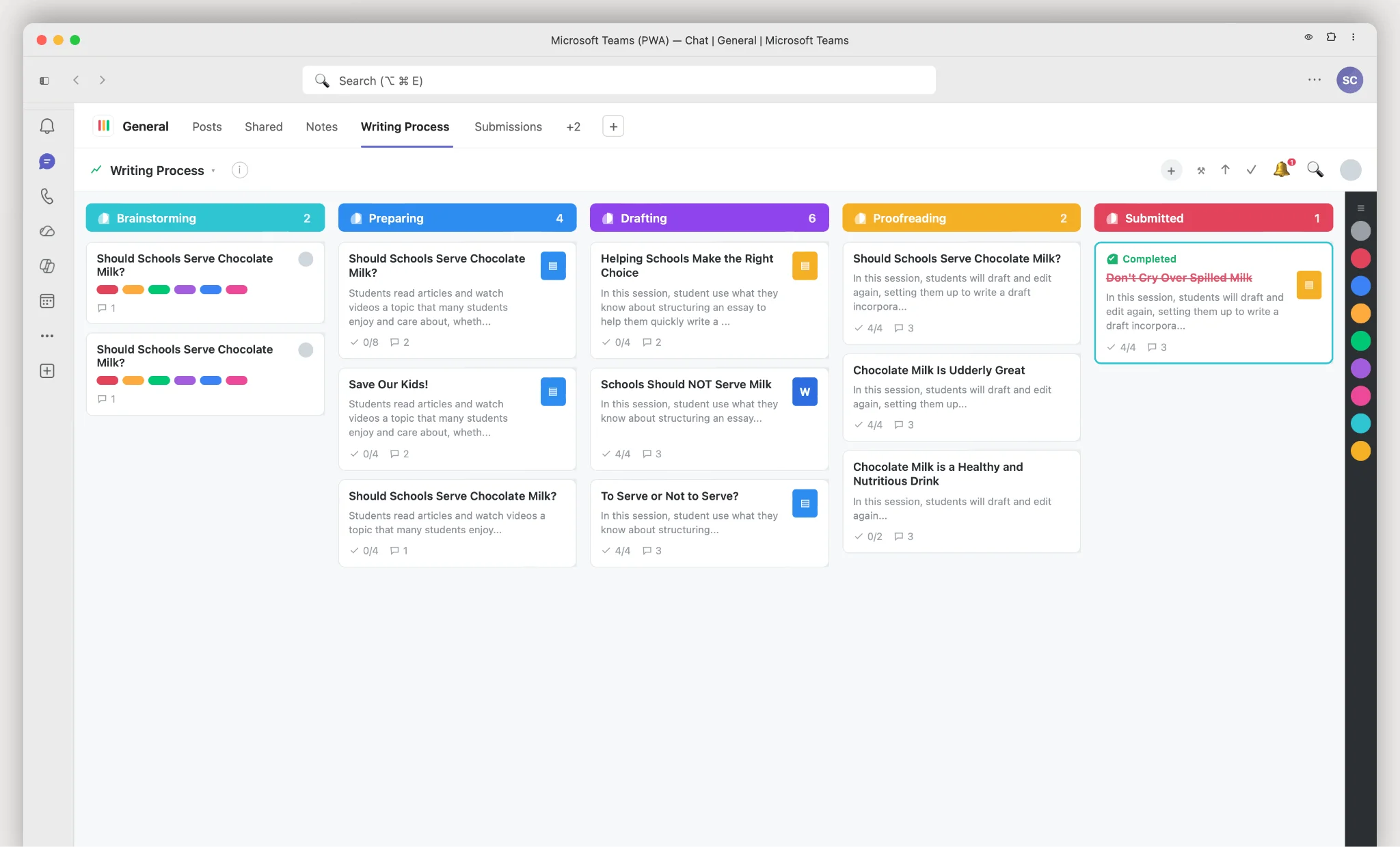
MeisterTask in Microsoft Teams
Smartsheet
Smartsheet brings a familiar spreadsheet-like interface to project management:
- Channel notifications: automated updates delivered to a Teams channel.
- Direct message reminders: receive reminders, notifications, and approval requests as DMs in Teams.
- Smartsheet tabs in Teams: add sheets, dashboards, and reports as channel tabs.
Read Smartsheet’s reviews on G2.
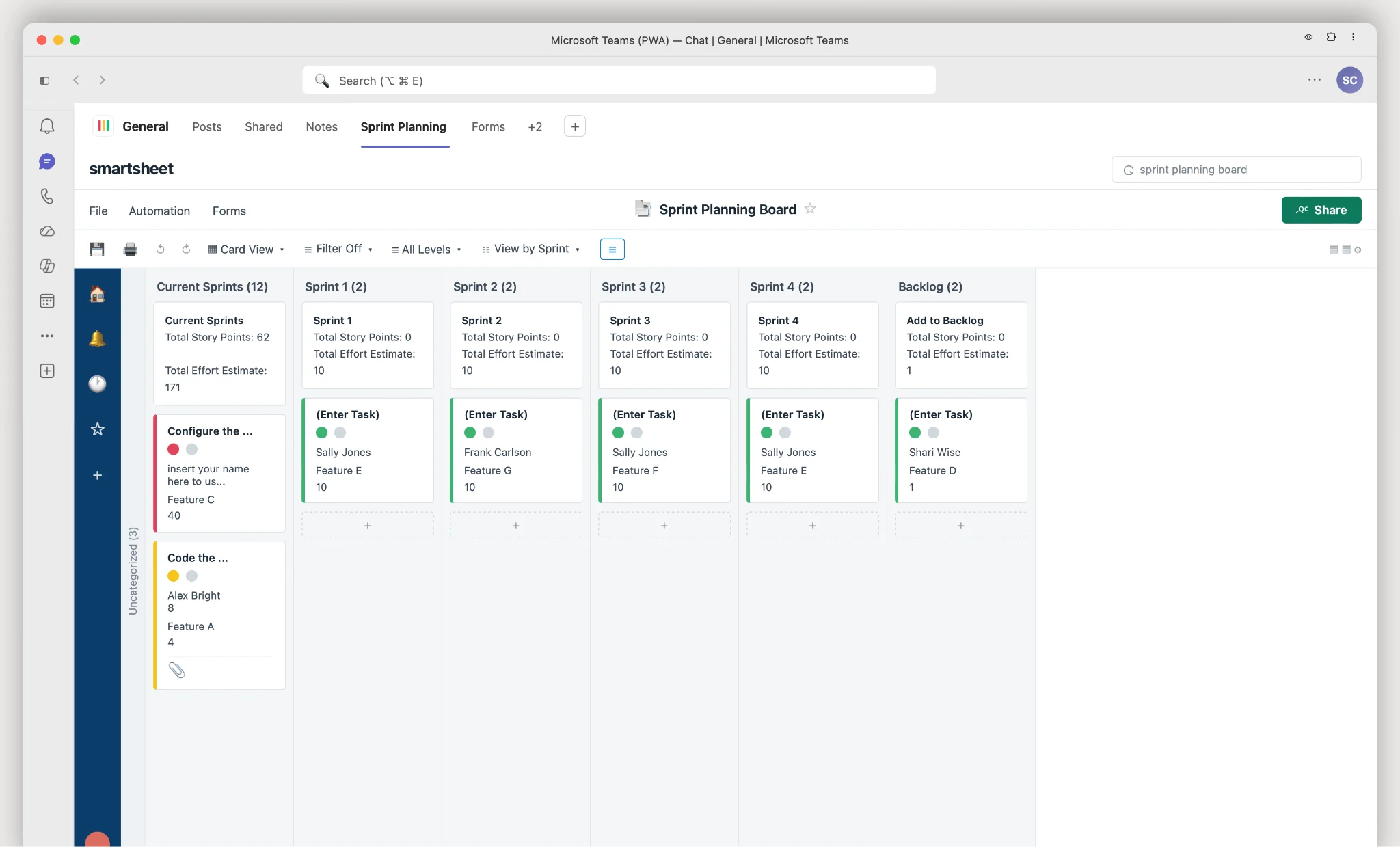
Smartsheet in Microsoft Teams
Productboard
Tailored for product managers to understand needs, prioritize, and align everyone on the roadmap:
- User insights: consolidate feedback to see what’s most desired.
- Prioritization matrix: evaluate features by user impact and business value.
- Roadmap publishing: share the roadmap to keep stakeholders aligned.
- Integration ecosystem: connect other tools into one product-management suite.
Read Productboard’s reviews on G2.
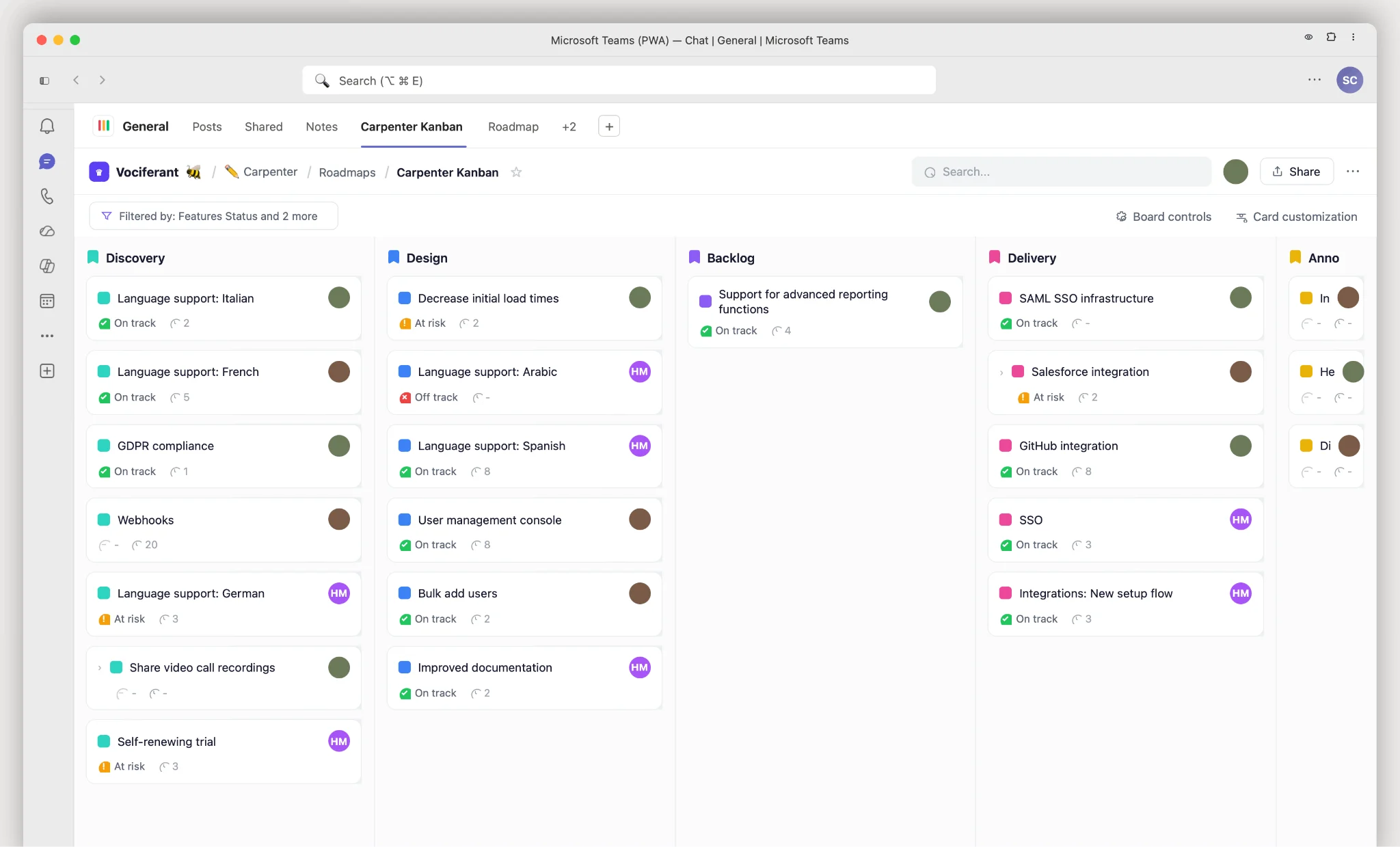
Productboard in Microsoft Teams
Comparison table: which is best for Teams?
The best Kanban board for Microsoft Teams should integrate smoothly, support real-time collaboration, flex to your workflow, fit your budget, and stay intuitive. Below is a refreshed comparison of the top six Microsoft Teams Kanban integrations. Pricing reflects annual billing and was re-verified at publish; check each vendor’s pricing page before purchase, as plans change frequently.
| Feature / Criteria | Trello | Asana | Virto Kanban Board | Jira | monday.com | Wrike |
|---|---|---|---|---|---|---|
| Integration ease | ★★★★★ | ★★★★ | ★★★★★ | ★★★★ | ★★★★ | ★★★★ |
| Real-time collaboration | Yes | Yes | Yes | Yes | Yes | Yes |
| Customizability | High | Medium | High | High | High | Medium |
| Pricing & scalability (billed annually) | Free plan (10 boards/workspace). Paid from $5/user/mo (Standard). | Free for up to 10 users. Paid from $10.99/user/mo (Starter). | From $2/user/mo (Starter, ≤30 users); $3/user/mo (Pro, 31–200); Enterprise on request. 30-day free trial. | Free for up to 10 users. Paid from $7.91/user/mo (Standard). | Free for up to 2 seats. Paid from $9/seat/mo (Basic); 3-seat minimum. | Free for up to 5 users. Paid from ~$10/user/mo (Team). |
| Microsoft integrations | Teams, Power Automate | Microsoft 365, Teams | SharePoint, Teams, Microsoft 365, Azure | Teams | Microsoft 365, Teams | Teams, Outlook, Excel, PowerPoint, Word |
| Built-in analytics | No | Yes | Yes | Yes | Yes | No |
| Max team size (entry paid plan) | Unlimited | Unlimited | Unlimited | Unlimited | Unlimited | 25 |
| Special features | In-channel boards, quick card search & sharing in Teams. | Turn Teams chats into tasks; all-in-one task/project/update view; custom notifications. | Real-time notifications; adaptable boards (swimlanes, color-coding, resizable cards); status & assignee charts. | Discuss issues, manage backlog, create/assign via bot, quick issue search & share. | Backlog & project overview, bot item creation, link Teams chats to projects. | Task previews in Teams chats, personal tasks across projects, new-task & mention alerts. |
| User reviews (G2) | ★★★★★ | ★★★★ | ★★★★★ | ★★★★★ | ★★★★★ | ★★★★ |
All prices are list prices for annual billing and were verified in June 2026. Vendor pricing changes often — confirm on the official pricing page before buying.
How to choose the best Kanban integration for your needs
To make sure your chosen Kanban board truly harmonizes with Teams, start here:
- Be curious: explore the Teams integration marketplace for tools that fit your unique workflow.
- Pilot and test: run a pilot before committing, so the team can judge real-world fit.
- Feedback loop: gather usability input from the team and adjust.
Then weigh these factors:
- Team size: Trello suits smaller teams; Jira and Virto Kanban Board scale well for larger teams with advanced permissions.
- Project complexity: Trello and monday.com handle simpler, linear projects; Asana, Jira, and Wrike excel at multi-faceted ones.
- Budget: Trello and ClickUp are economical; Wrike and Jira cost more but add advanced capability.
- Tool integration: Asana and ClickUp integrate broadly; Virto Kanban Board is purpose-built for the Microsoft ecosystem, including SharePoint.
- Customization: Trello and Asana balance structure and flexibility; Jira, monday.com, and Virto Kanban Board offer deep customization.
In short, the Virto Kanban Board app for Microsoft Teams is a strong choice for Microsoft-first teams: it sits naturally in the Microsoft environment, offers extensive customization, and scales across team sizes. Whichever tool you pick, make sure it resonates with your team’s actual requirements — the most appropriate tool beats the most popular one.
FAQ
Does Microsoft Teams have a Kanban board?
No. Teams has no native Kanban board. Planner gives limited board-style task management; full Kanban comes from apps like Virto Kanban Board, Trello, or Asana added as a Teams tab.
What is the best Kanban app for Teams?
It depends on team size and needs. For Microsoft-ecosystem teams, Virto Kanban Board for Teams (SharePoint-native, from $2/user/mo, 30-day free trial) is the strongest fit. Trello suits small teams; Jira and Wrike suit complex projects.
Is there a free Kanban board for Teams?
Yes — several apps offer free tiers. Trello, Asana (up to 10 users), Jira (up to 10 users), monday.com (up to 2 seats), and Wrike (up to 5 users) all have free plans, though feature limits apply. Virto Kanban Board offers a 30-day free trial.
How do I add a Kanban board to a Teams channel?
Open the channel, click the “+” to add a tab, choose your Kanban app (for example, Virto Kanban Board), and connect or create a board. The board then lives in the channel for the whole team. See our Teams Kanban integration guide for detailed steps.
Conclusion
Choosing the right Kanban board is a strategic decision that can streamline — or bottleneck — your work. A well-integrated tool simplifies delegation, tracks progress, and keeps everyone aligned, which often reduces stress and lifts team morale. Keep your team’s unique needs at the center of the decision.
For a solution built for the Microsoft ecosystem, you can trial Virto Kanban Board for Teams free for 30 days to see if it fits your team.