


More managers than ever are running several projects at once. Recent research finds that a large majority of project managers now juggle multiple projects in parallel, and most oversee between two and five at a time. Doing it well is no longer a nice-to-have skill — it is the job.
This guide is deliberately tool-agnostic. It covers the common pitfalls of running projects side by side, the practical strategies that keep them on track, and the categories of tools that make everything visible. If you work inside Microsoft 365, we point you to the platform-specific how-tos at the right moments.
Quick answer: how to manage multiple projects at once
👉 How do you manage multiple projects at once? Keep one shared view of all projects, prioritise by impact and deadline, limit how much runs in parallel (WIP limits), standardise your workflow, and review on a fixed cadence.
The rest of this article expands each of those levers, then walks through the tools — general and Microsoft-365-specific — that make them stick.
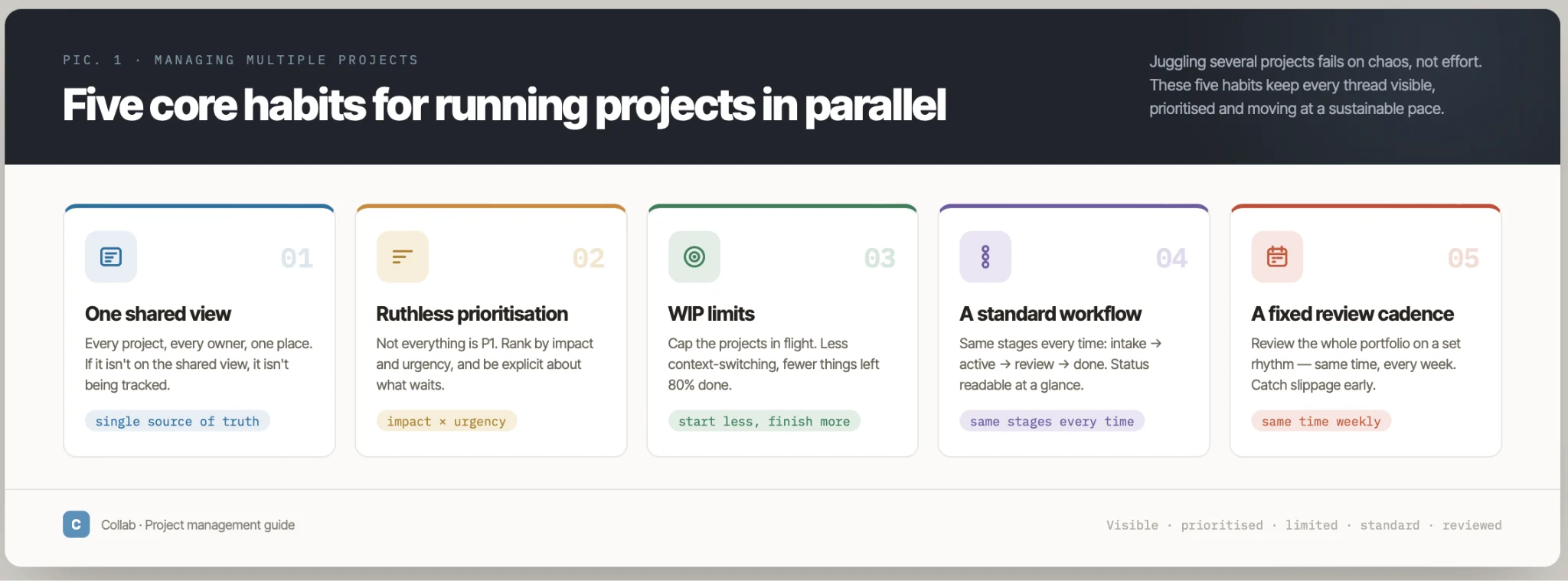
Pic. 1. The five core habits of managing multiple projects at once — one shared view, prioritisation, WIP limits, a standard workflow, and a fixed review cadence.
Why managing several projects is hard
Running projects concurrently can spread resources efficiently and create useful economies of scale — but it introduces predictable failure modes. Recognising them early is half the battle.
- Overload and stress. Constantly switching between tasks, owners and deadlines drives burnout and errors.
- Prioritisation conflicts. When everything is urgent, nothing is; resources get pulled toward whoever shouts loudest.
- Communication gaps. Multiple teams and stakeholders mean more chances for misalignment and duplicated work.
- Progress blind spots. Without a central view, slipping milestones stay invisible until they are late.
- Context switching. Every jump between projects carries a hidden cost to focus and quality.
- Colliding deadlines. Overlapping timelines create resource clashes that are hard to spot in isolation.
These pressures land differently on different roles. Project managers absorb the most delivery stress; team members risk confusion when priorities aren’t explicit; and senior leadership can lose strategic focus when too many initiatives run at once. The fix is rarely heroics — it is structure.
👉 What is the likely result of assigning people to multiple tasks at the same time? Without structure, it tends to reduce focus and increase stress, which lowers productivity and quality. Clear task ownership, open communication and the right tools reverse that, letting people handle parallel work with less friction.
Strategies that work
This is the core of the how-to. Four disciplines do most of the heavy lifting; treat them as a system rather than a menu.
1. Prioritise ruthlessly
Decide what matters before you decide what to do. Score work by impact and deadline, and use a simple framework to sort it — the Eisenhower matrix (urgent vs. important) or MoSCoW (Must, Should, Could, Won’t). Re-run the exercise on a fixed cadence, because priorities across a portfolio shift constantly.
2. Standardise your workflow
Give every project the same stages, the same status labels and the same definition of “done.” A consistent workflow means you can scan five projects the way you’d scan one, and hand work between people without re-explaining the process each time. Pick a methodology (Agile, Waterfall, or a hybrid) that matches the work and apply it uniformly.
3. Limit work in progress (WIP)
The fastest way to finish more is to start less. Cap how many tasks — or whole projects — are active at once, so effort concentrates on moving a few things to done instead of nudging many things forward. WIP limits are the single most effective guardrail against the context-switching tax.
4. Keep one source of truth and review on a cadence
Put every project into one shared view — a dashboard, board or overlay calendar — so status is visible without chasing updates. Then protect a recurring review (weekly is common) to reprioritise, surface blockers and adjust timelines. Delegation and clear communication ride on top of this: when the plan is visible, handoffs and check-ins get shorter.
👉 How do you manage 5 projects at once? Put all five in a single view, rank tasks by impact and deadline, cap active work so you finish before you start more, delegate against people’s strengths, and hold one short weekly review to reset priorities.
For deeper tactics on staying focused across projects, see our guides to time blocking, focus-time management, and calendar management.
Explore Our Use Cases for Multi-Project Management
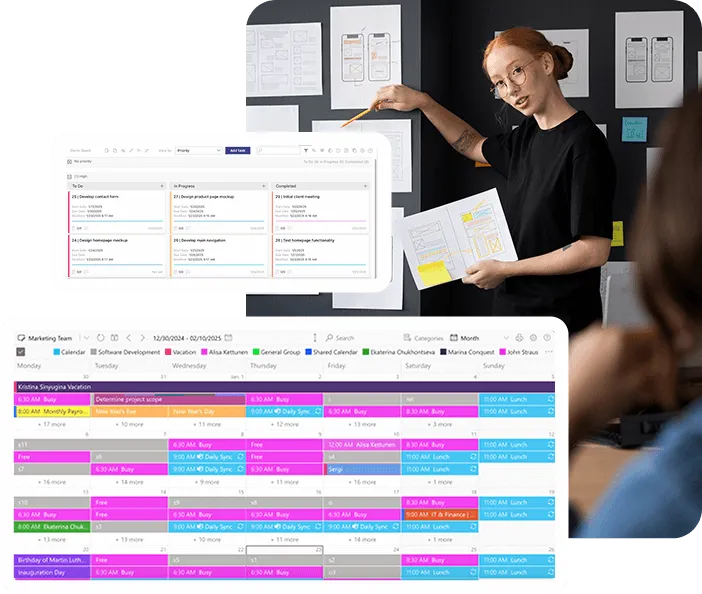
Enterprise Project Management Tools
Plan enterprise projects in Microsoft 365: milestones next to meetings in one calendar, tasks on Kanban boards, and email reminders before due dates in SharePoint lists.
Learn more about Enterprise Project Management Tools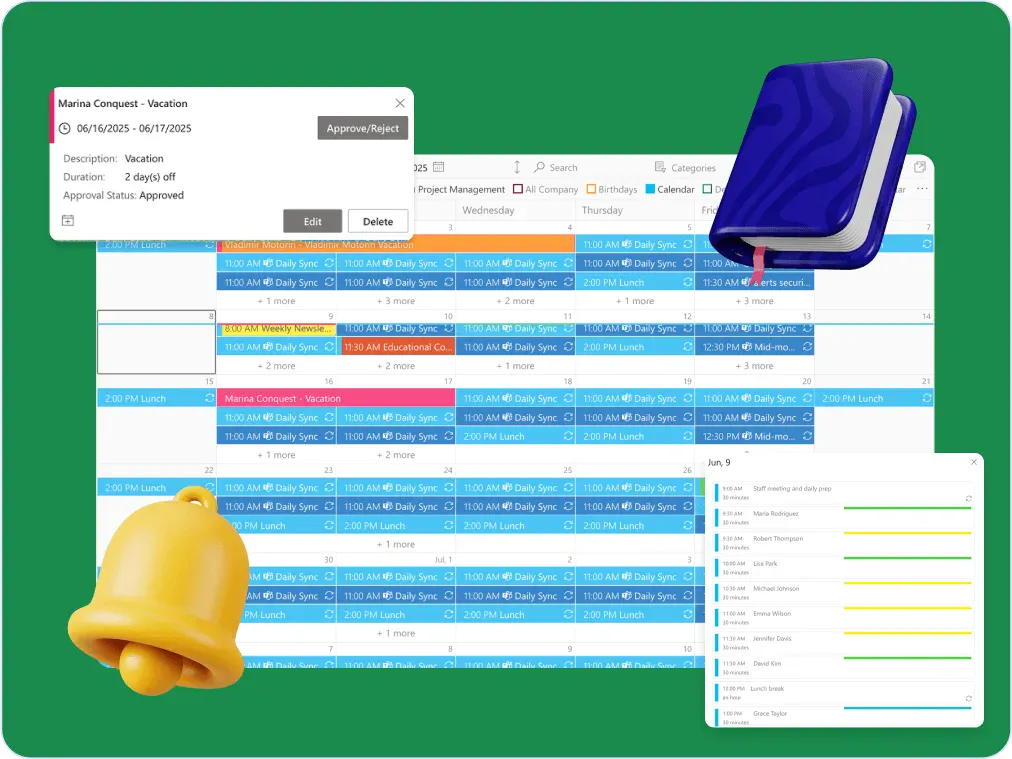
Master Schedule
The right master schedule makes it easier to manage moving parts. From cross-functional teams to external partners, everyone stays in the loop—and nothing slips through the cracks.
Learn more about Master Schedule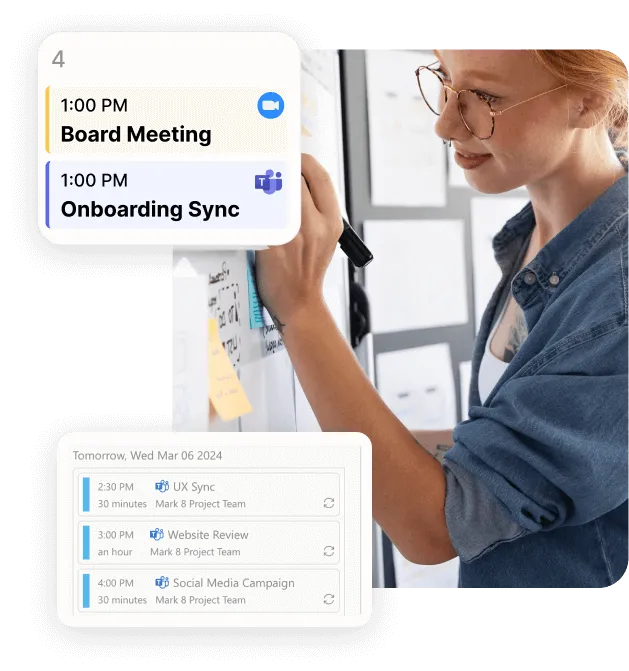
Team and Project Calendar
Maximize project visibility and coordination across teams with Virto Calendar, streamlining workflow and simplifying stakeholder communication.
Learn more about Team and Project CalendarTools for managing multiple projects
No tool fixes a broken process, but the right one makes a good process visible and repeatable. The table below compares the most common categories. Match the choice to your team’s size, project complexity, integration needs and budget.
| Tool | Best for | Multi-project strengths | Watch-outs |
|---|---|---|---|
| Asana | Creative & marketing teams | Lists, timelines and boards; portfolios roll several projects into one view. | Advanced portfolio/workload features sit on higher tiers. |
| Trello | Small teams & lightweight workflows | Simple card-and-board model; easy to run one board per project. | Thin on cross-project reporting as project count grows. |
| Jira | Software & agile teams | Strong issue tracking, sprints and cross-project boards/filters. | Steeper learning curve; can be heavy for non-engineering work. |
| monday.com | Cross-functional teams | Highly customizable workflows; Gantt, Kanban and list views per project. | Costs climb with seats and premium views. |
| Microsoft Planner (incl. premium plans, formerly Project for the web) | Microsoft 365 teams | Native boards, schedules and Teams/SharePoint integration; data stays in your tenant. | Reporting is basic; true Gantt (Timeline view) needs a Planner premium licence. |
| VirtoSoftware apps | Microsoft 365 / SharePoint teams | Kanban, Gantt and Calendar overlay give one view across projects — inside your own tenant. | Built for the Microsoft ecosystem; a 30-day free trial lets you test the fit. |
A few selection rules of thumb: creative and marketing teams do well with visual tools like Trello or Asana; software teams lean on Jira; and teams already living in Microsoft 365 get the tightest fit — and keep data inside their own tenant — with VirtoSoftware’s apps.
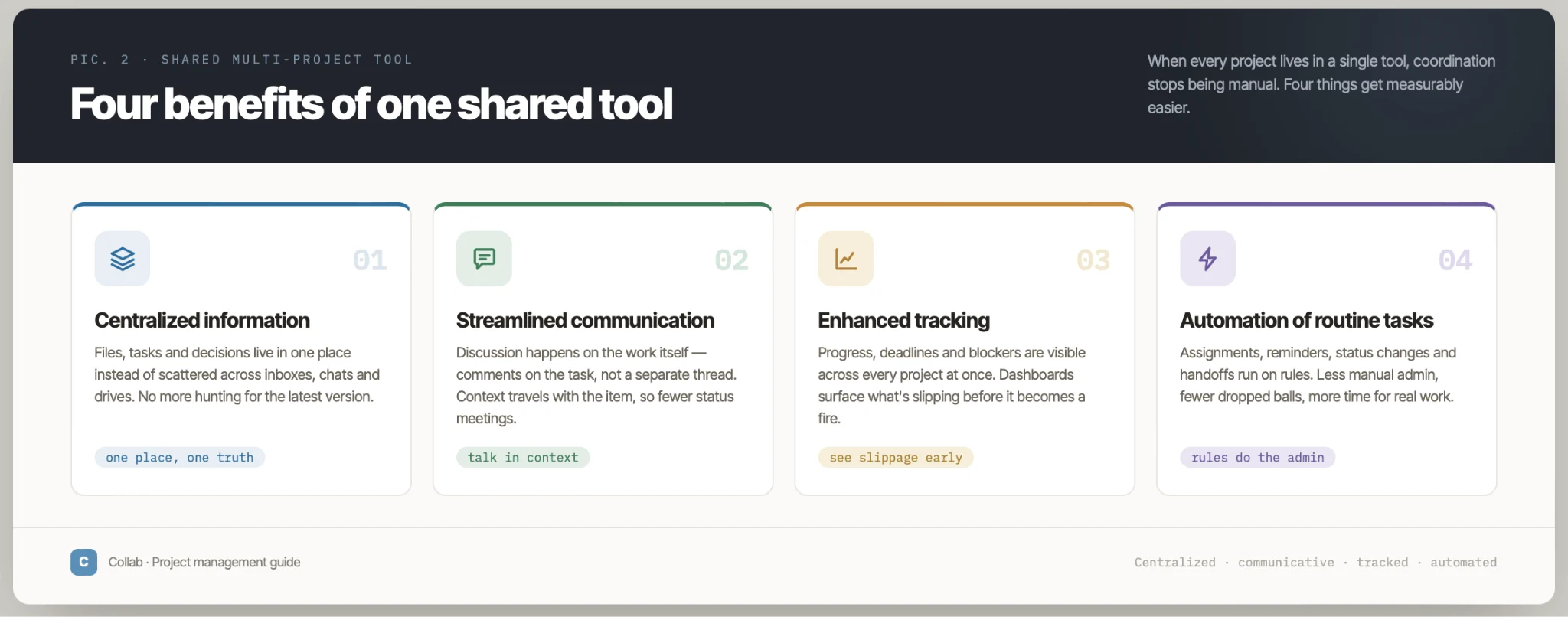
Pic. 2. Four benefits of a shared multi-project tool: centralized information, streamlined communication, enhanced tracking, and automation of routine tasks.
👉 What is a multi-project planner? It’s a tool that gives you one overview and control layer across every project — for resource allocation, scheduling and communication in one place. Asana, monday.com and Microsoft Project are common examples.
Doing it in Microsoft 365
If your organisation runs on Microsoft 365, you likely already have most of the building blocks: Planner for boards, Planner premium plans (the former Project for the web) for schedules, To Do for personal lists, Teams for communication and SharePoint for documents. For a full walkthrough of how these fit together, see our guide to Office 365 project management, and for the Teams-centric setup, project management in Microsoft Teams.
The native stack covers a lot, but two gaps show up fast when you scale past a single project: reporting is basic, and there’s no shared overlay that shows everything at once. That’s where add-in apps close the loop — which brings us to Virto.
With a Kanban board
A Kanban board is the most natural single view for multiple projects: columns for workflow stages, swimlanes to separate projects, and WIP limits baked in. There’s a specific method to running one board across many projects — one board vs. many, how to use swimlanes, how to avoid overload — and we cover it in depth in our dedicated guide to Kanban for multiple projects.
How VirtoSoftware apps help you manage multiple projects
VirtoSoftware builds task, calendar and project-management apps that run natively inside Microsoft Teams, SharePoint Online and SharePoint On-Premises — deployed in your own tenant, so your data never leaves your infrastructure. Three of them map directly onto the strategies above: the Virto Kanban Board App, the Virto Gantt Chart App, and the Virto Calendar App.
Virto Calendar App — one view across every schedule
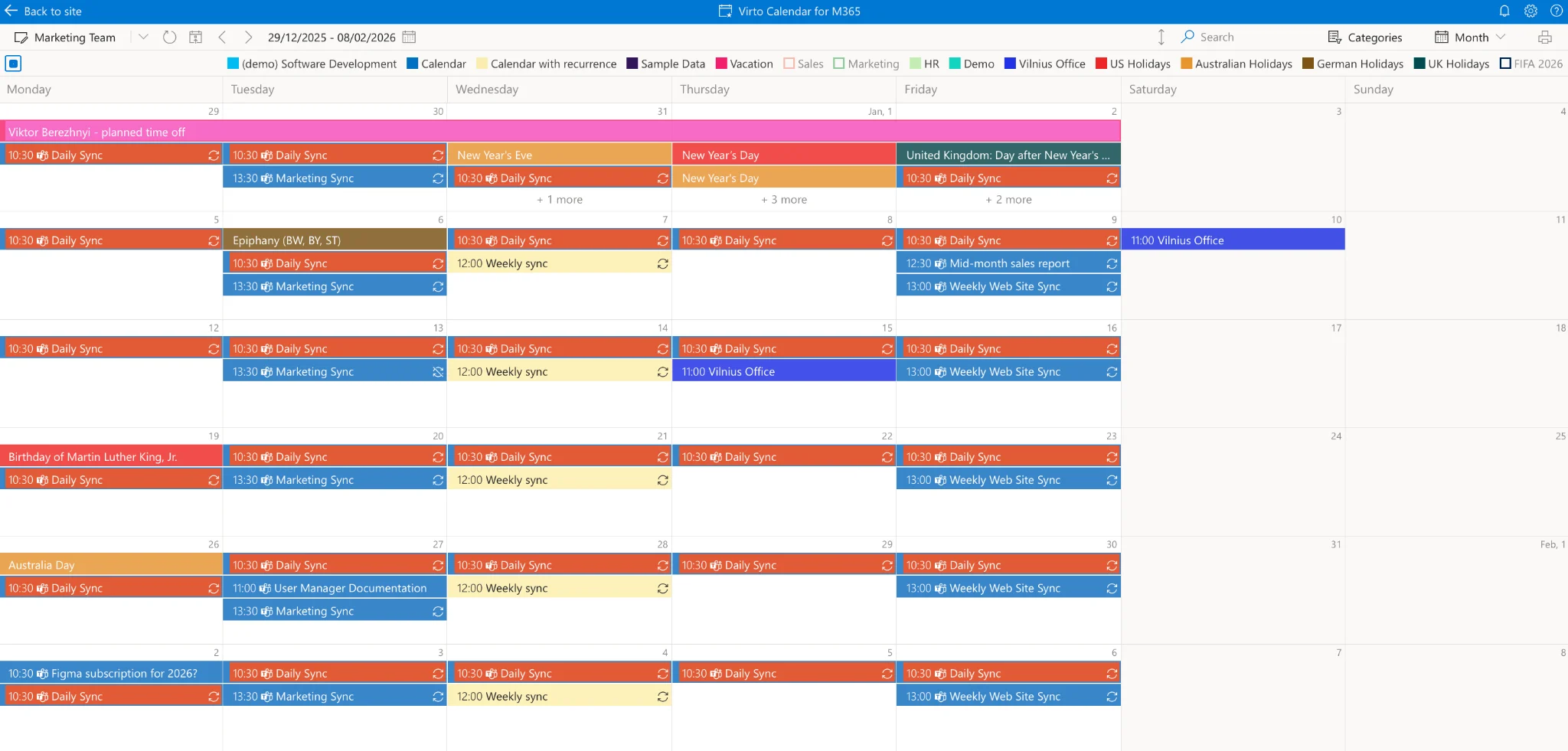
Pic. 3. The Virto Calendar App overlaying calendars from several projects in a single color-coded view.
Virto Calendar consolidates calendars from Exchange, Outlook, SharePoint, Google and more into a single overlay — the “one source of truth” for dates across your portfolio.
- Calendar overlay: combine calendars from different projects, teams and people into one view.
- Visual tracking: spot workload spikes and scheduling conflicts before they bite.
- Customizable views: filter by project, department or criteria to build focused project calendars.
- Collaboration: comment directly in the calendar, set reminders, and generate progress reports.
Virto Kanban Board — visualise work across projects
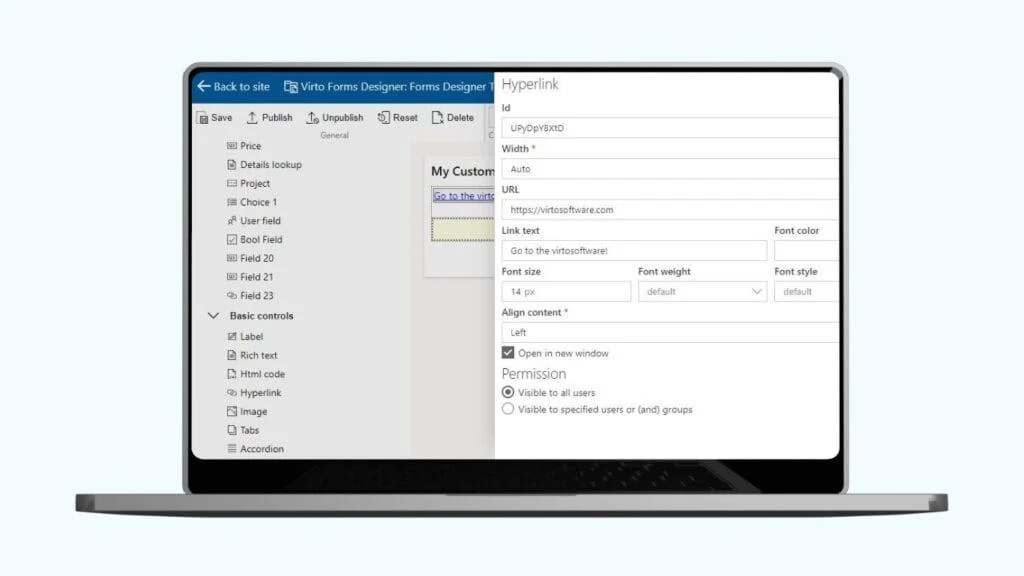
Pic. 4. The Virto Kanban Board App.
The Virto Kanban Board turns SharePoint lists into agile boards, making it easy to standardise workflow and enforce WIP limits across several projects at once.
- Workflow customization: columns per stage; drag tasks to reflect real-time progress.
- Workload management: WIP limits prevent overload and balance effort across projects.
- Task assignment & tracking: assign owners on the board, set deadlines, and generate progress reports.
- Cross-project views: filter by priority or project and merge tasks from multiple sources into one board.
Explore the Virto documentation for the full feature set, start a free 30-day trial of Virto Calendar or the Virto Kanban Board, or reach out to the Virto team for help tailoring a setup to your multi-project needs.
👉 How do you manage multiple projects with competing deadlines? Rank projects by impact and deadline, protect time for the highest-priority tasks first, renegotiate dates where you can, and keep stakeholders informed about progress and risks through one shared view.
Manage Multiple Projects with Virto Apps

FAQ
How do you organise multiple projects at work?
Keep all project information in one system, split work into boards or lists per project, categorise and prioritise tasks, and maintain a master schedule with the key dates from every project. Add a regular review to keep everyone aligned.
How do you keep track of multiple project timelines?
Use a centralized calendar or overlay that shows every deadline and milestone at once, and review it regularly so overlapping activities and resource clashes surface early.
How do you balance work across multiple projects?
Allocate specific time to each project so none gets starved, use prioritisation to focus on the most critical tasks, and adjust as deadlines approach.
What’s the best way to manage multiple projects?
There’s no single formula. The durable fundamentals are thoughtful planning, clear organisation, ruthless prioritisation, limited WIP and consistent communication — supported by a tool that keeps it all visible. Tailor a system around those pillars rather than chasing a perfect one.
Conclusion
Managing multiple projects well comes down to structure, not stamina: prioritise by impact, standardise your workflow, cap work in progress, keep one shared view, and review on a fixed cadence. The strategies compound when you run them together — and the right tool turns them from good intentions into a repeatable system.
If your team works in Microsoft 365, VirtoSoftware’s Kanban, and Calendar apps give you that single view inside your own tenant — each with a free 30-day trial. Explore more on our project management blog.
References
(1) Project management statistics — Rebel’s Guide to PM.
(2) Managing multiple projects research — Rebel’s Guide to PM.
(3) State of Project Management — Wellingtone.
(4) Project management and productivity — ResearchGate.