


VirtoSoftware Attendance Management Software
See who is in and who is away: Virto Calendar App puts shifts, leave and absences from every department on one Microsoft 365 calendar. Attendance itself is recorded in your HR or time-and-attendance system; the calendar shows the schedule around it.



Trusted by Industry Leaders












and over 8,000 businesses worldwide
Building an Attendance Management System That Respects Your Intelligence
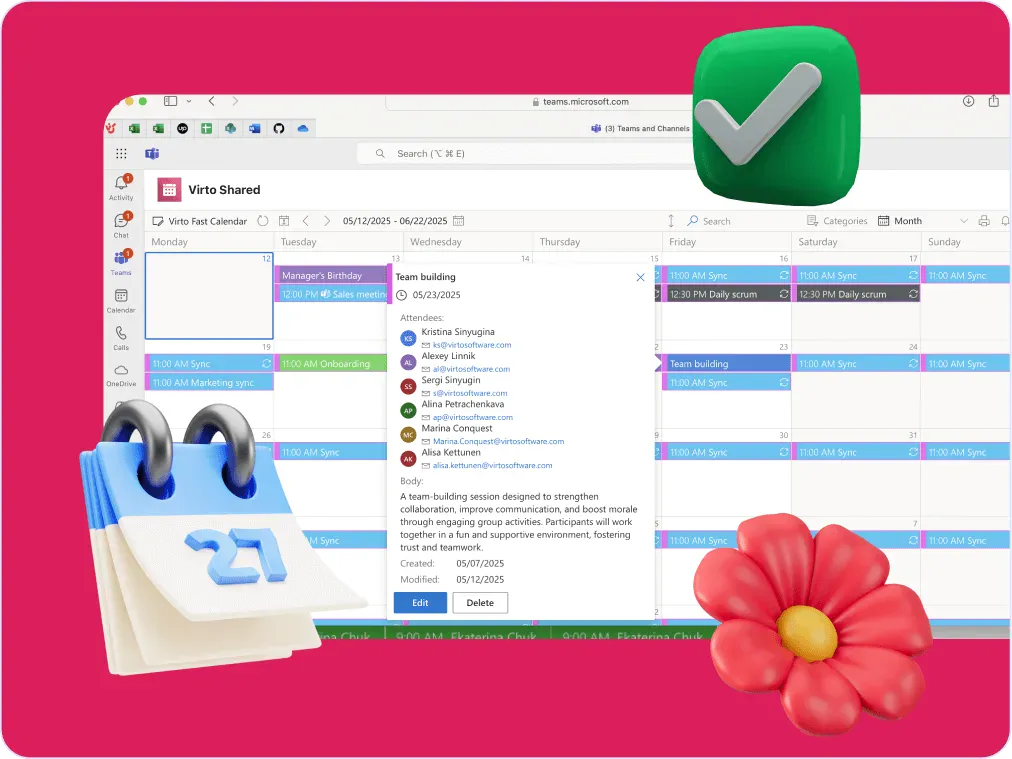
Virto Calendar App lays the shift lists, leave calendars and absence records you already keep in Microsoft 365 on one calendar, so everyone can see who is in, who is away and where cover is needed. Recording hours and attendance stays in the system that does it today.
Advanced coordination for sophisticated needs

Shift lists from every department, the leave calendar and public holiday feeds are overlaid in one colour-coded view, with filters by department or team. Attendance records, hours worked and payroll reports stay in your HR or time-and-attendance system.

Collaboration that connects the right people at the right time
Colour each department's shifts and lay cross-team projects next to the rota. Contractors join as guests of the SharePoint site, and with the client time zone setting everyone reads shifts in their own local time. Overlapping shifts are drawn side by side, so a double booking stands out; the calendar shows it, it does not block it.

Updates that keep pace with reality
When someone calls in sick, the change is made once, in the leave list or the Outlook calendar, and everyone who opens Virto Calendar App in Teams or SharePoint sees it. A shift can be moved to another day or time by drag and drop.

Virto Alerts & Reminder App tells the people concerned by email or in Teams when an item in the shift or leave list changes, and reminds them before the date. Virto Calendar App itself sends no notifications.

Key benefits

All your schedules in one place
Shifts, leave, absences and holidays already live in Microsoft 365, in SharePoint lists, Outlook and group calendars. Virto Calendar App lays them on one calendar, so nobody digs through email chains or hunts down the latest version of a spreadsheet. The records stay where they are, in your tenant.
Records stay where they belong
Virto Calendar App shows schedules; it does not produce audit reports or check labour-law rules. Attendance records and the reports an auditor asks for stay in your HR or time-and-attendance system, and the calendar content stays in your Microsoft 365 tenant under the permissions it already has.
Coordination that prevents the usual disasters
Overlapping shifts sit side by side on the shared calendar, so a double booking stands out before it turns into a gap. Fewer 'wait, who's supposed to be here?' moments, and smoother operations where people show up when and where they're needed.
Start simple, add sources later
Start with one shift list and a leave calendar. Add more departments, room mailboxes, Planner plans or public holiday feeds when you need them, each with its own colour and filter.
Get your time back from administrative tasks
Stop copying shifts and absences into a separate spreadsheet: the calendar reads the lists and calendars where they are already kept, so there is one schedule to update instead of three. Less time on paperwork, more on the work that actually moves your business forward.
See the pattern before you plan
Year Quarter and Flat Year views show months of shifts and leave at once, so busy seasons and thin weeks are visible when you plan the next rota. Virto Calendar App shows the schedule; attendance statistics come from your HR or time-and-attendance system.
When Virto Calendar App fits — and when it does not
Each department keeps its shifts in a SharePoint list, and leave is approved in an HR list or a shared Outlook calendar.
The shift lists and the leave calendar are overlaid in one view with a colour per department, so a manager sees gaps in cover before the day starts.
Requests are items in a SharePoint list with content approval turned on.
Managers approve or reject each request in the calendar, and every item is coloured by its approval status, so pending leave sits right next to the rota.
People outside the organisation see the calendar as guests of the SharePoint site, under the permissions the site gives them. There are no anonymous share links.
Virto Alerts & Reminder App sends email and Teams reminders on the dates in your SharePoint shift or leave list, and alerts people when an item changes.
Virto Calendar App shows who is scheduled and who is away. It does not record attendance or working hours and produces no reports; those stay in the system that records them.
Virto Calendar App
Put everyone's attendance and shifts on one calendar



Integrations
Connect to the tools your teams use the most so everyone works seamlessly in one place.







Related use cases
Discover our range of use cases to take your planning and coordination to another level
Availability Calendar
Virto Calendar App draws every team member's calendar in one Outlook view — busy time, vacations and shared meetings, under the permissions each source already has.
Learn more about Availability CalendarSprint Calendar
Stay in sync and sprint with style: planning, stand-ups, reviews and retros in one shared sprint calendar, color-coded, in a browser or in Microsoft Teams, and shared by link with the whole team.
Learn more about Sprint CalendarCustomer Support Schedule
One shared rota for on-call shifts, PTO and night rotations, tagged by tier. Agents check it in Teams or on a phone, and part-timers or partners open it from a link, no Microsoft account needed.
Learn more about Customer Support ScheduleComprehensive support, security, and integration
Our commitment to excellence in every aspect of your experience

Support
Get your questions answered by our global support team of VirtoSoftware product experts, available 24/7/365.

Security
We build our solutions with you in mind to give you control and visibility over access, data, and security.

Integrations
Connect to the M365 tools and internet calendars your teams use the most so that everyone works seamlessly in one place.
Talk to our team
Need clarity on our app's suitability for you? Set up a quick call with us or chat via Microsoft Teams chat to explore its potential for your needs.