


One Screen. One Year. Every Critical Date.
Give the CEO and COO one live annual view of approved strategic milestones, launches, board and QBR dates and annual targets by theme in Microsoft 365 — the whole operating year on one screen.



Trusted by Industry Leaders












and over 8,000 businesses worldwide
A Governed Annual View for Leadership
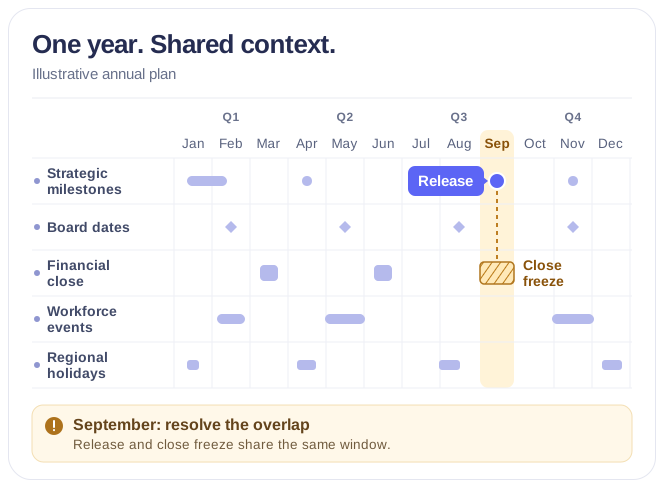
Connect the dates that can change the plan without creating another calendar or duplicating departmental data.
Quarter
One strategic view of the year
Leadership-level focus
Board meetings, launches, governance milestones and annual targets sit on the same year as the roadmap meant to deliver them, while operational noise stays out of the executive view.
Targets against the work meant to deliver them
Annual goals grouped by theme — growth, customer experience, financial resilience, operational excellence, people and culture, sustainability — sit on the same year as the roadmap and go-to-market commitments, so a target is read next to the delivery that carries it.
Three sources, three colours
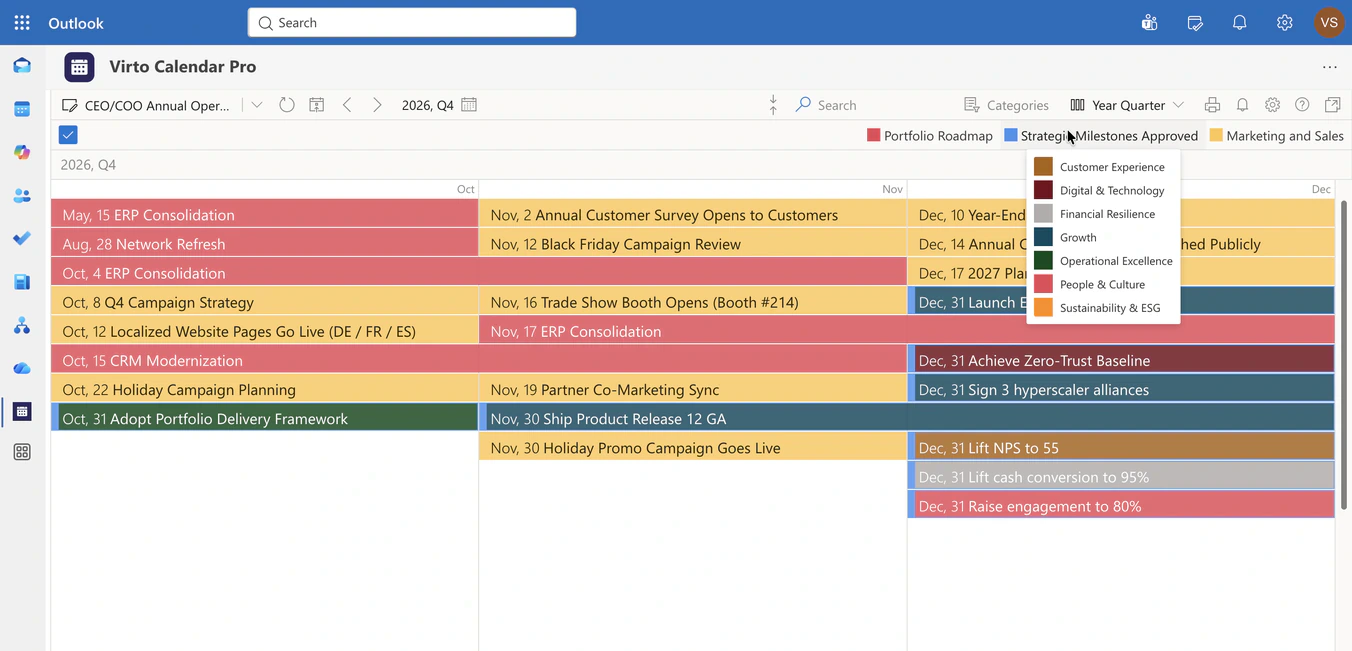
The portfolio roadmap, the approved strategic milestones and the marketing and sales calendar keep their own colours, so a crowded quarter shows which of them filled it.
Flat Year
Live dates from existing systems
Microsoft 365 source overlay
Combine Exchange calendars, SharePoint Lists, Microsoft 365 groups and internet calendar feeds without migrating or re-entering events — finance, HR, marketing, operations and governance teams keep maintaining dates in the tools where they already work.
The year on one screen
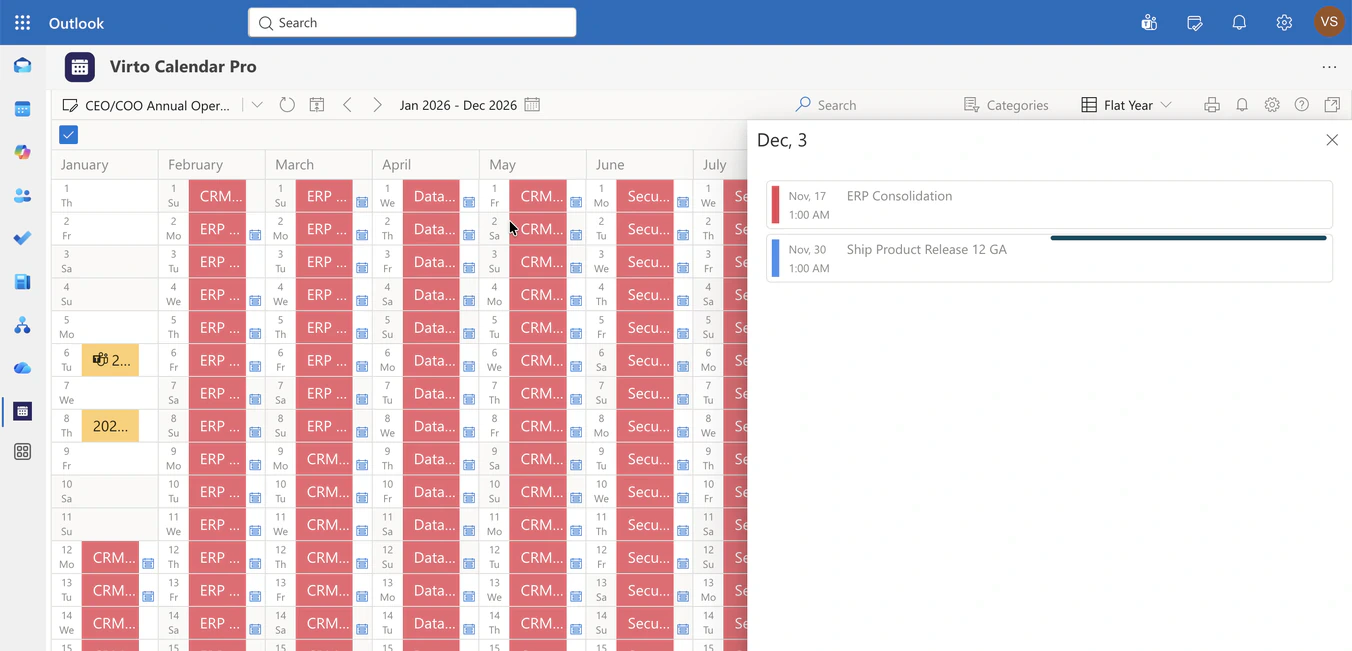
Flat Year lays all twelve months side by side, so a leader reads density, dependencies and timing conflicts across the annual plan without switching periods.
Approved for the executive calendar
The executive view reads a filtered view of each department's list — only the records marked approved for the executive calendar, with a strategic level and an executive owner. Everything else stays in the department.
Month
Controlled executive context
Color-coded strategic layers
Categories and source colors separate roadmap work, approved milestones and go-to-market dates at a glance, so a campaign is never read as a release.
Microsoft 365 permissions
Preserve access boundaries and display availability or strategic context without exposing private event details to unintended audiences.
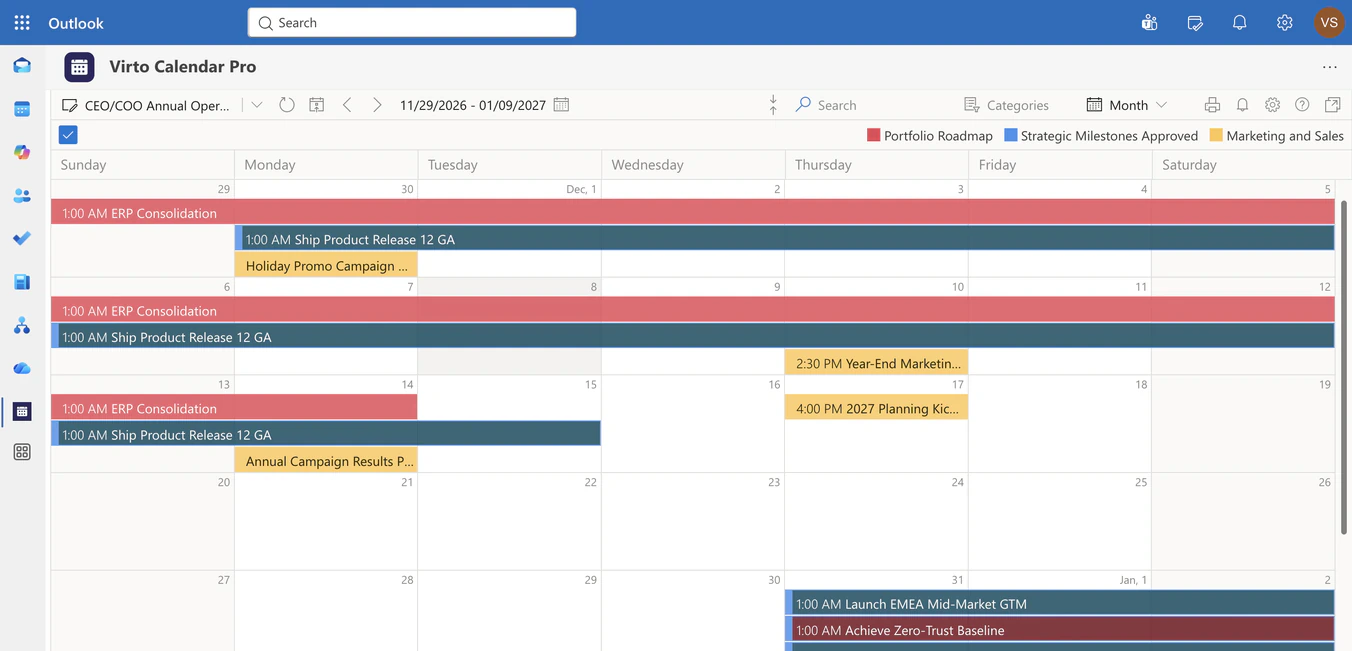
Month for the drill-down
Year Quarter for the quarterly operating review, Flat Year for the plan, Month when a leader wants the weeks around one commitment — same sources, same colours.
Key benefits

Annual visibility without manual consolidation
Replace spreadsheet rollups and presentation snapshots with a live overlay of the source calendars departments already maintain.
Earlier conflict detection
Spot crowded periods and collisions between launches, board dates, governance gates and go-to-market commitments across the full year.
Executive-ready focus
Filter the combined calendar to the milestones and decisions that matter to senior leaders.
Regional business context
Overlay public holidays and country calendars to understand when global teams, customers, and offices are available.
Permission-aware visibility
Respect Microsoft 365 access rules while presenting the level of information each leadership audience is allowed to see.
Flexible calendar scales
Move from Flat Year to quarter, month, week, or task-oriented views without rebuilding the underlying source setup.
The right tool for your annual plan
The roadmap, the strategic targets and the commercial commitments are owned by different teams.

All three are drawn on one twelve-month view, so a leader sees where delivery and targets have drifted apart without asking for a status deck. Use the same app in Microsoft 365 or Microsoft Teams.
The roadmap is owned by product, the board calendar by the corporate secretary.
Both are drawn on the same quarter with their own colours, so the collision is visible before either date is confirmed.
Virto Calendar App shows when a milestone falls and how dense the year is. Status, budgets, resourcing and roll-ups stay in the portfolio tool that owns them.
Virto Calendar App
Put the whole business year on one screen
Related products


Integrations
Connect to the tools your teams use the most so everyone works seamlessly in one place.







Related use cases
Discover our range of use cases to take your planning and coordination to another level
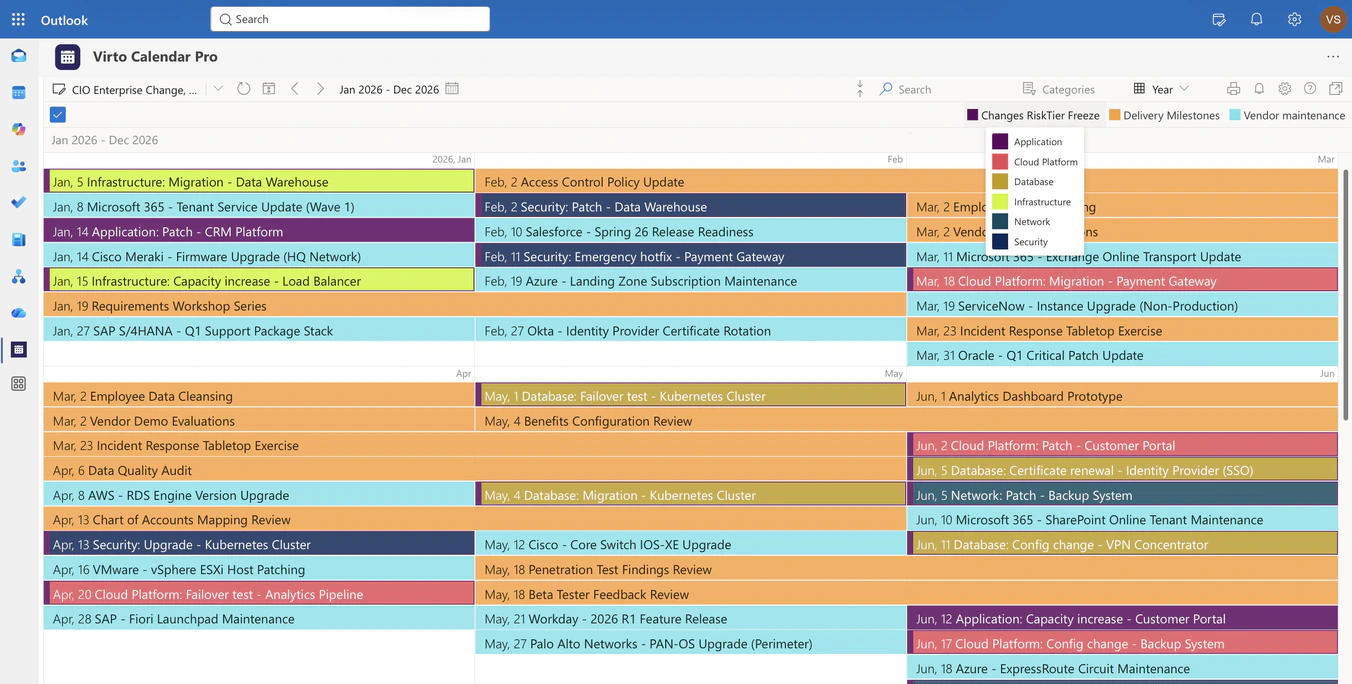
CIO Change, Release & Freeze Calendar
Overlay change records, release milestones, freeze windows and vendor maintenance in one Microsoft 365 year view, so the CIO sees the collision before the change is approved.
Learn more about CIO Change, Release & Freeze Calendar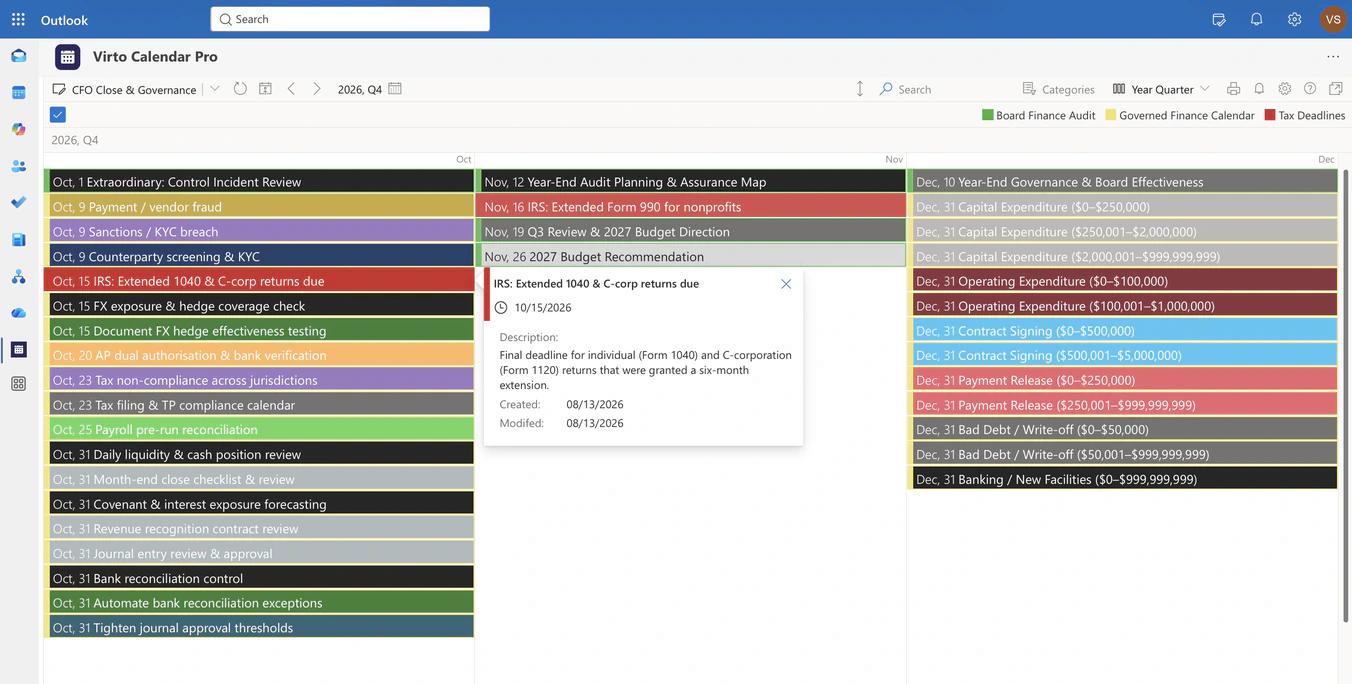
CFO Close, Reporting & Governance Calendar
Overlay finance registers, board and audit calendars and statutory feeds in one Microsoft 365 year view, so the CFO sees close windows, filing deadlines and board dates in sequence.
Learn more about CFO Close, Reporting & Governance Calendar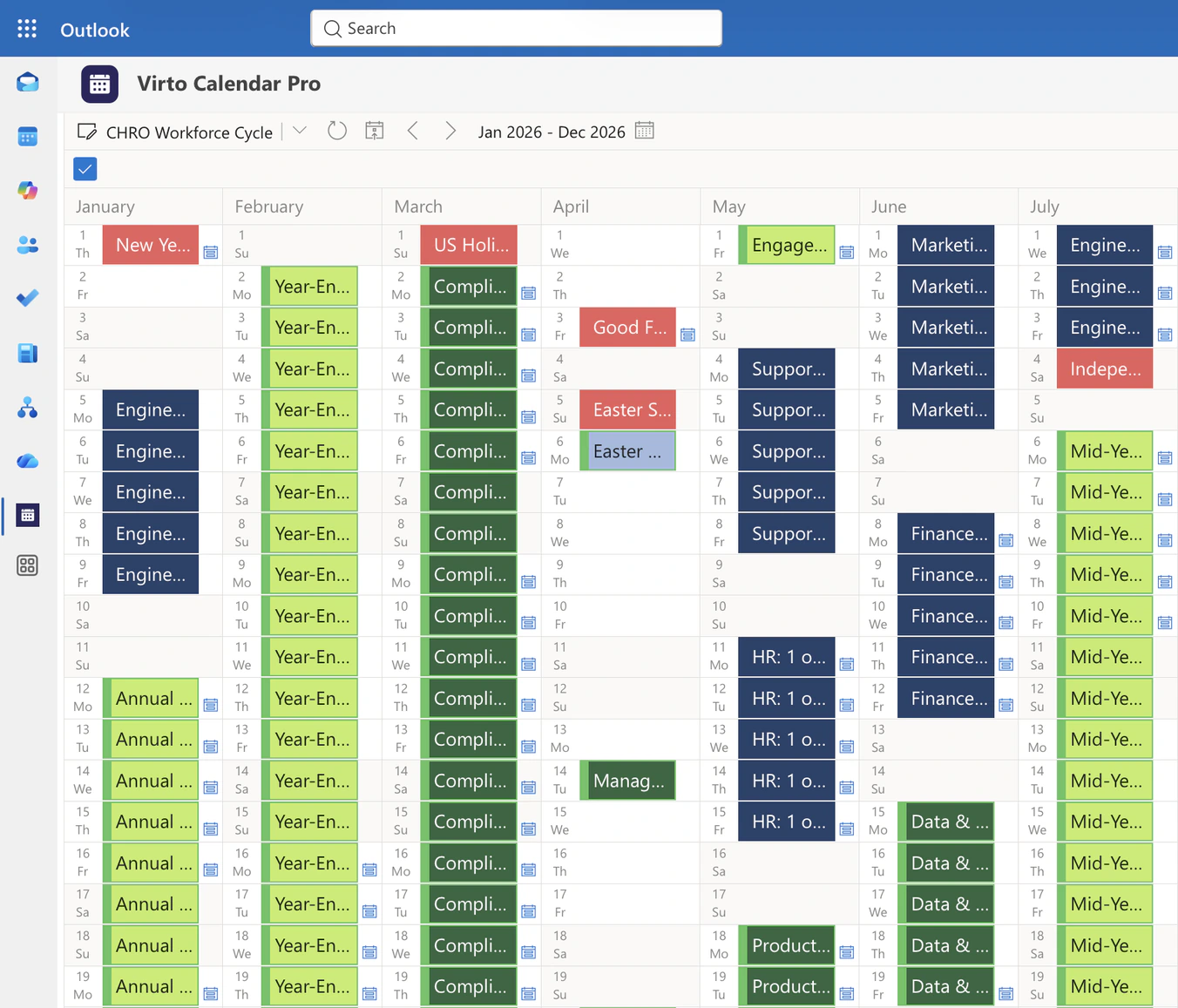
CHRO Workforce Cycle & Capacity Calendar
Overlay team-level absence load, learning and talent programmes, closures and country holidays in one Microsoft 365 year view, so the CHRO plans reviews around thin coverage without opening anyone's record.
Learn more about CHRO Workforce Cycle & Capacity CalendarComprehensive support, security, and integration
Our commitment to excellence in every aspect of your experience

Support
Get your questions answered by our global support team of VirtoSoftware product experts, available 24/7/365.

Security
We build our solutions with you in mind to give you control and visibility over access, data, and security.

Integrations
Connect to the M365 tools and internet calendars your teams use the most so that everyone works seamlessly in one place.
Talk to our team
Need clarity on our app's suitability for you? Set up a quick call with us or chat via Microsoft Teams chat to explore its potential for your needs.