


Cross-Departmental Event Coordination Calendar
Sales, Product, Marketing and regional groups keep their own Microsoft 365 Group calendars. Virto Calendar App draws them in one view — Week, Month, Year and Year Quarter — so shared dates and collisions are visible early.



Trusted by Industry Leaders












and over 8,000 businesses worldwide
Every Department's Dates, One Microsoft 365 View
Each team keeps its own Microsoft 365 Group calendar. Virto Calendar App reads them together, so shared dates and collisions are visible while they can still move.
Year Quarter
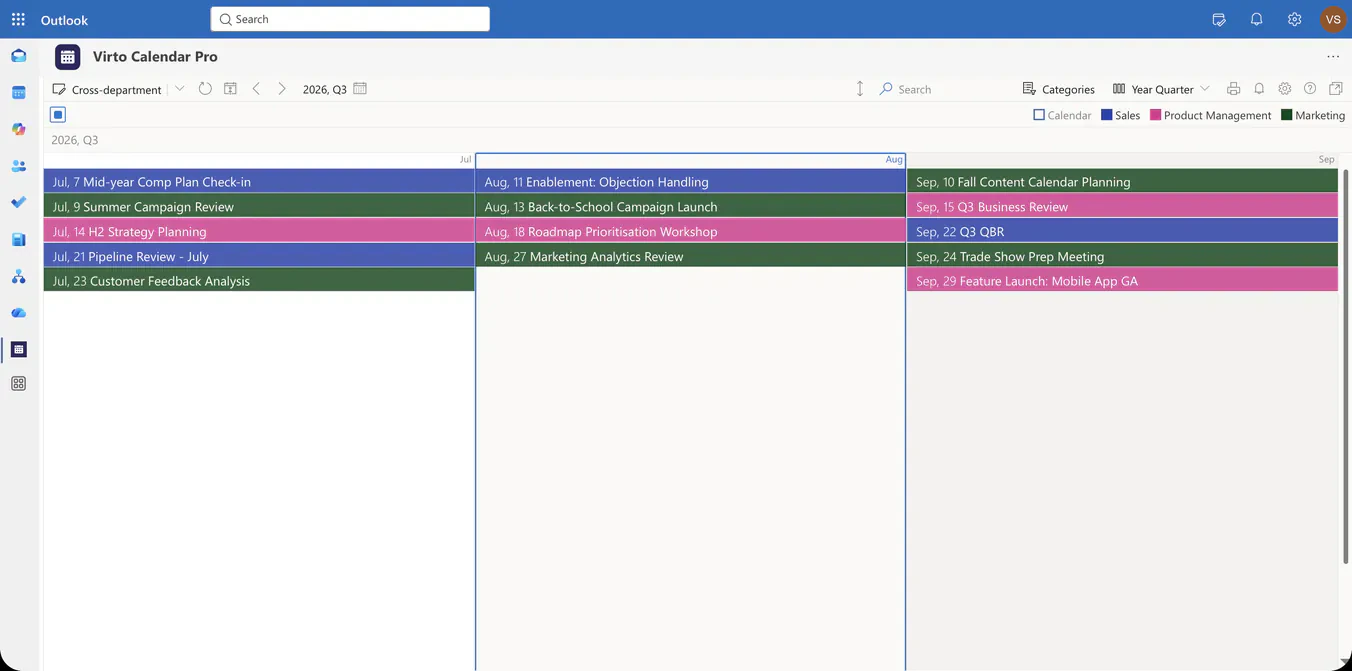
A quarter of every department's dates
Three groups, one grid
Sales keeps its pipeline reviews and kickoff, Product Management its roadmap workshops and launches, Marketing its campaigns and trade shows. Each group's Microsoft 365 calendar stays where it is; Virto Calendar App overlays them in one view.
Collisions visible early
A Q3 business review, a trade-show prep meeting and a mobile-app launch in the same fortnight are read on one screen. The calendar shows the overlap while the dates can still move; which one moves stays a decision for the teams.
Colour by owner
Each source carries its own colour and the legend names it, so a reader tells a Sales date from a Marketing one without opening the event.
Year
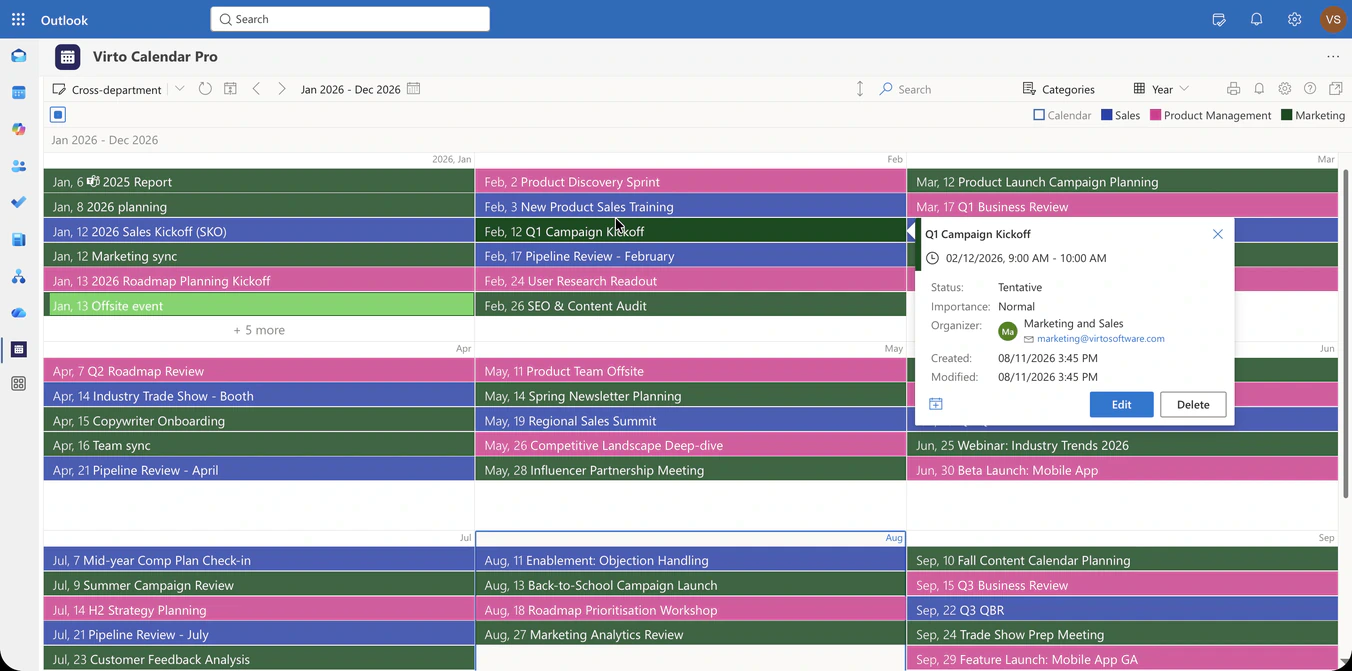
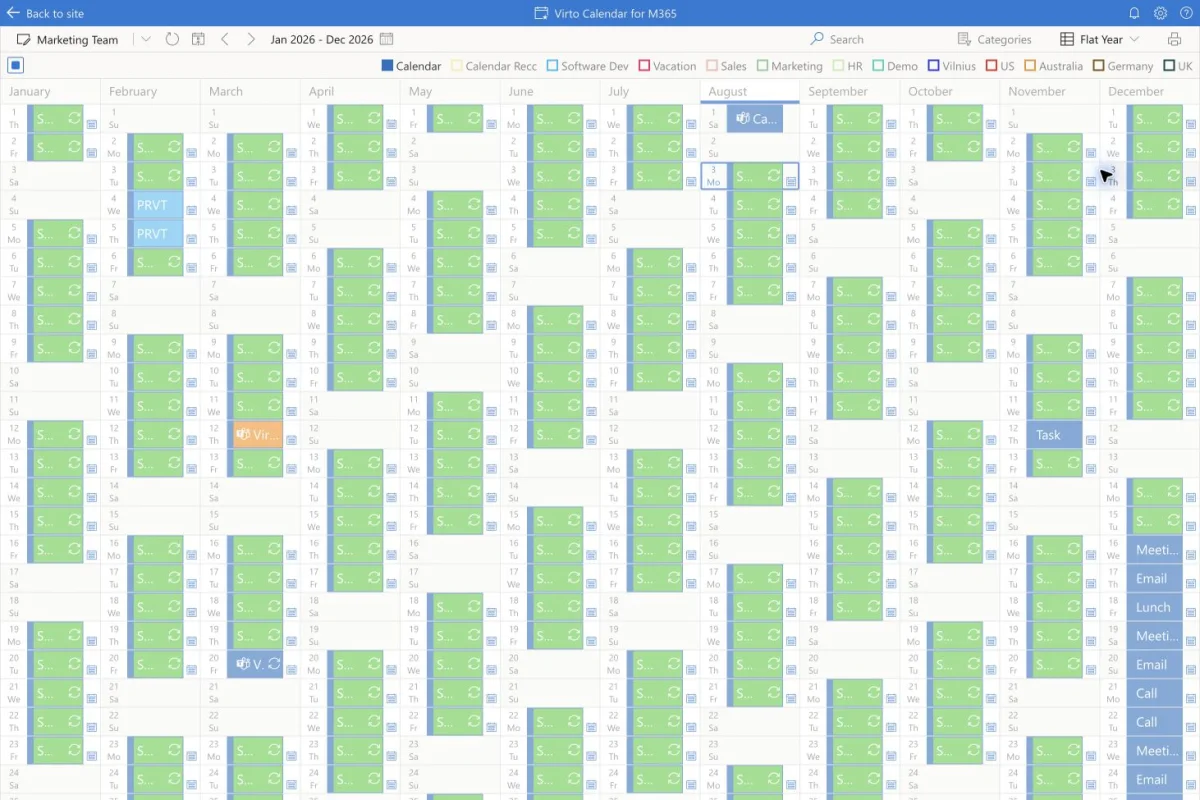
The whole year, group by group
Microsoft 365 Group calendars as the source
Sales, Product, Legal, Support or a regional group already keep a Group calendar. Virto Calendar App connects those calendars; nothing is migrated, re-entered or duplicated.
Ownership stays where it is
A department edits its dates in its own calendar, under the permissions it already has. The rollup reads those calendars; it does not become a second place to maintain them.
Categories are agreed per group
Each group keeps the category names and colours it uses today. Virto Calendar App does not merge them into one company-wide taxonomy: a colour per source tells the groups apart, and a shared scheme is something the groups agree on, not something the calendar imposes.
Month
From this week to the whole year
Week and Month for the near term
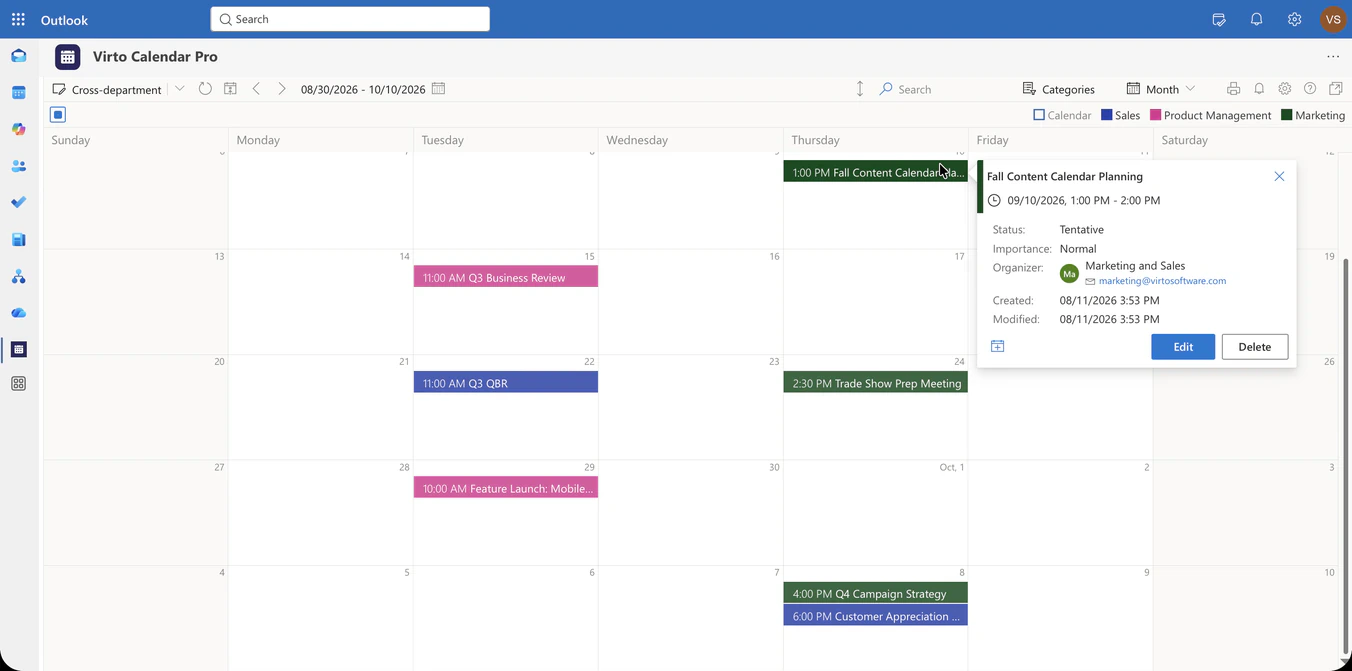
Week shows what the departments have in the next few days; Month shows the four weeks around a launch, with each group's events in its colour.
Year and Year Quarter for the whole timeline
Year lays twelve months out by quarter; Year Quarter opens one quarter with full event titles. Both are for spotting where autonomous teams land on the same dates, months ahead.
Regions read the same way
A regional group's calendar is one more source. An EMEA or APAC operations group appears next to the departments, in its own colour, on every view.
Key benefits

One view, several owners
Departments and regions keep their own Microsoft 365 Group calendars. Virto Calendar App reads them together instead of asking anyone to maintain a second calendar.
Overlaps visible while dates can still move
A launch, a review and a trade show from three teams show up in the same fortnight on one screen. The calendar shows the collision early; it does not prevent it or decide which date moves.
Week to Year Quarter
Week and Month for the near term, Year and Year Quarter for the whole timeline — the same sources on every view.
Colour per source
Each group carries its own colour and the legend names it, so a date's owner is never in doubt.
Permissions follow the source
The rollup shows what each Group calendar already shares. Access rules stay in Microsoft 365, not in a copy.
Categories agreed, not imposed
Groups keep their own category names and colours. A shared scheme is a decision the groups make; Virto Calendar App does not unify taxonomies for them.
The right tool for cross-department dates
Sales, Product and Marketing each keep their own Microsoft 365 Group calendar.

The three calendars are drawn on one Year Quarter view, so the overlap is visible while the dates can still move. The same app runs in Microsoft 365 and in Microsoft Teams.
EMEA, APAC and Americas operations keep their own group calendars and their own holidays.
Each region is one more source in its own colour, so a regional close or a local holiday is read next to a company-wide launch.
Virto Calendar App keeps each group's categories and colours as they are and tells the sources apart by colour. A common scheme is something the groups agree on in their own calendars; the app does not merge or rename categories for them.
The calendar shows the collision. Moving a launch or a review is a decision the owning team makes and records in its own Group calendar; the rollup reflects it as soon as it changes.
Virto Calendar App
Put every department's dates on one screen
Related products


Integrations
Connect to the tools your teams use the most so everyone works seamlessly in one place.







Related use cases
Discover our range of use cases to take your planning and coordination to another level
Executive Annual Calendar
Overlay approved strategic milestones, launches, board and QBR dates and annual targets by theme in one live annual calendar for the CEO and COO.
Learn more about Executive Annual Calendar
Calendar for Interdepartmental Communication
Help your departments work better together with Virto Calendar for Microsoft 365. Coordinate meetings, share resources, and manage cross-department projects in one place.
Learn more about Calendar for Interdepartmental Communication
Event Calendar
Effortlessly plan and execute corporate meetings and events with our feature-rich calendar. Ensure real-time visibility for both internal and external users.
Learn more about Event CalendarWorking across departments

Comprehensive support, security, and integration
Our commitment to excellence in every aspect of your experience

Support
Get your questions answered by our global support team of VirtoSoftware product experts, available 24/7/365.

Security
We build our solutions with you in mind to give you control and visibility over access, data, and security.

Integrations
Connect to the M365 tools and internet calendars your teams use the most so that everyone works seamlessly in one place.
Talk to our team
Need clarity on our app's suitability for you? Set up a quick call with us or chat via Microsoft Teams chat to explore its potential for your needs.