


Marketing Calendar Solution
Virto Calendar App draws the Planner campaign plan and the campaign group calendar on one timeline: the work, next to the date it was promised for.



Trusted by Industry Leaders












and over 8,000 businesses worldwide
Two sources, one timeline
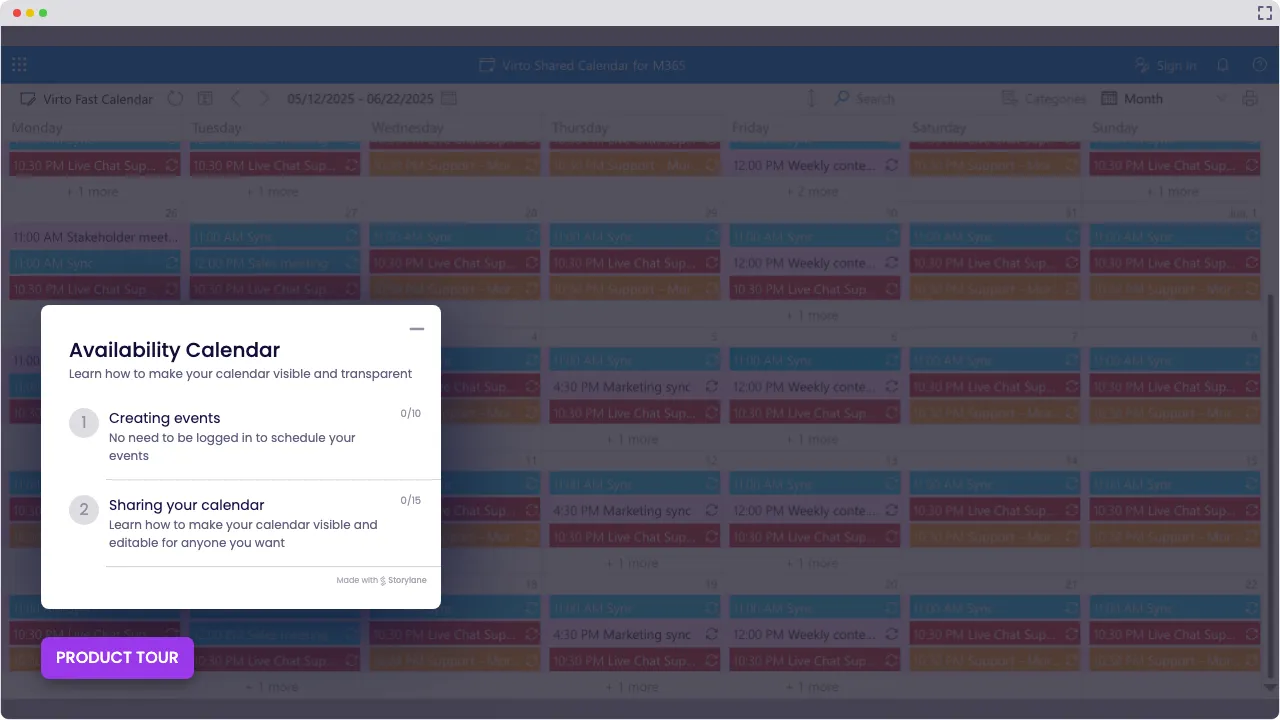
Launch Interactive Demo
Simplify How You Plan and Execute Marketing
Simplify how you plan and execute marketing initiatives. Virto Calendar App M365 draws the Planner campaign plan and the campaign group calendar on one timeline, so the work is read next to the date it was promised for.
Marketing that moves with you

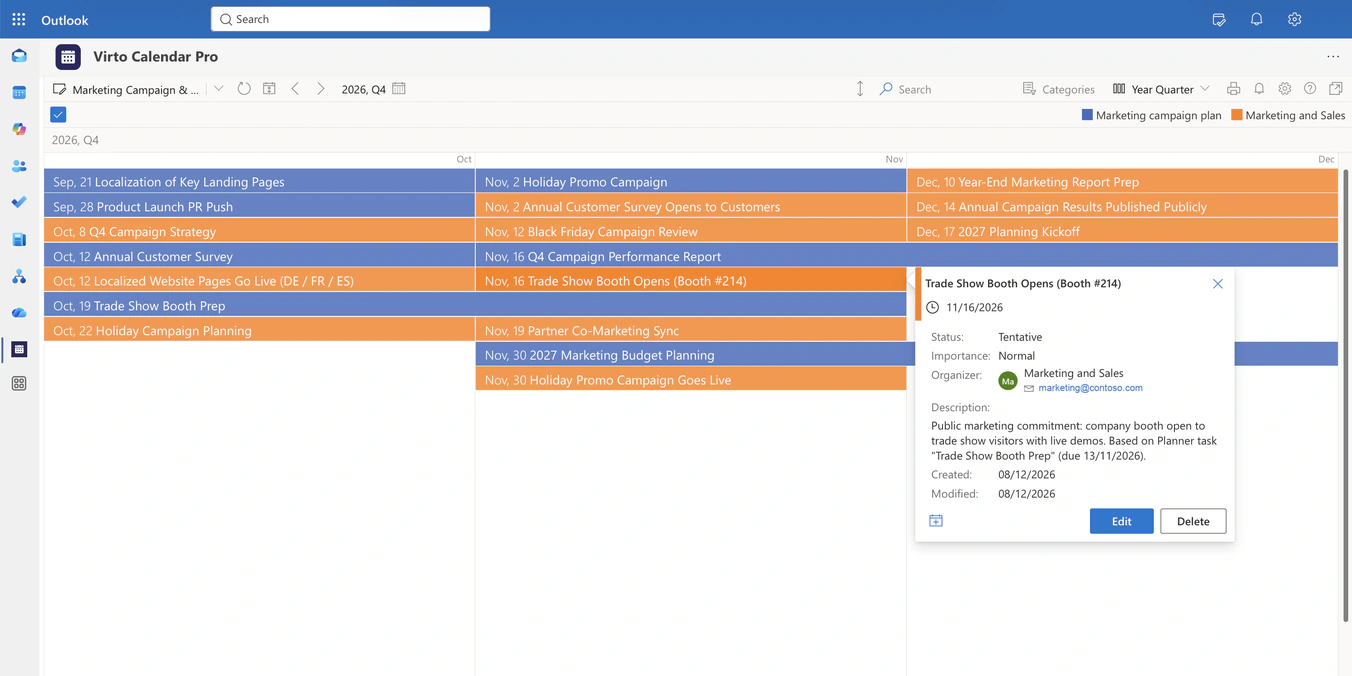
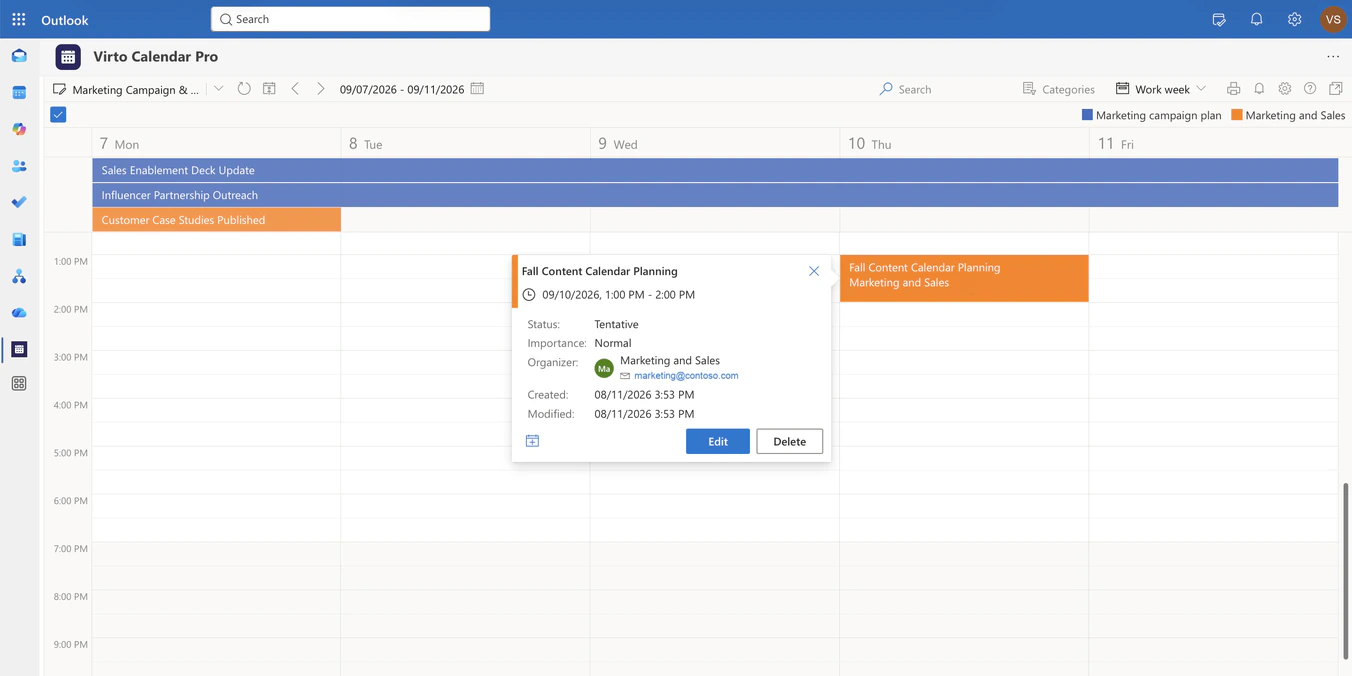
Campaign work from Planner and public dates from the campaign's Microsoft 365 Group calendar are drawn on one timeline. A blue bar for the booth prep runs into the orange date the booth opens, so the team reads the work next to the commitment it serves.

Working with an agency or freelancers outside your Microsoft 365? Put the campaign dates in Virto Shared Calendar and send them a link: they open the calendar in a browser with no Microsoft account and no login.
Each source stays where it lives
Planner stays the place where the campaign is planned. Virto Calendar App shows its tasks by due date and does not edit them; the public dates stay in the group calendar the marketing team already shares, under the permissions it already has.
Virto Shared Calendar keeps its own events: tag each campaign by channel with its own color, and add launch dates from another calendar through its iCal link.
One plan, a view for every question
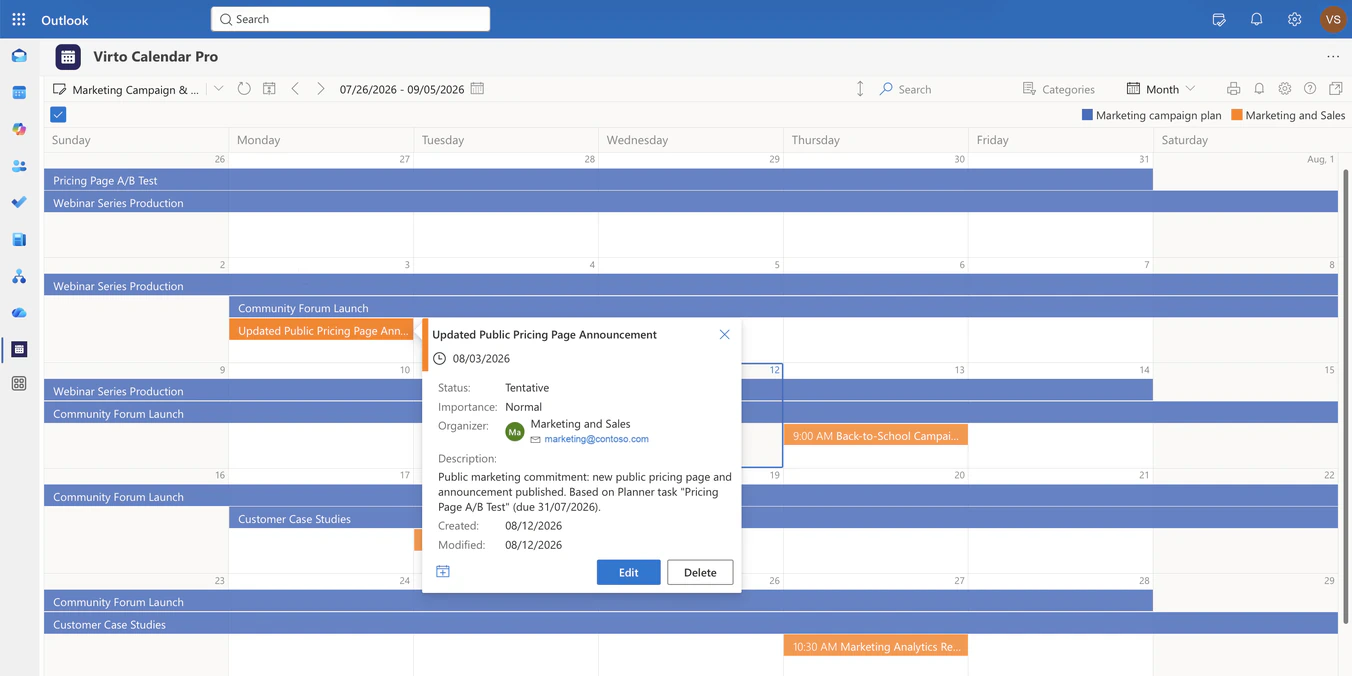
Month, Work Week and Year Quarter are views of the same two sources. Year Quarter answers whether the prep lands before the go-live date; Work Week shows what the launch team is on this week.
Does the team just need one simple shared campaign calendar? Virto Shared Calendar opens in Microsoft Teams, in a browser or on a phone, and its free plan covers up to 15 calendar entries for each user.
Key benefits

Real-time marketing calendar access
Keep your team aligned with a digital marketing calendar accessible from anywhere in Microsoft 365. Share updates instantly for fast decision-making across teams.
Work and go-live on one timeline
The Planner campaign plan and the public dates from the campaign group calendar are drawn together in Virto Calendar App, so a launch is read next to the work behind it.
Color-coded milestone tracking
Assign visual tags and colors to each campaign stage in your marketing campaign calendar. Spot delays early and adjust schedules to avoid missed deadlines.
Cross-tool calendar integration
Overlay calendars from SharePoint, Outlook, or Google (through an iCal feed) into one marketing schedule. Overlapping dates sit side by side, so a clash between channels is easy to spot and messaging stays consistent.
Role-based calendar permissions
Control who can edit or view your marketing calendars. Reduce the risk of unauthorized changes while keeping stakeholders informed with view-only access.
Planner stays the plan
Tasks appear by due date, read from Planner. Nobody edits the plan from the calendar, and the public dates keep living in the group calendar the team already shares.
When to Use Virto Calendar App M365 or Virto Shared Calendar: Real-World Scenarios
Enterprise managing global product launches and region-specific campaigns
Each region’s campaign calendar is overlaid in one colour-coded view, so a global launch is read next to the regional campaigns around it.
Marketing team running multiple campaigns across channels
Each channel’s calendar or list gets its own colour, and legends and filters narrow the view to one channel or campaign.
Remote marketing team coordinating campaigns across time zones
With the client time zone setting on, each marketer reads go-live dates and meetings in their own local time.
A campaign manager keeps the plan in Planner and the public dates in the campaign group calendar.
Both sources sit on one timeline, so the prep bar and the go-live date are read together while the date can still move. The same app in Microsoft 365 or Microsoft Teams.
Outside partners who are not in your Microsoft 365
Send a view-only or edit link. Agencies, clients and freelancers open the marketing calendar in a browser with no Microsoft account and no login, and people who only view it need no license.
No Planner plan, no group calendars, just the campaign dates
Add each campaign as an event and tag it by channel with its own color. The calendar opens in Microsoft Teams, in a browser or on a phone.
Virto Calendar App shows when campaign work is due and when a commitment goes public. Briefs, approvals, asset versions and task assignment stay in Planner or the work management tool that owns them.
Marketing campaign calendar for Microsoft 365
Put the campaign plan and its go-live dates on one timeline
Related products

Integrations
Connect to the tools your teams use the most so everyone works seamlessly in one place.







Related use cases
Discover our range of use cases to take your planning and coordination to another level

Availability Calendar
Virto Calendar App draws every team member's calendar in one Outlook view — busy time, vacations and shared meetings, under the permissions each source already has.
Learn more about Availability Calendar
Sprint Calendar
Stay in sync and sprint with style: planning, stand-ups, reviews and retros in one shared sprint calendar, color-coded, in a browser or in Microsoft Teams, and shared by link with the whole team.
Learn more about Sprint Calendar
Customer Support Schedule
One shared rota for on-call shifts, PTO and night rotations, tagged by tier. Agents check it in Teams or on a phone, and part-timers or partners open it from a link, no Microsoft account needed.
Learn more about Customer Support ScheduleComprehensive support, security, and integration
Our commitment to excellence in every aspect of your experience

Support
Get your questions answered by our global support team of VirtoSoftware product experts, available 24/7/365.

Security
We build our solutions with you in mind to give you control and visibility over access, data, and security.

Integrations
Connect to the M365 tools and internet calendars your teams use the most so that everyone works seamlessly in one place.
Talk to our team
Need clarity on our app's suitability for you? Set up a quick call with us or chat via Microsoft Teams chat to explore its potential for your needs.