


Payroll Calendar Solution
One shared payroll calendar for HR and finance: pay dates, timesheet cutoffs and filing deadlines, tagged and color-coded, in a browser or in Teams. Payroll itself runs in your payroll system.
Trusted by Industry Leaders












and over 8,000 businesses worldwide
Payroll, on the dot
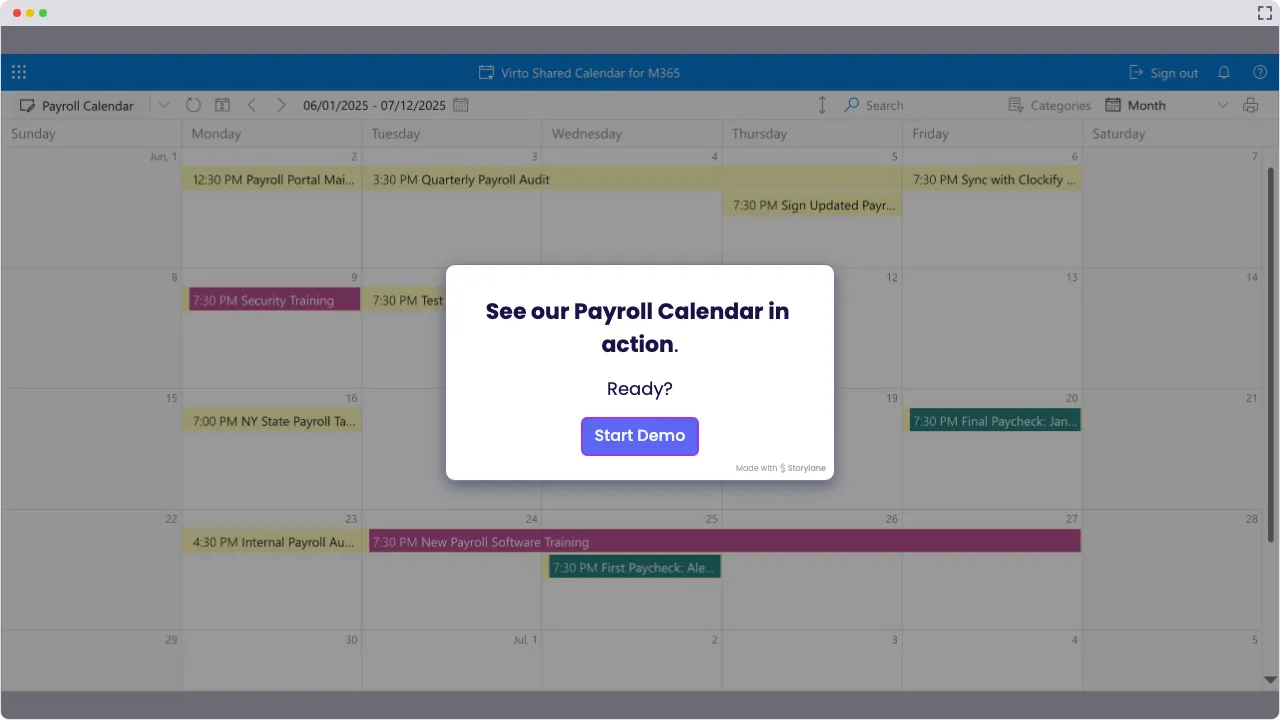
Launch Interactive Demo
Complete Control Over Payroll Schedules
One payroll calendar that gives HR and finance teams a clear view of upcoming pay dates, tax deadlines and reporting cycles. Virto Shared Calendar shows the dates in a browser or in Microsoft Teams, while the payroll itself stays in your payroll system.
Payroll that’s actually on schedule

Put pay dates, timesheet cutoffs and filing deadlines into one pay period calendar, with a public-holiday feed alongside. Tags and colors keep each kind of date apart, so a clash is easy to spot and everything is tracked in one place.

A calendar that remembers every date
Set pay dates, cutoffs and filing deadlines once as recurring events, and every pay period shows up without retyping. The calendar sends no reminders; it is the one place everyone checks, in Teams, in a browser or on a phone.

Payroll periods, your way
Lay out weekly, biweekly or monthly pay periods as recurring events. Color-coding by tag separates pay dates, cutoffs and compliance deadlines at a glance.

Key benefits

Centralized payroll calendar access
Use a single payroll calendar to view all payroll schedules, processing dates, and holidays. Reduces confusion and manual tracking errors for HR and finance teams.
Recurring payroll dates
Enter each pay period, timesheet cutoff and filing deadline once as a recurring event, and it shows up for every cycle. The calendar itself sends no reminders, but everyone sees what is due the moment they open it, which cuts the risk of late payments and missed deadlines.
See everything at a glance
Color-coded views = instant clarity. With one look, you can tell which pay run is next, which cutoff is close, and who in the payroll team is off that week. That means fewer misunderstandings and faster planning.
In Teams, in a browser, on a phone
Add Virto Shared Calendar to Microsoft Teams or open it as a web app. The payroll team edits the dates; everyone else views them on a desktop, tablet or phone.
Sharing with contractors
External consultants, contractors or your payroll bureau get a view-only link and open the pay schedule in their browser, with no Microsoft account and no login.
Compliance-oriented payroll planning
Keep filing deadlines and payroll milestones on the same calendar as the pay runs, so every pay cycle is planned against the dates that labor and tax rules set.
When Virto Shared Calendar fits — and when it does not
A small payroll team keeps its dates in a spreadsheet.
Add each pay date, timesheet cutoff and filing deadline as a recurring event and tag it by type, so the whole pay cycle reads in color at a glance. HR and finance open the same calendar in Microsoft Teams or in a browser.
Employees are paid in more than one country.
Add the public-holiday feed for each country in iCal format next to the pay dates, so a payday on a bank holiday is spotted well before the run.
Employees want to know when they are paid and when timesheets are due.
Make the calendar visible to the whole organization or send a view-only link. Employees see pay dates and cutoffs on a laptop or a phone, and people who only view need no license.
Send a view-only or edit link, and they open the calendar in their browser with no Microsoft account and no login. A provider with its own Microsoft 365 tenant can have the calendar shared with that tenant.
Cutoffs and filing deadlines are kept in a SharePoint list.

Virto Shared Calendar sends no reminders. When the payroll dates live in a SharePoint list, Virto Alerts & Reminder App sends email and Teams reminders before each cutoff and filing deadline.
The calendar shows when each payroll step is due. Payroll runs, gross-to-net calculation, tax filings and payslips stay in the payroll system that runs them.
Virto Shared Calendar
Talk to our team
Related products


Integrations
Connect to the tools your teams use the most so everyone works seamlessly in one place.







Related use cases
Discover our range of use cases to take your planning and coordination to another level
Availability Calendar
Virto Calendar App draws every team member's calendar in one Outlook view — busy time, vacations and shared meetings, under the permissions each source already has.
Learn more about Availability CalendarSprint Calendar
Stay in sync and sprint with style: planning, stand-ups, reviews and retros in one shared sprint calendar, color-coded, in a browser or in Microsoft Teams, and shared by link with the whole team.
Learn more about Sprint CalendarCustomer Support Schedule
One shared rota for on-call shifts, PTO and night rotations, tagged by tier. Agents check it in Teams or on a phone, and part-timers or partners open it from a link, no Microsoft account needed.
Learn more about Customer Support ScheduleComprehensive support, security, and integration
Our commitment to excellence in every aspect of your experience

Support
Get your questions answered by our global support team of VirtoSoftware product experts, available 24/7/365.

Security
We build our solutions with you in mind to give you control and visibility over access, data, and security.

Integrations
Connect to the M365 tools and internet calendars your teams use the most so that everyone works seamlessly in one place.
Talk to our team
Need clarity on our app's suitability for you? Set up a quick call with us or chat via Microsoft Teams chat to explore its potential for your needs.